Chatbox AI
Category AI Chat
Published 2026-04-04

Overview

This section highlights the core features, use cases, and supporting notes.

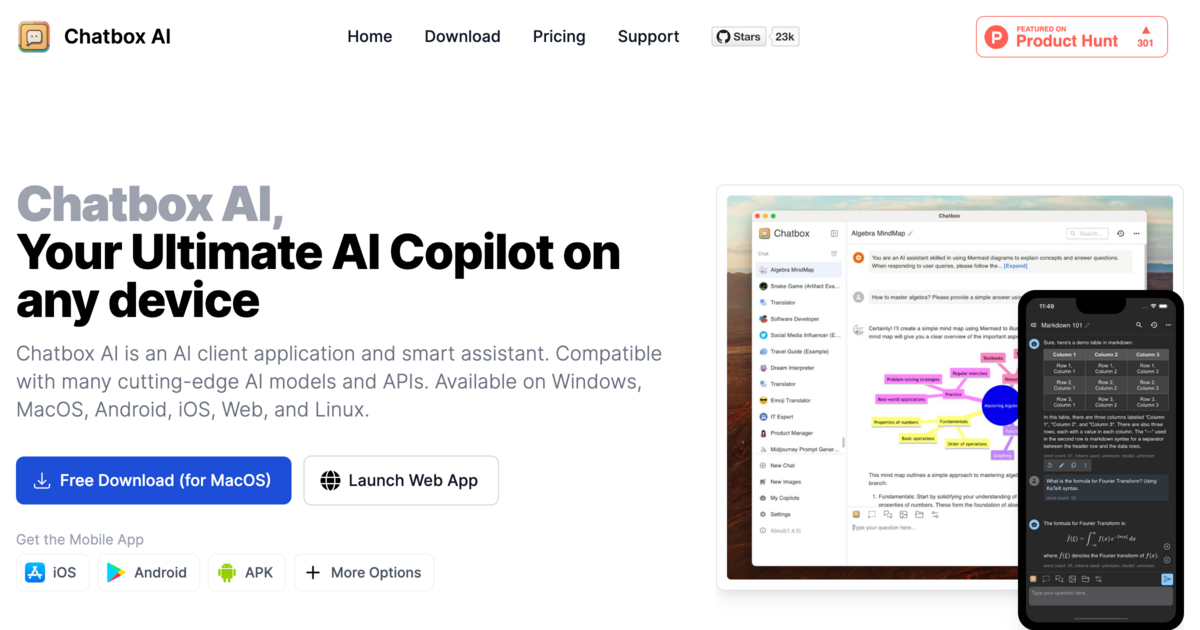
Chatbox AI is a cross-platform AI client for users who want one desktop-style workspace for multiple models, APIs, local models, documents, and longer-running conversations. It is especially valuable for regular AI users because it treats AI access as a client workflow with history, files, and model switching instead of a single-provider chat tab.

Chatbox AI matters because heavy AI usage becomes messy fast when it is scattered across browser tabs and model-specific websites. The official site presents it as an AI client app and assistant that supports many models and APIs across Windows, macOS, Linux, Android, iOS, and the web, which makes the product much more relevant as a long-term workspace than as a one-time toy.

It suits users who regularly work with different model providers, external APIs, or even local models and who want those interactions to live inside one more stable client environment. Document chat, image understanding, and coding-related assistance become easier to manage when the workflow does not restart from zero every time.

What makes Chatbox AI worth keeping is control over the interface layer. The official page highlights chat with documents and images, code-oriented features, and broad platform support. That matters because the product can function as a practical operating surface above the model layer rather than forcing you to relearn a new UI for every service.

The tradeoff is that a client layer does not remove the underlying complexity of model cost, API keys, privacy, rate limits, or output quality. Chatbox AI can make access smoother, but the responsibility for choosing providers and checking sensitive content still stays with the user.

This site recommends Chatbox AI for people who already know they will keep using AI over time. If you value history, file-aware conversations, model switching, and a more persistent client-style workflow, it has much more long-term utility than another isolated chat page.

Setup / Usage Guide

Installation steps, usage guidance, and common notes are maintained here.

  1. Download Chatbox AI from the official site and choose your primary device first. The product supports several platforms, but the best setup starts by deciding where most of your real work happens.
  2. Configure one model or API before adding several. A clean first connection makes it easier to understand the client before the workspace becomes crowded.
  3. Create separate chats by task type. Writing, coding, translation, and document work should not all live in one long thread if you want the client history to stay useful.
  4. Test document or image chat with a safe sample file. This is one of the product’s practical differentiators, so it is worth checking early.
  5. Review how Chatbox AI stores history and handles sync or local state. A client app becomes much more valuable when you understand where your conversations and files actually live.
  6. Use templates or repeated prompts only after the core workflow feels stable. Structure helps, but it is smarter to learn the client first than to automate too early.
  7. Add more providers only when you have a reason to compare them. The product is strongest when multiple access paths are organized, not when they are added just because they are available.
  8. Keep it if it reduces switching cost across your AI work. That is the real benchmark for a multi-model AI client.

Related Software

Keep exploring similar software and related tools.