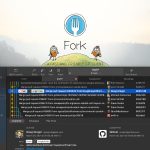
Fork is most useful when it is judged as a paid desktop Git client built for everyday repository work rather than as a decorative GUI that hides Git behind large buttons. The official Fork homepage, About page, buy page, license page, blog, Quick Launch post, Collapsible git graph post, Fork for Windows 1.48 release notes, Fork for Windows 1.38 release notes, and Fork 1.0.79 release notes checked on April 19, 2026 all point to a practical client for Mac and Windows with real workflow depth around diffs, branch movement, history navigation, merge conflict handling, rebase actions, pull requests, LFS workflows, and repository visibility. That positioning matters because Fork should not be evaluated only on whether it can stage a file or create a commit. The homepage already highlights direct downloads for Mac and Windows, repository manager, working directory changes, side by side diff, GitHub notifications, merge conflicts, and interactive rebase. The About page makes the product origin more believable by describing Fork as a tool built by developers for their own daily use, while the buy and license pages make it clear that this is a paid desktop utility with a free evaluation path rather than a fully free forever client. What keeps Fork worth considering is the release-note trail. The official blog and release posts show features such as Quick Launch command palette actions, collapsible commit graph navigation, partial stash, drag and drop merge and rebase, pull request creation, LFS locking, side by side diff, image comparison modes, bugtracker links, quick interactive rebase actions, and sorting branches and tags. That mix makes Fork feel like a real productivity tool for people who already understand Git and want clearer visual control without giving up workflow power. Our grounded judgment is that Fork is strongest for developers and technical contributors who already understand version-control basics and want a cleaner faster desktop workflow for repository review, branch movement, diff inspection, and day-to-day Git operations. It is a weaker fit for users who require a fully free or open-source Git client, a pure command-line workflow, or a browser-based collaboration system. Fork looks most defensible when the real need is a serious desktop Git workspace that can save time without pretending Git itself has become simple.