Subsection Navigation

Switch between child sections to keep browsing the matching software lists.

PC Essentials Software List

This list follows the subsection ranking order for easier browsing and detail-page access.

Node.js

Node.js

Node.js is a free, open-source, cross-platform JavaScript runtime that lets you run JavaScript for servers, APIs, command-line tools, scripts, and build workflows, backed by npm and a large first-party documentation ecosystem. Its real strength is not only backend JavaScript, but the way runtime, package management, CLI tooling, REPL workflows, and a built-in test runner can reduce setup friction for developers who want one practical platform from prototype to production.

PC Software 2026-03-28
Python

Python

Python is a general-purpose programming language that stays popular because it is readable, widely taught, and useful across automation, data work, AI, backend services, and scripting. It is one of the easiest languages to start with while still being powerful enough for serious long-term projects.

PC Software 2026-03-28
Visual Studio Code

Visual Studio Code

Visual Studio Code is worth recommending when it is judged as a practical development workspace instead of only as another text editor. The official materials checked on April 22, 2026 still position VS Code through its main site, documentation hub, download page, monthly updates, getting-started guide, themes guide, CLI guide, terminal basics, source-control overview, and settings-sync docs. That combination matters because many users do not only need a place to open files. They need an editor that can scale from note-sized edits to real development tasks with extensions, Git workflow, terminal access, language support, and a setup path that stays understandable for new and experienced users. VS Code is strongest for developers, technical learners, script writers, DevOps users, and general coding work where flexibility matters more than a giant IDE. It is weaker for readers who need every heavyweight enterprise IDE feature out of the box or who want an editor with almost no customization choices at all. Our grounded judgment is that VS Code still deserves to be recommended as one of the safest default development workspaces for Windows users because it balances approachability, extension depth, and official guidance better than many alternatives.

PC Software 2026-03-28
Rust

Rust

Rust is worth recommending when it is judged as a language-plus-toolchain ecosystem instead of only as another programming language homepage. The official materials checked on April 22, 2026 still position Rust through its main site, install guide, Rust book, Cargo book, Rust By Example, the installation chapter, the Hello Cargo chapter, the standard library docs, Clippy docs, and the Rust Playground. That combination matters because many users do not only need syntax. They need a practical route from installation to building, formatting, linting, learning, and testing real code. Rust is strongest for developers who care about performance, correctness, tooling quality, and long-term maintainability, especially when they are willing to learn a stricter model than scripting languages usually require. It is weaker for readers who want the easiest possible beginner syntax or who need instant scripting convenience more than disciplined compiled-language workflow. Our grounded judgment is that Rust still deserves to be recommended as one of the most complete modern toolchain experiences for systems and performance-conscious development because its official learning and tooling path remains unusually strong.

PC Software 2026-03-28
Docker Desktop

Docker Desktop

Docker Desktop is one of the clearest recommendations for Windows developers who need a local container workflow that is documented, actively maintained, and practical enough for real day-to-day stacks instead of one-off demos. Docker's official product page, Docker Desktop docs, Windows install guide, WSL guide, Dashboard feature pages, Compose docs, Extensions docs, Model Runner docs, and release notes checked on April 17, 2026 show a desktop product with a much broader local role than simply starting containers. Docker presents Docker Desktop as collaborative containerization software for developers, while the docs make visible first-party workflows around images, volumes, Compose, WSL 2, extensions, Kubernetes, Wasm, and AI model running. What keeps Docker Desktop worth installing is that the practical Windows path is documented with much more honesty than many local dev tools. The install guide exposes Windows 10 and 11 edition requirements, WSL 2 and Hyper-V backend choices, 8GB RAM and virtualization expectations, x86_64 and Arm installer paths, Microsoft Store availability, and administrator-related behavior. The release notes page was also updated on April 15, 2026 and shows Docker Desktop 4.46.0 together with current Windows fixes, which is exactly the kind of maintenance visibility a low-level developer tool needs. That makes Docker Desktop strongest for developers, DevOps-minded teams, and technical users who repeatedly run containers, local services, and multi-container stacks on a Windows workstation. It is a weaker fit for users who only need one occasional container command and do not want to keep a fuller desktop container environment around.

PC Software 2026-03-28
Postman

Postman

Postman is most useful when it is judged as an AI-native API platform rather than as only a simple request client. The official Postman homepage, download page, pricing page, Workspaces page, Flows page, API Catalog page, Spec Hub page, documentation overview, Newman CLI docs page, and security page checked on April 19, 2026 all point to a broader platform for API development, collaboration, governance, and automation. The homepage calls it The AI-native API Platform, while the surrounding product pages show Postman covering shared workspaces, visual flows, central API visibility, specification governance, CLI execution, and enterprise security expectations. That positioning matters because Postman now sits much closer to team workflow infrastructure than to a lightweight endpoint tester. The download page still matters because many developers begin from the install path, but the product pages show that the real value is in repeatable shared API work. Workspaces, Flows, API Catalog, and Spec Hub all signal that Postman is built for teams that need more than one isolated request tab. What keeps Postman worth considering is the combination of operational depth and practical learning support. The documentation overview gives it a serious learning surface, while Newman CLI keeps a command-line route for running and testing collections outside the graphical client. The security page also matters because API work often touches sensitive credentials, shared environments, and governed workflows that teams will not treat casually. Our grounded judgment is that Postman is strongest for developers, QA engineers, platform teams, and API programs that need one place to build, test, document, automate, and govern API work across individuals and teams. It is a weaker fit for users who only want the tiniest single-endpoint checker, a fully local offline scratch tool, or a workflow that never expands beyond a handful of manual calls. Postman looks most defensible when the real need is shared, repeatable API work with documentation, collaboration, and automation built in.

PC Software 2026-03-28
DBeaver

DBeaver

DBeaver is a universal database client for Windows users who need one desktop tool for PostgreSQL, MySQL, SQLite, SQL Server, and other database engines instead of maintaining a separate GUI for each one. It is especially useful for developers, administrators, and analysts who want a practical mix of connection management, SQL editing, table browsing, ER diagrams, and data export in one place.

PC Software 2026-03-28
Navicat

Navicat

Navicat is a premium database management client aimed at developers, analysts, and database administrators who want polished tooling across multiple SQL engines. It is especially attractive when you value a refined GUI, mature administration features, and cross-database productivity over a completely free toolchain.

PC Software 2026-03-28
Sublime Text

Sublime Text

Sublime Text is still worth recommending when it is judged as a fast, focused editor for code, markup, and prose with strong keyboard workflow, project handling, indexing, Git integration, and low-friction editing features instead of as a stripped-down toy editor or a half-IDE. The official materials checked on April 21, 2026 still present Sublime Text through its Text Editing, Done Right positioning, a direct download route, core documentation, tab multi-select, Git integration, incremental diff, indexing, command-line usage, projects, distraction-free mode, and package support. That combination matters because many users do not actually need the weight of a full IDE for every task, but they do need an editor that stays fast on large files and rewards precise editing habits. Sublime Text is strongest for developers, writers, and technical users who want a responsive editor that stays out of the way while still offering serious workflow tools. It is weaker for readers who need full IDE debugging and language-server-heavy workflow by default, but our grounded judgment is that Sublime Text still deserves to be recommended when the real need is fast, reliable, keyboard-friendly editing with room to scale.

PC Software 2026-03-28
GitKraken

GitKraken

GitKraken is still worth recommending when it is judged as a visual Git desktop client for repository history, pull-request follow-through, multi-repo organization, and merge-conflict handling instead of as only a prettier shell around basic Git commands. The official materials checked on April 21, 2026 present GitKraken Desktop through a clear Windows download path, a visual commit graph, Launchpad for issues and pull requests, Workspaces for multi-repo context, a visual 3-way merge tool, enterprise-oriented security controls, a public help center, current release notes, and a visible product roadmap. That combination matters because many developers do not struggle with Git because commands are unavailable; they struggle because repository context, merge state, and review work become hard to see at the right moment. GitKraken is strongest for developers and teams who want Git work to stay legible across branches, repositories, pull requests, and review queues without forcing every action through raw terminal memory. It is weaker for readers who prefer a purely CLI workflow or who only need the smallest possible local Git wrapper, but our grounded judgment is that GitKraken still earns its place when the real need is visual Git clarity plus day-to-day team workflow support.

PC Software 2026-03-28
Termius

Termius

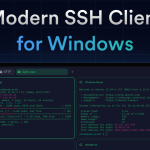
Termius is still worth recommending when it is judged as a modern SSH client and remote-access workspace for saved hosts, SFTP, port forwarding, snippets, key management, and secure sync rather than as a plain terminal replacement. The official materials checked on April 21, 2026 show Termius across its Windows download page, installation docs, quick start, connection guide, SFTP workflow, port forwarding and tunneling docs, snippets guide, SSH keys and certificates guide, and enterprise-grade security page. That combination matters because remote-access work becomes messy when hosts, files, tunnels, and credentials are scattered across unrelated tools or remembered only through habits. Termius is strongest for developers, DevOps users, and administrators who move across servers and devices enough to benefit from structured host management instead of ad hoc terminal windows. It is weaker for readers who only need the simplest local SSH command on one machine, but our grounded judgment is that Termius deserves to be recommended when the real need is repeatable remote operations with organized hosts, files, tunnels, and credentials.

PC Software 2026-03-28
MobaXterm

MobaXterm

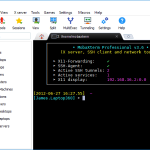
MobaXterm is still worth recommending when it is judged as a Windows remote-computing toolkit that combines terminal access, SSH, X11, RDP, VNC, file transfer, plugins, and administrative convenience in one desktop application instead of as only another SSH window. The official materials checked on April 21, 2026 still present MobaXterm through its main product page, the official download route, features page, documentation, plugins, animated demo, contact page, license page, export rules page, and the broader Mobatek company site. That combination matters because many Windows-based administrators, developers, and technical support users do not only need one shell; they need a practical place to reach many kinds of remote sessions and supporting tools without stitching together several separate utilities. MobaXterm is strongest for Windows users who want an all-in-one remote operations toolbox with built-in convenience and broad protocol coverage. It is weaker for readers who only need the smallest possible SSH client, but our grounded judgment is that MobaXterm still deserves to be recommended when the real need is broad remote-access capability in one Windows-oriented workspace.

PC Software 2026-03-28
HeidiSQL

HeidiSQL

HeidiSQL is most useful when it is judged as a free and powerful multi-database desktop client rather than as a flashy hosted database platform. The official HeidiSQL homepage, download page, screenshots page, help page, forum, table editor screenshot, query screenshot, SQL export screenshot, import textfile screenshot, and maintenance screenshot checked on April 19, 2026 all point to a long-running practical tool for direct database work across MariaDB, MySQL, Microsoft SQL Server, PostgreSQL, SQLite, and Interbase/Firebird. That positioning matters because HeidiSQL is not trying to win through broad platform branding. It wins by covering the daily work surfaces administrators and developers actually need: schema editing, query execution, imports, exports, maintenance tasks, portable usage, and command line connections. The screenshots and help pages make that practical posture clearer than any abstract marketing line could. What keeps HeidiSQL worth considering is its combination of breadth and grounded utility. The homepage and feature list show table editors, views, stored routines, triggers, scheduled events, SQL exports, imports, and maintenance operations. The help page adds requirements, connection guidance, command line switches, and portable usage notes. The forum matters because it shows an active support surface around a mature desktop tool rather than a silent abandoned project. Our grounded judgment is that HeidiSQL is strongest for Windows-centric database administrators, developers, and operators who want one capable client for hands-on work across multiple database engines without paying for a heavier platform layer. It is a weaker fit for teams that want a browser-native collaborative cloud console, a highly polished modern design-first UI, or a workflow built around hosted governance products rather than direct database operations. HeidiSQL looks most defensible when the real need is practical, repeatable database work from one straightforward desktop client.

PC Software 2026-03-28
Fork

Fork

Fork is most useful when it is judged as a paid desktop Git client built for everyday repository work rather than as a decorative GUI that hides Git behind large buttons. The official Fork homepage, About page, buy page, license page, blog, Quick Launch post, Collapsible git graph post, Fork for Windows 1.48 release notes, Fork for Windows 1.38 release notes, and Fork 1.0.79 release notes checked on April 19, 2026 all point to a practical client for Mac and Windows with real workflow depth around diffs, branch movement, history navigation, merge conflict handling, rebase actions, pull requests, LFS workflows, and repository visibility. That positioning matters because Fork should not be evaluated only on whether it can stage a file or create a commit. The homepage already highlights direct downloads for Mac and Windows, repository manager, working directory changes, side by side diff, GitHub notifications, merge conflicts, and interactive rebase. The About page makes the product origin more believable by describing Fork as a tool built by developers for their own daily use, while the buy and license pages make it clear that this is a paid desktop utility with a free evaluation path rather than a fully free forever client. What keeps Fork worth considering is the release-note trail. The official blog and release posts show features such as Quick Launch command palette actions, collapsible commit graph navigation, partial stash, drag and drop merge and rebase, pull request creation, LFS locking, side by side diff, image comparison modes, bugtracker links, quick interactive rebase actions, and sorting branches and tags. That mix makes Fork feel like a real productivity tool for people who already understand Git and want clearer visual control without giving up workflow power. Our grounded judgment is that Fork is strongest for developers and technical contributors who already understand version-control basics and want a cleaner faster desktop workflow for repository review, branch movement, diff inspection, and day-to-day Git operations. It is a weaker fit for users who require a fully free or open-source Git client, a pure command-line workflow, or a browser-based collaboration system. Fork looks most defensible when the real need is a serious desktop Git workspace that can save time without pretending Git itself has become simple.


PC Software 2026-03-28
PuTTY

PuTTY

PuTTY is a long-standing Windows SSH and terminal client for remote shell access, serial connections, and related command-line tasks. It remains useful for admins, embedded developers, and support users who want a small, dependable remote access tool that does not ask for much setup.

PC Software 2026-03-28
WinSCP

WinSCP

WinSCP is most useful when it is judged as a Windows file-transfer client and automation surface rather than as only a basic drag-and-drop FTP program. The official WinSCP homepage, download page, introduction guide, install guide, features page, automation guide, synchronization guide, put-command reference, support forum, and news page checked on April 20, 2026 all point to a broader tool for transferring files over FTP, FTPS, SCP, SFTP, WebDAV, and S3 with both graphical and scripted workflows. The homepage explicitly presents WinSCP as a free SFTP and FTP client for Windows and highlights an integrated text editor plus scripting and task automation instead of limiting the story to manual uploads. That positioning matters because WinSCP should not be evaluated as a one-protocol file mover. The features page explicitly lists command-line interface, scripting and task automation, portable use, integration to Windows and PuTTY, and selectable user interfaces. The automation guide goes further by showing batch-file usage, PowerShell, and XML log workflows, while the synchronize guide shows WinSCP as a directory-level transfer and synchronization tool rather than as a one-file sender. The put-command reference makes the scripting surface concrete with upload syntax and resume behavior. What keeps WinSCP worth considering is the combination of protocol breadth, documentation depth, and visible maintenance. The introduction and install guides reduce onboarding friction, the support forum provides public troubleshooting context, and the news page shows an active release stream with current fixes and compatibility work, including recent notes around OpenSSL, Expat, and Amazon S3. That gives WinSCP a more durable posture than smaller transfer clients that ship an installer but little else. Our grounded judgment is that WinSCP is strongest for Windows users, web operators, administrators, and developers who need repeatable remote file transfer, synchronization, scripting, and secure protocol support from one mature client. It is a weaker fit for users who only need the simplest occasional browser-based upload, or who want a fully managed cloud console instead of a desktop transfer tool. WinSCP looks most defensible when the real need is practical remote file work with both GUI clarity and automation depth.

PC Software 2026-03-28