Subsection Navigation

Switch between child sections to keep browsing the matching software lists.

PC Essentials Software List

This list follows the subsection ranking order for easier browsing and detail-page access.

Beyond Compare

Beyond Compare

Beyond Compare remains one of the stronger desktop utilities for users who need more than a one-off text diff. The official materials checked on April 17, 2026 show a tool built to compare, merge, and synchronize folders and files across local disks, servers, archives, and cloud-connected storage, with specialized viewers for text, tables, and images, plus a real text-merge workflow instead of a vague merge button. The official download page listed current version 5.2.1 released March 24, 2026, while the product pages and help docs continue to document version 5 improvements such as dark mode, word wrap, table compare improvements, Windows 11 context menu support, settings portability, and upgrade behavior. That makes Beyond Compare strongest for developers, system administrators, and operations-heavy users who regularly reconcile folders, review file changes, merge text, or sync data with confidence, while it is a weaker fit for users who only need a very occasional free text diff and nothing more.
PC Software 2026-03-28
Insomnia

Insomnia

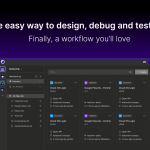
Insomnia is most useful when it is judged as an open-source collaborative API development platform with request workflows, collections, environments, Git Sync, plugins, and mock servers rather than as only a simple REST client. The official Insomnia homepage, download page, pricing page, docs introduction, requests page, collections page, environments page, Git Sync page, plugins page, and mocks page checked on April 19, 2026 all point to a broader API workflow tool for HTTP, REST, GraphQL, gRPC, SOAP, and WebSockets. That positioning matters because Insomnia keeps describing itself as more than a request sender. The homepage calls it a collaborative API development platform and says it is a leading open-source platform across several API protocols. The docs introduction says Insomnia is an open-source desktop application that simplifies designing, debugging, and testing APIs. Requests, collections, and environments matter because they define the everyday work surfaces that serious API users rely on repeatedly. What keeps Insomnia worth considering is the practical workflow depth around organization, collaboration, and extensibility. Git Sync matters because it connects API work directly to repositories. Plugins matter because teams can extend the tool instead of staying locked inside built-in behavior. Mocks matter because pre-production API work often depends on simulated responses before a backend is fully ready. The pricing page also matters because it shows the product being sold for broader modern API work at team and scale levels rather than as a throwaway utility. Our grounded judgment is that Insomnia is strongest for developers and technical teams who want one polished tool for API requests, environments, organized collections, collaborative changes, and broader design or testing workflows under an open-source product with a real docs surface. It is a weaker fit for users who only want a tiny one-endpoint tester, a purely local offline note tool, or a workflow that never grows beyond a handful of manual calls. Insomnia looks most defensible when the real need is repeatable API work that benefits from organization, versioning, and extensibility.

PC Software 2026-03-28
TortoiseGit

TortoiseGit

TortoiseGit is a Windows shell extension that brings Git actions into Explorer through context menus, overlays, and visual repository controls. It is a good fit for users who want a graphical Git workflow on Windows without living in the terminal for every commit, branch, or diff.

PC Software 2026-03-28
Fiddler

Fiddler

Fiddler is a web debugging proxy tool for inspecting HTTP and HTTPS traffic, requests, responses, headers, and sessions on Windows. It is most useful for developers, testers, and support engineers who need to understand what an app or browser is really sending across the network.

PC Software 2026-03-28
FileZilla

FileZilla

FileZilla is most useful when it is judged as a free open-source file transfer tool with a mature client workflow, official documentation, and practical troubleshooting support rather than as a flashy cloud sync service. The official homepage, Windows client download page, screenshots page, documentation page, client tutorial, using guide, network configuration guide, Site Manager page, FAQ, and support page checked on April 19, 2026 all point to a project centered on dependable FTP-style transfer work instead of trend-driven productivity packaging. That positioning matters because FileZilla keeps exposing real operating detail. The homepage says it is the free FTP solution for both client and server and is distributed free of charge as open source software. The download page matters because it provides a direct official client release path. The tutorial, using guide, Site Manager page, and screenshots page matter because they show FileZilla as a repeat-use transfer client rather than a one-click throwaway utility. What keeps FileZilla worth considering is the depth of its official wiki around everyday and edge-case use. The documentation page links setup, logs, network configuration, FAQ, and other guidance. The network configuration page openly explains that FTP outside a LAN is not trivial, which makes the support story more credible than a tool that ignores router and firewall reality. The support page also points users to FAQ, documentation, forums, and existing tickets before opening new issues. Our grounded judgment is that FileZilla is strongest for users who need a straightforward established client for FTP, FTPS, or related transfer workflows and who value a free open tool with visible documentation and troubleshooting support. It is a weaker fit for users who only want frictionless cloud drive sharing, a very modern collaboration layer, or a service that hides protocol and network details completely. FileZilla looks most defensible when the real need is practical file transfer work with an established client and an honest official support trail.

PC Software 2026-03-28
Notepad3

Notepad3

Notepad3 is a lightweight Windows text editor for users who need something faster and more capable than the default Notepad when working with code, configuration files, logs, markup, or large plain-text notes. It is strongest for developers, administrators, and careful everyday Windows users who want syntax highlighting, portable use, strong find-and-replace tools, and a practical editor without the weight of a full IDE.

PC Software 2026-03-28
Rufus

Rufus

Rufus remains one of the clearest recommendations for users who need to turn ISO images into bootable USB media on Windows without installing a larger imaging suite or trusting vague third-party repacks. The official Rufus site, release trail, and official FAQ and Usage Notes checked on April 17, 2026 show a tool that still stays tightly focused on bootable media creation: the homepage presents it as a utility for formatting and creating bootable USB flash drives, the current public release is Rufus 4.13 dated 2026-02-17, and the official download table still exposes standard, portable, x86, and ARM64 builds with no installation requirement beyond running the executable on Windows 8 or later. What keeps Rufus worth installing is not only that it writes USB media. The official documentation also explains the practical questions that decide whether a boot utility is trustworthy in real life: what portable mode actually changes, how to restore a flash drive after writing a DD image, why Secure Boot or UEFI:NTFS prompts appear, how to validate a Windows ISO through SHA-1, why Windows To Go depends on Microsoft's WIM API and a Windows 8 or later host, and why FIXED versus REMOVABLE is a hardware property rather than a checkbox Rufus can rewrite. That makes Rufus strongest for technicians, repair workflows, reinstall prep, firmware jobs, and one-off boot media creation when users want a small but very transparent Windows utility. It is a weaker fit for people who actually need a full partition manager, ongoing backup software, or a novice-proof recovery suite that hides every boot-mode decision.

PC Software 2026-03-28
PowerToys

PowerToys

PowerToys remains one of the most useful Microsoft-maintained utility collections for Windows users who want to remove everyday desktop friction without installing a dozen separate niche tools. The official Microsoft Learn and GitHub materials checked on April 17, 2026 show a free, open-source toolkit with documented install paths, window-layout control, keep-awake behavior, quick launch, keyboard remapping, bulk rename, OCR capture, and workspace restoration features. The official GitHub release trail showed PowerToys v0.98.1 published on March 26, 2026, with x64 and ARM64 installers and ongoing stability fixes across modules such as Command Palette, Keyboard Shortcut Manager, and Settings. PowerToys is strongest for Windows 10 and Windows 11 users who like modular productivity tools and are willing to enable only the modules they actually need. It is a weaker fit for users who want zero background utility overhead or who only need one tiny feature that Windows already covers well enough.

PC Software 2026-03-28
EverythingToolbar

EverythingToolbar

EverythingToolbar is one of the most sensible add-ons for Windows users who already depend on Everything and want its file search power closer to the taskbar instead of buried in a separate app window. The official README, FAQ, and GitHub release trail checked on April 17, 2026 describe a project that is much more specific than a generic launcher. EverythingToolbar is a dedicated taskbar search interface powered by Everything, with theme-aware Windows integration, filter synchronization, quick search flags, regex-based custom actions, keyboard-driven result handling, QuickLook and Seer preview support, and separate launcher and deskband workflows depending on the Windows version. What keeps it worth installing is that the project is unusually honest about its boundaries. It requires Everything 1.4.1 or newer to be installed and running, does not support Everything Lite, explains that native Windows 11 removed deskband support, and points users toward the launcher mode or tools such as ExplorerPatcher and StartAllBack when they specifically want the full deskband experience back. The latest official release page also showed version 2.3.0 published on March 13, 2026, adding a file preview side pane, better start menu forwarding, improved file icon loading, and small search-window refinements. That makes EverythingToolbar strongest for Windows users who already trust Everything and want a faster, more integrated taskbar search surface. It is a weaker fit for anyone who expects a self-contained search engine, does not want Everything running in the background, or wants native Windows 11 deskband behavior without third-party taskbar restoration tools.

PC Software 2026-03-28
Sysinternals Suite

Sysinternals Suite

Sysinternals Suite is Microsoft's bundled collection of advanced Windows troubleshooting and administration tools. It is a practical toolkit for admins, support engineers, and power users who want Process Explorer, Autoruns, Procmon, PsTools, and other diagnostic utilities in one official download.

PC Software 2026-03-28
Total Commander

Total Commander

Total Commander is a classic dual-pane file manager for Windows users who move, compare, rename, and organize large numbers of files every day. It is especially valuable for power users who want keyboard-driven file operations instead of relying only on the standard Explorer workflow.

PC Software 2026-03-28
Hyper

Hyper

Hyper is a customizable terminal app for Windows and other desktop platforms, known for its theme and plugin ecosystem. It is a good match for users who care about terminal appearance and extensibility, but it makes the most sense when you are willing to tune the experience instead of expecting a no-maintenance default.

PC Software 2026-03-28
Xshell

Xshell

Xshell remains one of the stronger Windows terminal clients for people who manage many remote sessions and need more structure than a bare SSH tab row can provide. The official NetSarang product page, download page, Xshell 8 features page, Xshell 8 manual, Xshell 8 datasheet, and NetSarang free licensing page checked on April 17, 2026 present Xshell as a Windows-focused remote access workspace rather than just a one-off connection tool. The official materials highlight Version 8, multiple license paths including evaluation and home or school eligibility, broad protocol support across SSH1, SSH2, SFTP, TELNET, RLOGIN, SERIAL, and RDP, and a feature set built around Session Manager, Quick Command Manager, Tab Manager, File Manager, Compose Pane, Authentication Profiles, Triggers, Script Recording, Highlight Sets, and integrated local-shell workflows. What keeps Xshell worth installing is that the official docs treat operator workflows seriously. NetSarang documents secure tunneling with TCP IP and X11 forwarding, SOCKS4/5 dynamic forwarding, Instant Tunneling, Local Shell support for CMD, Powershell, and WSL, and Version 8 additions such as Integrated Log Viewer, Hex Viewer, RDP support, and Quick Start. The free licensing page also makes it clear that there is a real official path for home and school use without ads or spyware, while the download page keeps the commercial evaluation path visible. That makes Xshell strongest for Windows-based administrators, network engineers, support operators, and multi-session terminal users who need organization, repeatable commands, and remote-access flexibility. It is a weaker fit for users who want a simple one-host SSH client, need a native macOS or Linux app, or expect an unrestricted free business license.

PC Software 2026-03-28
Process Explorer

Process Explorer

Process Explorer is an advanced Windows process viewer from Microsoft Sysinternals that goes much deeper than Task Manager. It is useful for admins, troubleshooters, and power users who need process trees, handles, loaded modules, and richer process details when diagnosing system problems.

PC Software 2026-03-28
PowerShell 7

PowerShell 7

PowerShell 7 is a command shell and scripting environment for Windows users who need stronger automation, object-based command workflows, and repeatable administration or developer tasks beyond what the classic Command Prompt handles well. It is strongest for administrators, developers, and advanced Windows users who want official installation guidance, a real Help system, pipeline-driven work, and a shell that can be customized for long-term daily use.

PC Software 2026-03-28
Windows Terminal

Windows Terminal

Windows Terminal is one of the best default terminal upgrades for Windows users who need to work across PowerShell, Command Prompt, and WSL without juggling a pile of separate console windows. Microsoft's official Windows Terminal overview, install guide, settings documentation, command-palette guide, panes guide, tips and tricks page, command-line arguments page, and official GitHub release trail checked on April 17, 2026 show a product that is much more than a prettier console. Windows Terminal supports multiple tabs and panes, Unicode and UTF-8 text, a GPU accelerated text rendering engine, deep theming, explicit startup behavior, searchable actions through the command palette, scriptable launching through wt.exe, and profile-level customization for command lines, starting directories, fonts, images, and acrylic effects. What keeps Windows Terminal worth installing is that Microsoft treats it like a real shell workspace. The install guide clearly explains the difference between Store installs with automatic updates and GitHub builds without automatic updates, the panes guide documents split layouts and read-only protection, the startup guide covers defaultProfile and persistedWindowLayout behavior, and the tips page surfaces distinctive workflow features such as Quake mode and retro CRT styling. The latest public GitHub release API also showed Windows Terminal v1.24.10921.0 published on April 3, 2026, which confirms the project is still actively maintained. That makes Windows Terminal strongest for Windows developers, administrators, and power users who regularly move between multiple shells and want one configurable place to manage them. It is a weaker fit for users who only open one occasional console window and do not care about panes, startup layouts, or scripted terminal control.

PC Software 2026-03-28