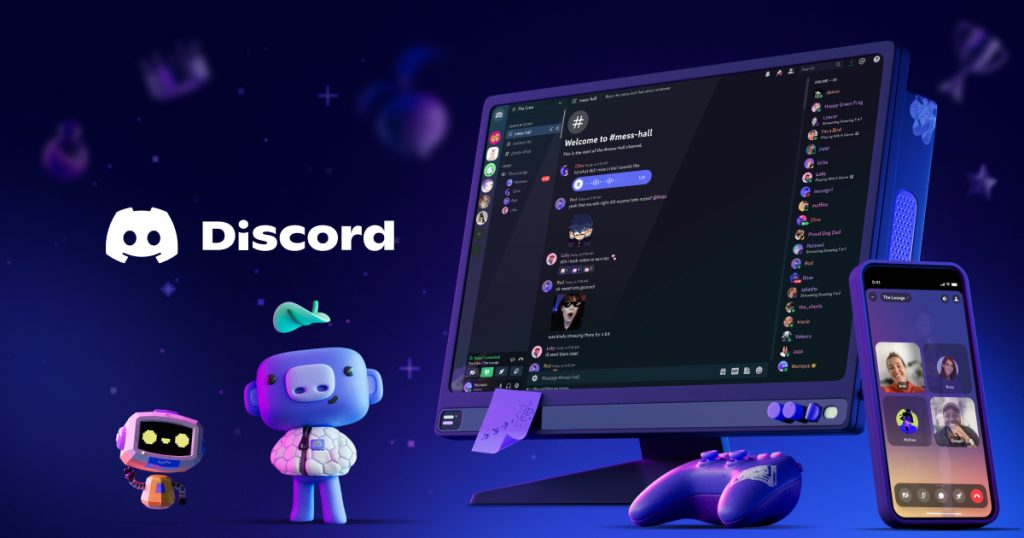
Overview

This section highlights the core features, use cases, and supporting notes.

Discord remains one of the clearest choices for people who need server-based voice, video, and text communication with persistent channels, cross-device access, and room for communities to grow beyond one-off chats. Discord's official homepage, download page, Safety Center, App Directory, Nitro page, Communities page, Family Center, Parent Hub, Transparency Hub, and April 6, 2026 patch notes checked on April 17, 2026 show a product that is much broader than a simple desktop messenger. The official homepage positions Discord around voice, video, or text chat and highlights Download for Windows together with Open Discord in your browser, while the download page exposes Windows, Mac, Linux, iOS, Android, and console-related surfaces plus Windows x64 and ARM64 options and Linux deb and tar.gz packages. What keeps Discord worth installing is the combination of structured servers and channels, broad platform access, optional premium extras through Nitro, server customization through the App Directory, and visible trust surfaces through the Safety Center family of pages. Discord is not pretending to be only a playful chat app anymore; it also documents family controls, parent-facing guidance, public transparency material, and recent desktop maintenance through its patch notes, including voice-thread reliability improvements on Desktop clients. That makes Discord strongest for friend groups, gaming communities, study groups, hobby servers, and recurring project spaces that need text, voice, and live room structure in the same place. It is a weaker fit for people who only want a minimal one-to-one messenger, dislike server-and-channel organization, or do not want the extra social and notification overhead that comes with a larger community platform.

The current English page for Discord is still too thin for what Discord’s own materials now show. The official homepage checked on April 17, 2026 is not just selling a tiny chat client. It positions Discord around voice, video, or text chat, highlights custom emoji, stickers, and soundboard effects, and gives users two immediate ways in through Download for Windows and Open Discord in your browser. That framing matters because Discord is best understood as a server-based communication platform, not only as a desktop messenger.

Annotated reference image based on the official Discord homepage highlighting voice video text chat browser access and Windows download entry
The homepage matters because Discord is meant to be judged as a structured communication platform rather than as a simple one-window messenger.

The official download page reinforces that broader role. Discord’s current download page exposes Windows, Mac, Linux, iOS, Android, and console-related access paths, and it visibly includes x64 and ARM64 options on Windows together with deb and tar.gz packages for Linux. That matters because Discord groups rarely stay on one PC. The product is designed to follow users across desktop, browser, phone, and other devices.

Annotated reference image based on the official Discord download page highlighting platform coverage and current package options
The download page matters because Discord is built for broad cross-device use instead of for one desktop installer path only.

The official Safety Center gives Discord more practical credibility than many casual chat tools. The page surfaces Family Center, Teen Charter, Parent Hub, and Transparency Hub directly. That is important because server-based platforms only stay usable when trust, safety, reporting, and user controls are visible and maintained rather than buried in scattered support links.

Annotated reference image based on the official Discord Safety Center highlighting family and trust entry points
The Safety Center matters because Discord needs visible trust and control surfaces to be useful at larger community scale.

The App Directory is another strong reason Discord remains worth keeping. Discord’s official description says the directory lets users search, browse, and explore thousands of apps to customize a server. That means Discord is not limited to stock chat rooms. Communities can extend moderation, utility, and workflow patterns around the same server structure instead of treating Discord as a fixed-feature messenger.

Annotated reference image based on the official Discord App Directory highlighting server customization through thousands of apps
The App Directory matters because Discord is often kept for what a server can become, not only for its default chat tools.

The Nitro page also helps set expectations honestly. Discord currently highlights custom emojis, animated avatars, larger file uploads, and HD video streaming there. That is useful because it separates optional premium conveniences from the core communication product. Discord can still be valuable without Nitro, but the premium layer does change how attractive uploads, presentation, and sharing feel for heavier users.

Annotated reference image based on the official Discord Nitro page highlighting premium communication and customization extras
The Nitro page matters because Discord’s paid extras change expectations around uploads and presentation without replacing the core server model.

The Communities page shows that Discord expects larger organized groups, not only small friend chats. The page visibly includes creators, moderation, community work, and guidelines. That is a meaningful signal because many people keep Discord for repeated participation in clubs, fandoms, study spaces, support rooms, or creator communities where rules, channels, and moderation matter as much as casual conversation.

Annotated reference image based on the official Discord Communities page highlighting creator moderation and community guidance
The Communities page matters because Discord becomes more useful once a server needs repeat participation and moderation structure.

The family-facing safety surfaces deserve separate attention as well. The official Family Center page visibly references activity and the ability to manage certain safety and privacy settings, while the official Parent Hub directly addresses parents and teens. Those pages matter because Discord’s server model can look unfamiliar or noisy to households that are deciding how the platform should be used. Discord is stronger when families know where the official controls and explanations actually live.

Annotated reference image based on the official Discord Family Center page highlighting activity review and safety settings
The Family Center matters because practical oversight tools reduce uncertainty for mixed-age households using Discord.
Annotated reference image based on the official Discord Parent Hub highlighting parent-facing guidance for teens using Discord
The Parent Hub matters because Discord is easier to evaluate when there is direct parent-facing guidance alongside the product pages.

The official Transparency Hub adds another useful trust signal. Discord visibly includes transparency, reports, and enforcement language there. For a communication platform with large public and semi-public communities, public moderation visibility matters. It does not solve every trust problem, but it does show that Discord treats reporting and enforcement as a documented part of the product environment.

Annotated reference image based on the official Discord Transparency Hub highlighting reports and enforcement visibility
The Transparency Hub matters because public moderation visibility affects whether Discord feels trustworthy at larger scale.

The recent patch notes also matter. Discord published Discord Patch Notes: April 6, 2026 on its official blog, framing the entry around more technical fixes implemented recently. The current highlights include reduced deadlocked voice threads by about 30% on Desktop clients and fewer cases where users get stuck on Connecting in voice channels until restarting the app. That kind of visible maintenance trail matters because Discord is a live communication tool and desktop reliability is part of whether people keep it installed.

Annotated reference image based on the official Discord patch notes highlighting recent desktop voice reliability fixes
The patch notes matter because recent desktop reliability fixes should stay visible on a communication platform people use every day.

Our grounded judgment is that Discord is most worth keeping for recurring group communication where channels, server roles, voice rooms, community structure, and cross-device access actually matter. It is less compelling for people who only want a tiny one-to-one messenger or who dislike notification-heavy social spaces. Discord remains useful because it combines broad communication modes, server extensibility, and visible safety infrastructure in one official ecosystem.


Setup / Usage Guide

Installation steps, usage guidance, and common notes are maintained here.

The best way to start with Discord is to treat it as a structured communication platform with servers, channels, account settings, and device choices rather than as a tiny chat app. Discord's official product, safety, and maintenance pages checked on April 17, 2026 show that the smoothest first run comes from choosing the right access path first, joining or creating one real server, and then controlling notifications and safety settings before activity gets noisy.

  1. Start from the official homepage at https://discord.com/ or the official download page at https://discord.com/download. Those two pages keep the install path, browser option, and platform list inside Discord's own source chain.
  2. Decide whether you want the desktop app or the browser first. Discord explicitly offers Download for Windows and Open Discord in your browser on the homepage, so you do not need to guess which path to try first.
  3. If you are on Windows, choose the right package from the official download page. The current page exposes x64 and ARM64 options, so match the package to the machine before you download.
  4. If you switch between devices, note that the official download page also exposes Mac, Linux, iOS, Android, and console-related access paths. This helps if the main PC is not the only place where you expect to stay active.
  5. Install the desktop app or sign in through the browser, then create an account or log in with the account you plan to keep long term. Discord works best when the same account follows you across servers and devices instead of being treated as a throwaway login.
  6. Join one trusted server first or create one small test server of your own. This is the quickest way to understand the core structure of servers, channels, direct messages, and voice rooms without being overwhelmed by a huge public community on day one.
  7. Before joining many communities, open your account settings and reduce noise. A practical first pass is to review notification behavior, direct-message permissions, privacy preferences, and any server-specific notification choices so Discord does not become distracting immediately.
  8. If the account may be used by a teen or in a family setting, read the official Family Center and Parent Hub. Discord visibly provides activity review and parent-facing guidance there, which is a better starting point than guessing how the platform should be supervised.
  9. Test one real voice call or one voice channel after sign-in. Discord is often kept for live communication, so checking microphone, headphones, speaker choice, and push-to-talk or voice behavior early saves frustration later.
  10. If you expect to run or help manage a server, open the official Safety Center and the official Communities page. Those pages are the best first-party place to understand moderation expectations, guidance, and larger-group management before a server gets busy.
  11. Only explore the App Directory after the basic server flow makes sense. The directory is useful for adding automation and utility, but it is easier to judge which apps are worth adding once you already understand your server's actual needs.
  12. Treat Nitro as optional. Read the official Nitro page so you know what paid extras change, especially around uploads and presentation, but do not assume you need Nitro before Discord's free core workflow proves useful.
  13. Keep updates and troubleshooting tied to official Discord pages. The official patch notes are worth checking when desktop voice or connection behavior changes, because Discord does publish recent technical fixes there.
  14. Finish the evaluation with one practical question: do you really need structured channels, voice rooms, recurring communities, and server customization, or would a simpler private messenger fit your workflow better?

A practical Discord setup usually means starting from the official homepage or download page, choosing desktop or browser deliberately, proving the account on one real server, tightening notifications and privacy early, and only then expanding into community management, apps, or Nitro. That order gives Discord the fairest evaluation and keeps the platform from feeling heavier than it needs to be on day one.

Related Software

Keep exploring similar software and related tools.