Overview

This section highlights the core features, use cases, and supporting notes.

Chatbox AI is most useful when it is judged as a cross-device AI client and copilot rather than as a single hosted chatbot page. The official homepage, Windows download route, Guide page, Help Center, user overview, model-pricing page, login page, privacy page, terms page, and official GitHub releases checked on April 19, 2026 all point to a product built to sit between users and many AI models across desktop, mobile, web, and different provider APIs. That positioning matters because Chatbox AI is clearly trying to solve a client-layer problem instead of building one closed AI service. The homepage says it is compatible with many cutting-edge AI models and APIs and is available on Windows, macOS, Android, iOS, Web, and Linux. The Guide and Help Center show that setup and troubleshooting are part of the official path. The model-pricing page matters because provider cost differences affect real use when one client can connect to many models. What keeps Chatbox AI worth considering is its practical software shape. It has direct platform downloads, a web app, account login, legal pages, and a public GitHub release trail. That makes it feel more like maintained client software than a thin AI landing page. For users who want a consistent interface for multiple providers and devices, that client layer can be more useful than repeatedly switching among vendor-specific web tools. Our grounded judgment is that Chatbox AI is strongest for users who want one AI client across Windows, macOS, Linux, mobile, and web while keeping flexibility across different models and APIs. It is a weaker fit for users who only want one vendor's official chat page, a fully offline local-only tool, or a product with zero account and service layers. Chatbox AI looks most defensible when the real problem is managing multi-model AI access in one place, not finding the most specialized interface for a single provider.

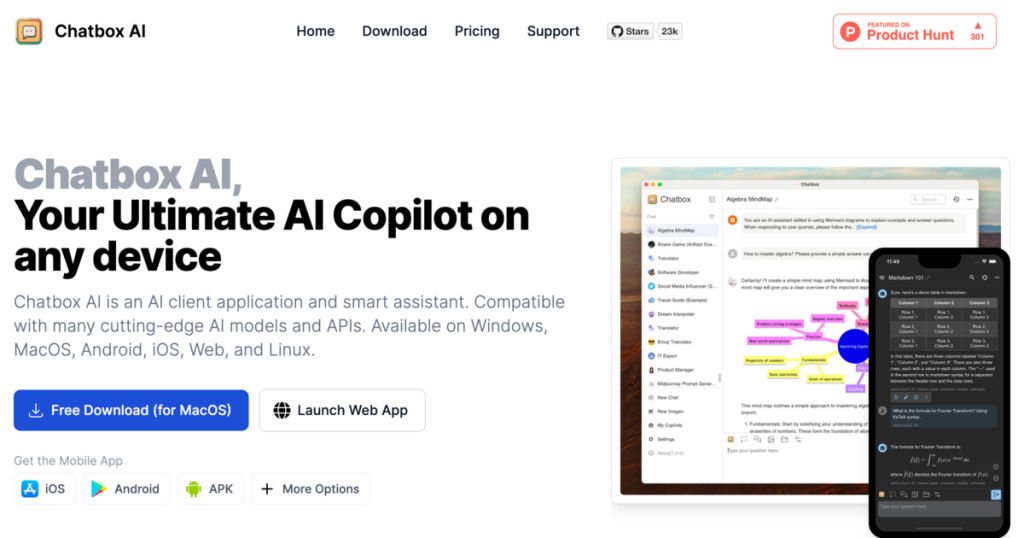
The current English page for Chatbox AI is still too thin for what Chatbox AI’s own materials now show. The official homepage checked on April 19, 2026 presents Chatbox AI as Your AI Copilot and says it is compatible with many cutting-edge AI models and APIs while being available on Windows, macOS, Android, iOS, Web, and Linux. That matters because Chatbox AI should not be judged like one closed hosted chatbot. It is trying to be a client layer across providers and devices.

Annotated reference image based on the official Chatbox AI homepage highlighting cross device AI client positioning
The homepage matters because it defines Chatbox AI as a multi-platform AI client instead of a one-model chat site.

The official Windows download route is one of the clearest practical signals about that role. Chatbox AI is not only a web-facing product. It is also meant to run as installed software, which matters because many users keep AI clients precisely to avoid living entirely inside vendor-specific browser tabs. Local installation changes daily convenience, window management, and how the tool fits a broader desktop workflow.

Annotated reference image based on the official Chatbox AI Windows download route highlighting desktop installation access
The Windows download route matters because local installation is one of the practical reasons to choose an AI client like Chatbox.

The official Guide page shows that first-use onboarding is part of the product story. It is titled Chatbox Guide and starts with a Getting Started heading. That matters because multi-model AI clients often require setup choices around models, APIs, accounts, and usage patterns. Good onboarding reduces the chance that users misjudge the product before they reach a stable configuration.

Annotated reference image based on the official Chatbox Guide highlighting getting started onboarding
The guide page matters because Chatbox AI is easier to keep when first-use setup is explained clearly.

The Help Center adds a second practical support layer. Its description promises guides, FAQs, instant support, and troubleshooting help for the desktop AI software. That matters because AI clients can fail in many ordinary ways: account confusion, provider setup trouble, model access issues, or platform-specific glitches. A visible help center makes the product easier to trust over time.

Annotated reference image based on the official Chatbox Help Center highlighting support and troubleshooting
The help center matters because reliable support guidance is part of whether an AI client stays in regular use.

The official User Overview page helps reinforce the broader product identity. It repeats that Chatbox AI is an AI copilot and client available on multiple operating systems and the web. That matters because the product is not only trying to serve one platform or one model provider. It is trying to keep the same client idea coherent across several environments.

Annotated reference image based on the official Chatbox user overview highlighting cross platform client continuity
The user overview matters because it shows Chatbox AI’s cross-device client story continuing beyond the landing page.

The Model Pricing page is especially important because Chatbox AI’s usefulness depends partly on the cost and access behavior of outside model providers. The official description says users can explore pricing for different AI models and APIs available in Chatbox AI. That matters because a multi-model client is easier to judge when the economics of using different providers are visible instead of buried in separate vendor dashboards.

Annotated reference image based on the official Chatbox model pricing page highlighting multi model provider cost visibility
The model-pricing page matters because Chatbox AI is more credible when multi-model cost considerations are visible.

The official Login page also matters because Chatbox AI is not only a local shell. It has an account layer and a web-facing route that keep the cross-device experience tied together. The page heading calls it Your Ultimate AI Copilot on any device. That matters because users should understand that Chatbox AI combines local-client convenience with hosted account and service elements.

Annotated reference image based on the official Chatbox login page highlighting account based multi device access
The login page matters because Chatbox AI is not only an offline shell; it also has a clear hosted account surface.

The Privacy Policy and Terms & Conditions matter for the same reason. Cross-device AI clients may handle prompts, provider settings, account data, and potentially work material that deserves visible legal and trust review. Both routes are kept directly under the official site, which is a healthier sign than making users hunt through unrelated portals for the product’s service boundaries.

Annotated reference image based on the official Chatbox privacy page highlighting visible trust review
The privacy policy matters because Chatbox AI may handle enough personal or work material to require a clear trust surface.
Annotated reference image based on the official Chatbox terms page highlighting the service framework
The terms page matters because a cross-platform AI client deserves an explicit service framework, not only download buttons.

The official GitHub releases page adds one more useful trust signal. It gives Chatbox AI a visible software release trail beyond the landing page. That matters because desktop-capable client software is easier to take seriously when users can see a public release path and repository family, rather than depending only on download buttons and marketing copy.

Annotated reference image based on the official Chatbox GitHub releases page highlighting public software release history
The GitHub releases page matters because public release history improves confidence in Chatbox AI as actual software, not only a branded landing page.

Our grounded judgment is that Chatbox AI is strongest for users who want one AI client across Windows, macOS, Linux, mobile, and web while keeping flexibility across different models and APIs. It is a weaker fit for users who only want one vendor’s official chat page, a fully offline local-only tool, or a product with zero account and service layers. Chatbox AI looks most defensible when the real problem is managing multi-model AI access in one place, not finding the most specialized interface for a single provider.

Setup / Usage Guide

Installation steps, usage guidance, and common notes are maintained here.

The best way to start with Chatbox AI is to treat it as a multi-model AI client rather than as a single hosted chatbot. Chatbox AI's official pages checked on April 19, 2026 show a cross-device product with desktop downloads, a web app, onboarding guides, support pages, provider-pricing guidance, account login, privacy review, and a public GitHub release trail.

  1. Start from the official homepage at https://chatboxai.app/en/ and confirm that your real need is one client for multiple AI providers and devices, not only one vendor's native chat interface.
  2. If Windows is your main environment, use the official download route at https://chatboxai.app/en/install?download=win64. Chatbox AI is clearly designed to work as installed software and not only as a browser tab.
  3. Before doing serious work, read the official Chatbox Guide. It is the fastest way to reduce first-run uncertainty and understand how the product expects users to get started.
  4. Keep the official Help Center nearby while setting up. AI clients often run into normal issues around accounts, provider configuration, and platform behavior.
  5. Review the official Model Pricing page before you connect several providers blindly. A multi-model client is much easier to use well when you understand that different model APIs can create very different cost patterns.
  6. If you want web access in addition to desktop use, test the official login route and the web app path early. Chatbox AI is not purely local software, so hosted account behavior is part of the real workflow.
  7. For the first practical test, connect only one or two providers and compare how the interface feels with the models you actually use most often. A client layer is easiest to judge on real daily prompts, not on twenty providers configured at once.
  8. If you plan to use Chatbox AI for work material, read the official Privacy Policy and Terms & Conditions before routine use. Cross-device AI clients deserve trust review, not only convenience review.
  9. Check the public GitHub releases page if you want a clearer view of the product's software release trail. That is useful when you prefer maintained client software over opaque download portals.
  10. Finish the evaluation with one practical question: does Chatbox AI genuinely make multi-model AI usage simpler across your devices, or would you still rather stay inside one provider's own interface for most of your real work?

A practical Chatbox AI setup usually means installing the official desktop client or opening the web app, reading the getting-started guide before configuring too many providers, checking model-pricing implications early, and then deciding whether the convenience of one cross-device AI client is valuable enough to become part of your regular workflow.

Related Software

Keep exploring similar software and related tools.