Overview

This section highlights the core features, use cases, and supporting notes.

DeerFlow 2.0 is an open-source super agent harness and multi-agent workflow framework for builders who need AI systems to research, code, create files, and coordinate long-running tasks inside a more controlled runtime than ordinary chat tools provide. Its clearest strengths are sandboxed execution, built-in filesystem and memory, parallel sub-agent orchestration, extensible skills, and a practical setup path for teams evaluating serious AI research automation or agent workflow infrastructure.

DeerFlow 2.0 should not be judged as a normal chatbot product. The official homepage and GitHub README both frame it as a super agent harness, and that wording matters. DeerFlow is trying to give agent systems a real execution layer: sub-agents, memory, sandboxes, skills, files, and message routing, all organized for tasks that can last minutes to hours instead of one chat turn. For readers searching for an open-source super agent harness, a multi-agent workflow framework, or an AI research automation platform with stronger runtime structure, that is the right starting model.


Annotated screenshot of the official DeerFlow homepage showing the super agent harness positioning
This homepage screenshot matters because it makes DeerFlow’s category clear immediately: it is positioned as an execution harness for serious multi-step work, not as a lightweight chat toy. Click the image to open the full-size screenshot.

The runtime model is one of DeerFlow’s most practical differentiators. On the official site, the Agent Runtime Environment section describes giving DeerFlow a “computer” that can execute commands, manage files, and run long tasks inside a secure Docker-based sandbox, while the AIO Sandbox section bundles browser, shell, file, MCP, and VSCode server capabilities into one container. That is a meaningful design choice. It moves DeerFlow closer to an agent runtime with real operating room than to a UI that only pretends to do work. For teams searching for a sandboxed agent runtime or a file-aware AI workflow environment, this is one of the strongest reasons to take DeerFlow seriously.


Annotated screenshot of the official DeerFlow runtime section showing the AIO Sandbox and controlled execution environment
The runtime screenshot earns its place because it shows DeerFlow as an execution environment with isolation and file access, not just a model front end. Click the image to open the full-size screenshot.

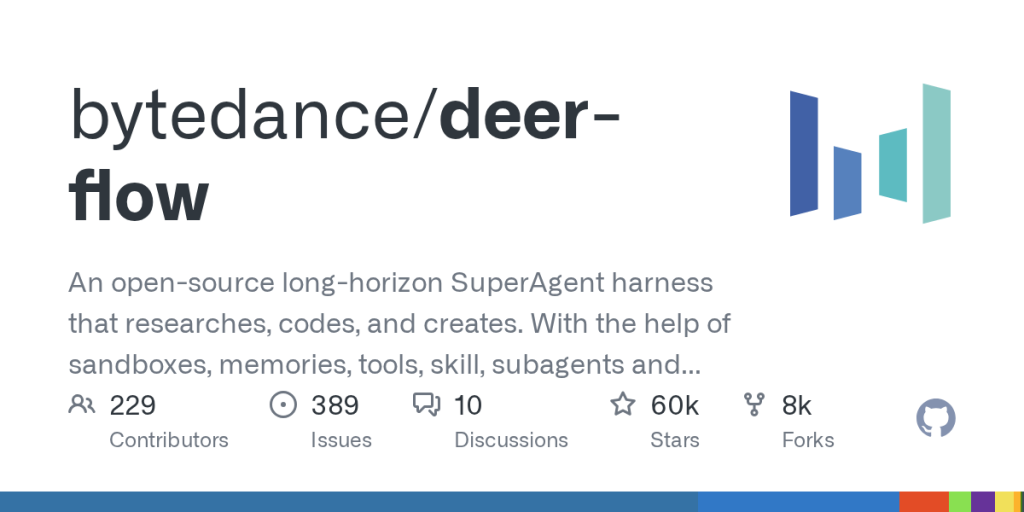
The official GitHub repository reinforces that this is real infrastructure rather than a polished one-page demo. DeerFlow is open source, actively developed, and described as a ground-up rewrite for version 2.0. That gives users a better basis for evaluation: you can inspect the setup path, the architecture direction, the deployment guidance, and the security warnings directly from the maintainers. For readers looking for an open-source multi-agent framework they can actually study and adapt, that repository footprint is part of the value, not just background noise.


Annotated screenshot of the official DeerFlow GitHub repository showing the open-source project and runtime framing
This GitHub screenshot is useful because it shows DeerFlow as a real open-source runtime project with inspectable setup and architecture, not a closed showcase. Click the image to open the full-size screenshot.

The Quick Start section is also more mature than many agent projects. Officially, DeerFlow walks users through cloning the repo, running make setup, choosing an LLM provider and execution preferences, and then using make doctor to validate the environment before heavier work begins. The docs also recommend Docker for the main path and give practical deployment sizing guidance. That matters because a lot of agent frameworks look ambitious in marketing language but become vague the moment setup begins. DeerFlow’s docs are stronger when the question is not “Can it do interesting things?” but “Can I get it into a testable local state without guesswork?”


Annotated screenshot of the official DeerFlow quick-start guide showing the make setup path and validation commands
The quick-start screenshot deserves space because it shows DeerFlow’s real setup path instead of leaving installation and configuration to user guesswork. Click the image to open the full-size screenshot.

The sub-agent and memory model is another reason DeerFlow stands out. The official README explains that the lead agent can spawn sub-agents with scoped context and tools, run them in parallel when possible, and then synthesize their structured results. The same documentation also describes filesystem-backed execution, context engineering, and long-term memory that persists user profile and recurring workflows locally. That combination makes DeerFlow stronger for long-horizon work such as research synthesis, complex analysis, content generation with artifacts, and multi-step operational tasks. It also means the tool is more opinionated and heavier than a simple assistant, which is both part of its appeal and part of its cost.


Annotated screenshot of the official DeerFlow documentation showing sub-agent orchestration and sandbox-backed file work
This sub-agent screenshot matters because it shows how DeerFlow handles decomposition, file work, and memory as connected runtime concerns instead of isolated features. Click the image to open the full-size screenshot.

The official workspace examples make the value more concrete. In the demo workspace, DeerFlow does not stop at chat answers. It produces files, summaries, and structured artifacts inside a working pane, which is a better signal for real output-oriented workflows. That is important because many readers evaluating AI agent software are not looking for conversation alone. They want a system that can leave behind usable deliverables, intermediate files, and inspectable work products. DeerFlow feels strongest when judged on that axis.


Annotated screenshot of the official DeerFlow workspace example showing file outputs and a generated analysis summary
The workspace screenshot is valuable because it shows DeerFlow producing files and structured analysis outputs, which is much closer to a real agent workflow than plain chat. Click the image to open the full-size screenshot.

Our grounded view is that DeerFlow 2.0 is strongest for builders, research teams, and technical operators who want a serious open-source agent runtime for long-running tasks with files, tools, and decomposition. It is weaker for casual users who only want quick chat, for people who do not want to manage setup choices, or for anyone expecting a simple desktop utility. The project becomes worth keeping when your workflow genuinely benefits from controlled execution, workspace artifacts, and parallel task handling rather than from a cleaner chat box alone.


Setup / Usage Guide

Installation steps, usage guidance, and common notes are maintained here.

The best way to evaluate DeerFlow 2.0 is to treat it as infrastructure from the start. Do not begin with a vague prompt and hope the platform proves itself. Choose one serious workflow that would benefit from decomposition, files, and controlled execution, then follow the official setup path carefully.

  1. Open the official DeerFlow site from the website button on this page, then read the GitHub README before running anything. Confirm that you are evaluating a super agent harness for long-running work, not a lightweight personal chatbot.
  2. Decide on one concrete test workflow first. Good examples include deep research, codebase analysis, report generation, or another multi-step task that benefits from files, tools, memory, and sub-agents.
  3. Clone the official repository and start with the documented setup path. DeerFlow's maintainers explicitly provide a make setup flow, so use the supported path instead of inventing your own first-run process.
  4. During setup, choose your LLM provider, optional web search, and execution or safety preferences carefully. These choices shape how DeerFlow behaves, especially around sandbox mode and tool access.
  5. Run make doctor before you try serious tasks. This is one of the most practical steps in the official docs because it helps surface missing configuration and environment problems early.
  6. If you want the most supported route, follow the Docker path. The official README recommends Docker for the main setup, including commands such as make docker-init and make docker-start for development.
  7. If you prefer local development, read the local-dev notes instead of assuming every shell is supported. The official docs specifically say that Windows local development should be run from Git Bash rather than native cmd.exe or PowerShell.
  8. Once the services are up, open DeerFlow at http://localhost:2026. Keep the first task narrow enough that you can inspect intermediate behavior instead of only staring at the final answer.
  9. Use one workflow that produces visible artifacts. A research report, data-analysis summary, or other file-backed task is a better test than a generic question because DeerFlow is designed to work with outputs, workspace files, and runtime state.
  10. Watch how DeerFlow uses decomposition. Pay attention to whether sub-agents, tool calls, and filesystem outputs make the task easier to trust and review, or whether they only add overhead for your current use case.
  11. Review memory and sandbox choices before expanding usage. DeerFlow is more powerful when these runtime boundaries are explicit, but that also means you should not ignore them during evaluation.
  12. Keep the official security notice in mind if you move beyond local testing. DeerFlow is intended by default for a local trusted environment, so any broader deployment needs stronger access control and operational discipline.

A practical evaluation order works well for most teams: README first, one serious workflow second, supported setup third, environment validation fourth, one artifact-producing task fifth, and only then broader deployment decisions. That order helps you judge DeerFlow as real agent infrastructure instead of mistaking a flashy demo for a maintainable runtime.

Related Software

Keep exploring similar software and related tools.