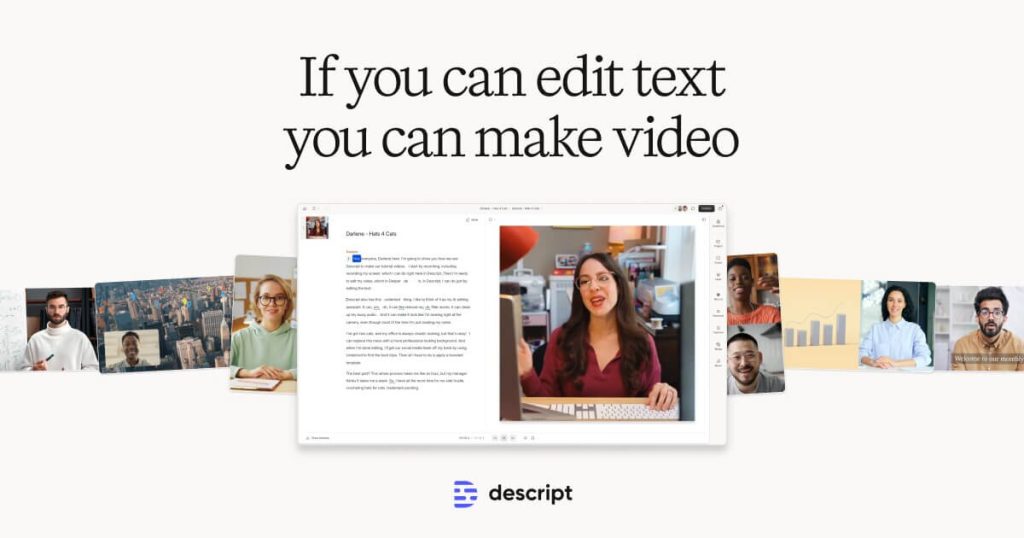
Descript is best understood as a workflow editor for spoken content, not just as another video timeline and not just as a transcription utility. The official product pages repeatedly frame the app around one practical idea: record, transcribe, edit, caption, publish, and refine from the same workspace. That is the real reason people consider Descript. It reduces the friction between audio editing, podcast cleanup, talking-head video, captions, and repurposed content instead of treating each step as a separate toolchain.
The fit is strongest for podcasters, video creators, educators, marketers, teams making explainers or demos, and anyone producing repeated speech-heavy content. Descript is less compelling if someone only needs a tiny single-purpose transcript export or prefers a traditional specialist editor for every production stage. This page lowers expectations on purpose: Descript is valuable when the workflow spans recording, transcription, editing, and publishing together. If your need is narrower, part of the suite may feel heavier than necessary.
The official download page keeps the desktop path clean and also states the system baseline clearly: macOS Monterey (12) or Windows 10 and newer. That matters because many creators bounce between browser tools, upload-only services, and desktop utilities. Descript positions itself as a desktop app with AI-powered editing rather than a fragile browser-only workflow, and the official download page is the right place to start.

Descript also shows its product direction openly through the official changelog. When checked on April 13, 2026, the latest top changelog entry visible on the official page was the March 17, 2026 release roundup, highlighting updates such as redesigned color adjustments, scene creation improvements, unified media generation, and better Underlord linking back into projects. That is useful because it shows where the product is actually moving: not only transcription, but also scene-based editing, AI-assisted media creation, and reviewable edits inside active projects.

The podcasting page makes one of Descript’s strongest value cases. The official positioning is not simply “make podcasts” but rather that recording, transcription, clips, and publishing can stay inside one environment. That is meaningful because speech-heavy production often breaks down at the handoff points between recording software, editors, transcript tools, and social repurposing tools. Descript tries to remove those handoffs, and that is where it becomes useful.

Remote recording is another major practical reason to use Descript. The official Rooms page emphasizes recording together, control room support, and dependable collaboration rather than generic “meet online” language. That matters for podcasts, interviews, webinars, and multi-speaker content. A tool that records remote guests but creates stressful audio cleanup afterward is only half helpful. Descript’s pitch here is that remote sessions should feed directly into an editable project.

The official feature sections also show another core judgment call. Descript is trying to make editing feel closer to working with words, scenes, and guided tools than a traditional manual timeline from the first minute. That is genuinely useful for some creators, especially those editing tutorials, explainers, sales videos, internal walkthroughs, or talking-head content. It is less ideal for editors who want deep manual control first and AI help second. Being honest about that fit matters more than claiming one editor suits everyone.

Captions are one of the most immediately practical Descript features. The official captions page frames them around reach and accessibility, which is exactly right. For creators publishing on social platforms, tutorials, internal videos, and product explainers, subtitles are no longer optional decoration. They are often the minimum layer that makes content usable without sound. Descript earns credit here when caption generation becomes easy enough that teams actually keep doing it.

Screen recording is also a stronger value point than it first appears. The official screen recorder page emphasizes demos, tutorials, messages, and polished B-roll. That matters because many teams make these constantly, and the cost is usually not recording itself but what happens after. If screen capture, editing, transcript cleanup, and publishing stay in one place, tutorial and product content becomes much easier to sustain.

The AI voice tools are one of Descript’s more distinctive capabilities, but also one of the areas where users need the most judgment. The official AI voice page shows that voice generation and audio editing are part of the same broader workflow. That can be powerful for narration fixes, drafts, alternate takes, and repetitive spoken content. It is less compelling when people expect AI voice to replace all careful recording choices. Used thoughtfully, it expands the workflow. Used carelessly, it can become a shortcut that weakens the material.

Our grounded judgment is that Descript is most worth installing for creators and teams who repeatedly make spoken or screen-based content and want recording, transcription, editing, captions, and publishing to reinforce each other. It is less suitable for users who only need a bare transcript export, or for editors who want a classic specialist timeline and nothing else around it. Descript is strongest when the content workflow is broad enough that having one connected environment saves time every week.