Elephas
Category AI Office
Published 2026-04-05

Overview

This section highlights the core features, use cases, and supporting notes.

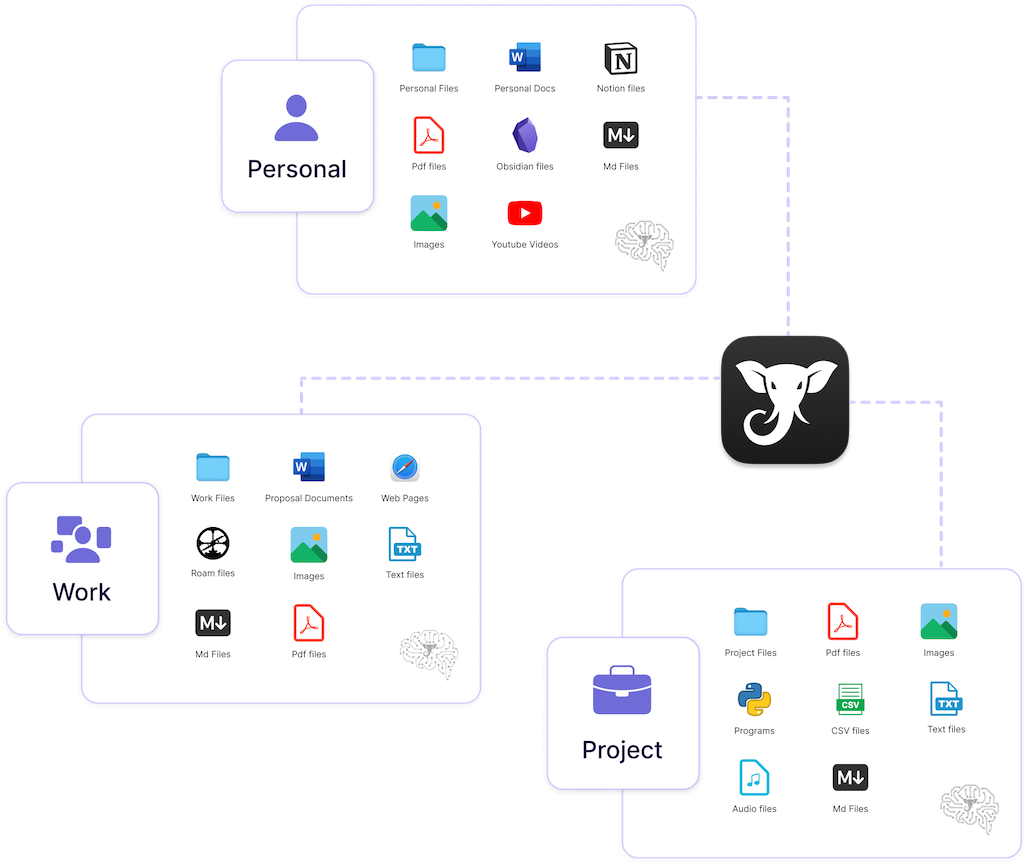
Elephas is a private knowledge and writing workspace for Mac and iOS users who want AI help with sensitive documents, notes, and personal knowledge without defaulting everything to a public cloud workflow. It is most useful when privacy, local indexing, and controlled document handling matter as much as raw assistant convenience.

Elephas is better understood as a private knowledge workspace than as a generic writing chatbot. Its appeal comes from giving users more control over how documents, notes, and sensitive material are handled while still offering AI support for writing and knowledge tasks.

It suits knowledge workers, consultants, researchers, executives, and professional writers in the Apple ecosystem who deal with private material and want more control over how AI interacts with it. The fit becomes strongest when local context and document sensitivity matter every day.

What makes Elephas worth attention is that privacy is not a side feature for some users. A tool that supports redaction, local indexing, and more deliberate handling of sensitive material can change whether AI becomes acceptable in real work at all.

The tradeoff is that a privacy-oriented workspace still needs disciplined data handling. Users still need backups, access control, and a clear understanding of what runs locally versus what leaves the device.

This site recommends Elephas for Apple users who want AI help inside a more careful document workflow. Start with one low-risk knowledge task, then keep it if the privacy model and writing support both feel trustworthy enough for daily use.

Setup / Usage Guide

Installation steps, usage guidance, and common notes are maintained here.

  1. Open Elephas from the official site and begin with one document or note workflow you actually use. A real writing or knowledge task is the right way to judge a private workspace.
  2. Review how indexing and processing are handled before importing anything sensitive. Privacy value depends on understanding the actual data path.
  3. Start with low-risk material for the first trial. A privacy-focused tool should earn trust through practice, not assumptions.
  4. Test one writing or summary task on indexed notes or documents. This helps you judge whether the AI layer is useful enough to justify the workflow.
  5. Use redaction or privacy controls where appropriate. Sensitive-document tools are only valuable if those controls are actually part of daily behavior.
  6. Check how the workspace fits into your Mac or iOS routine. Real usefulness often depends on whether the tool stays close to your existing knowledge habits.
  7. Confirm backup and retention behavior before relying on it for important material. Private knowledge still needs operational discipline.
  8. Keep Elephas if it gives you practical AI assistance without pushing you into a cloud-first workflow you do not trust. That is the key reason to keep it.

Related Software

Keep exploring similar software and related tools.