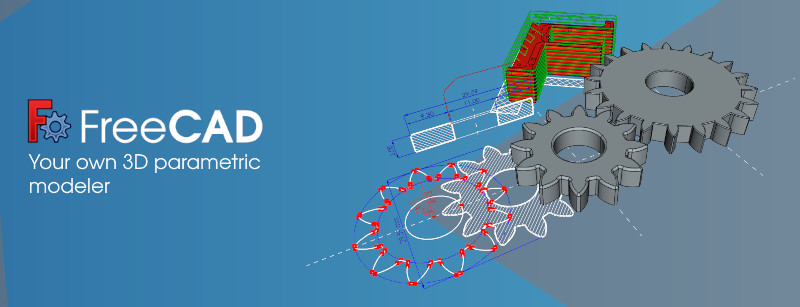
FreeCAD
Category PC Essentials
Published 2026-03-31

Overview

This section highlights the core features, use cases, and supporting notes.

FreeCAD is an open-source parametric 3D modeling tool for users who need editable dimensions, engineering-style design logic, and a serious long-term CAD learning path. It is worth attention because it does more than let you sketch shapes: it teaches a constraint-driven way of building models that can still be revised later.

FreeCAD should be approached as a real CAD environment, not as a casual 3D toy. Its core value comes from sketches, constraints, dimensions, and parametric changes that let a model evolve without starting over from zero.

It is most suitable for makers, hobby engineers, students, and users who want to design parts with measurable logic rather than just visual form. If your work is decorative rendering or quick concept art, other tools may feel more natural.

The reason to keep FreeCAD is that the learning pays back. Once you understand sketches, constraints, workbenches, and controlled edits, you can build a more reliable design process than many lightweight free alternatives offer.

The tradeoff is clear: the interface is not the friendliest, and the first steps can feel heavier than polished commercial CAD tools. You should expect some friction while learning the structure, especially around workbench switching and modeling discipline.

This site recommends FreeCAD for users who genuinely need editable mechanical or functional models. Start with one simple part, learn Sketcher and Part Design properly, and judge it by whether revisions become easier, not by how pretty the first session feels.


Setup / Usage Guide

Installation steps, usage guidance, and common notes are maintained here.

  1. Download FreeCAD from the official site. Use the official Windows build so you start from the current release and documentation path.
  2. Install it and open a new project without rushing into a complex model. FreeCAD rewards a structured start more than a fast one.
  3. Set units, autosave behavior, and file location first. CAD work is easier to trust when dimensions and project storage are clear from the beginning.
  4. Start in Sketcher and learn constraints before moving on. This is the foundation of the parametric workflow and the reason FreeCAD is worth using in the first place.
  5. Build one simple part in Part Design. A plate, bracket, or box with a few holes is enough to understand pads, pockets, and editable dimensions.
  6. Change a dimension after the model exists. If the object updates cleanly, you are seeing the practical value of parametric modeling instead of static drawing.
  7. Learn workbenches gradually. Do not try to master every environment at once. Keep the focus on the tools that match your immediate design needs.
  8. Keep the project if revision control matters to you. If your models need to change over time, FreeCAD becomes far more valuable than a one-off modeling tool.

Related Software

Keep exploring similar software and related tools.