Overview

This section highlights the core features, use cases, and supporting notes.

HTTPie is an API testing client for developers who want both a polished desktop interface and a readable terminal workflow instead of being locked into one style of request debugging. Its real value comes from low-friction request building, preview and export, collection and environment reuse, local-first data handling with optional sync, and the CLI's expressive syntax with persistent sessions.

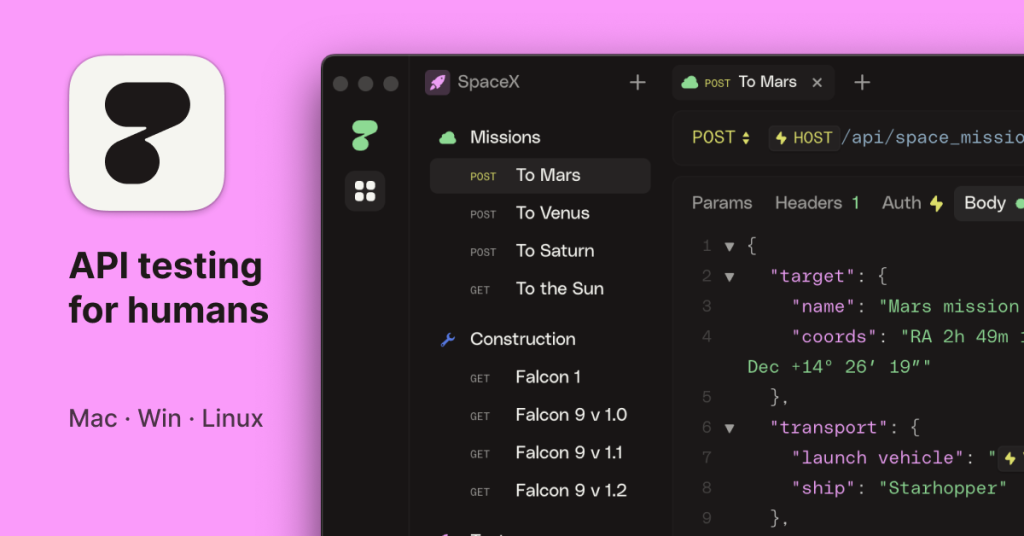
HTTPie is best judged as an API workflow tool that bridges GUI and terminal habits, not just as a prettier way to send one HTTP request. The official product page describes it as an API testing client that flows with you, and that wording is more practical than it sounds. HTTPie is trying to reduce the friction between exploratory request building, shared API work, code export, and quick command-line testing. For readers searching for an API client for developers, a desktop API testing tool, or a readable alternative to heavier API platforms, that combination is the real reason the software matters.


Annotated screenshot of the official HTTPie desktop and web app page showing the low-friction API workflow positioning
This product-page screenshot is useful because it makes HTTPie’s real pitch visible: keep API work low-friction across desktop and web instead of forcing everything into a heavy enterprise-style workspace. Click the image to open the full-size screenshot.

The desktop documentation shows that HTTPie starts from a very direct model: define the request method and URL, then add headers, auth, query parameters, or body only when you need them. That sounds basic, but it solves a real pain point in API testing tools that front-load too much structure before the first useful request is even sent. For quick endpoint verification, token-based API calls, or iterative body editing, this approach matters because it keeps the first working request close at hand rather than buried under workspace overhead.


Annotated screenshot of the official HTTPie desktop docs showing request method and URL as the core starting point
The desktop-docs screenshot matters because it shows how HTTPie lowers the barrier to the first useful request: method and URL first, everything else layered in only when the API actually needs it. Click the image to open the full-size screenshot.

The preview system is one of the strongest practical reasons to use HTTPie instead of a more opaque client. The official docs explain that HTTPie provides a real-time updated preview of the raw HTTP request and can also export code snippets, cURL, and HTTPie CLI commands. This is valuable for two reasons. First, it helps users see what they are truly about to send instead of trusting a UI abstraction. Second, it shortens the handoff from exploratory desktop work into scripts, team notes, or terminal usage. For developers who constantly move between interface testing and code-level reproduction, that is a real productivity win.


Annotated screenshot of the official HTTPie preview docs showing real-time request inspection and export options
This preview screenshot deserves space because it highlights one of HTTPie’s best traits: you can inspect and export the actual request shape before or alongside sending it. Click the image to open the full-size screenshot.

Import support is another point where HTTPie becomes more realistic for teams rather than only solo experiments. The desktop docs explain how HTTPie can import containers and other elements, including compatibility paths for cURL as well as Postman and Insomnia content. That matters because switching API tools is usually painful not because of one request, but because of the existing collection structure, environments, and nested folders a team has already built. HTTPie becomes much easier to adopt when migration does not require reconstructing everything by hand.


Annotated screenshot of the official HTTPie import compatibility docs showing container and collection migration support
The import screenshot is useful because it focuses on a real adoption barrier: teams already have requests, collections, and environments elsewhere, and HTTPie needs to meet them there. Click the image to open the full-size screenshot.

The environments model is also unusually practical. The official Defaults environment documentation shows how shared request defaults and variables can be organized without treating every value the same way, and the surrounding docs distinguish between reusable values and local-only data. This matters because environment handling is one of the first places where API tools become messy or insecure. HTTPie is at its best when environments are used to keep base URLs, common headers, and team-safe defaults reusable, while local-only values keep machine-specific or sensitive material from spreading farther than necessary.


Annotated screenshot of the official HTTPie environments docs showing defaults and variable handling
This environments screenshot matters because it points to one of the most maintenance-heavy parts of API work: keeping shared defaults reusable while preventing local or sensitive values from becoming chaos. Click the image to open the full-size screenshot.

HTTPie’s data model is another thoughtful middle ground. The desktop docs state that data is always persisted in local storage first, with real-time sync and web access available when you actually want cross-device continuity. That is a better fit for many technical users than cloud-only tooling, because it lets work continue offline while still allowing sync when collaboration or multi-machine access matters. In practice, this makes HTTPie easier to trust for personal API notebooks, internal collections, and travel or low-connectivity work where a web-only client would feel fragile.


Annotated screenshot of the official HTTPie sync and local storage docs showing local-first persistence with optional real-time sync
The sync screenshot has real value because it shows HTTPie’s local-first posture clearly: your API work can stay usable offline, with sync added when it is actually helpful. Click the image to open the full-size screenshot.

The terminal side remains one of HTTPie’s strongest differentiators. The official CLI page positions it as a command-line HTTP and API testing client built for the API era, and the examples show why developers still like it: the syntax stays readable, JSON is first-class, headers and body fields are not hostile to type, and the output is formatted to be inspected rather than tolerated. This is especially useful when a developer wants to test an endpoint from shell history, reproduce an issue quickly, or keep API calls inside scripts and terminal notes without switching to a GUI.


Annotated screenshot of the official HTTPie CLI page showing readable terminal syntax for API testing
This CLI screenshot is useful because it captures why HTTPie still matters in the terminal: the syntax is readable enough to encourage frequent real-world use instead of one-off emergency commands. Click the image to open the full-size screenshot.

Sessions are a smaller feature, but they solve a persistent daily annoyance. The official CLI sessions documentation explains that ordinary HTTP requests are independent by default, while sessions let HTTPie persist headers, authentication, and cookies across repeated requests to the same host. For login-heavy testing, staging environments, or multi-step API workflows, this is much more practical than retyping credentials or maintaining brittle shell aliases for everything. It is one of those details that keeps a command-line tool pleasant over time instead of slowly becoming repetitive.


Annotated screenshot of the official HTTPie CLI sessions docs showing persistent auth headers and cookies across repeated requests
The sessions screenshot deserves space because it points to a very real command-line pain point that HTTPie smooths out: repeated authenticated requests to the same API should not feel like starting over each time. Click the image to open the full-size screenshot.

Our grounded view is that HTTPie is most worth installing for developers, testers, and technical operators who move back and forth between exploratory API work, reusable request sets, and terminal-based reproduction. It is less necessary for people who only hit one or two endpoints occasionally or who already have a deeply established team platform they cannot realistically replace. HTTPie’s edge is not maximal feature count for its own sake. It is the way desktop and CLI workflows stay readable, transferable, and relatively lightweight even as the work becomes more structured.


Setup / Usage Guide

Installation steps, usage guidance, and common notes are maintained here.

The best way to start with HTTPie is to keep the first workflow deliberately narrow: one endpoint, one environment, one working auth method, and one export path. Once that path feels stable, then it makes sense to grow into collections, imported containers, desktop previews, or CLI sessions.

  1. Download HTTPie from the official website and decide whether your first serious use should happen in the desktop app or the CLI. If you are exploring an unfamiliar API with a lot of headers or body editing, the desktop app is usually the easier starting point. If you already know the request shape and want speed, the CLI may be enough.
  2. In the desktop app, start with the smallest meaningful request: pick the method, enter the URL, and send one clean request before adding collections, variables, or imports. The official docs are clear that method plus URL is the true starting point.
  3. Add auth, headers, and request body only as the API actually demands them. This helps you isolate failures and prevents the first request from turning into a configuration pile before you know the endpoint even works.
  4. Use the request preview early. One of HTTPie's practical strengths is that you can inspect the generated HTTP request and export related command forms. This is the easiest way to catch malformed headers, wrong URLs, or body mistakes before they spread into copied examples.
  5. Create one environment for the API base URL and a small set of shared values. Use shared defaults for stable team-safe data such as the host or standard headers, and keep sensitive or machine-specific values in local-only places whenever possible.
  6. If your team already has material in cURL, Postman, or Insomnia, test import on a small non-critical container first. The official import docs are useful here: migration is possible, but it is smarter to validate one sample collection than to assume a huge import is instantly production-ready.
  7. Keep the first collection narrow. One authentication request, one read request, and one write request are usually enough to prove whether HTTPie fits your project. A clean small collection is easier to debug than a giant imported tree you do not yet trust.
  8. If you work across more than one machine, decide deliberately whether you want to rely on real-time sync. HTTPie's local-first storage model is a strength, so there is no need to force sync before you know that multi-device continuity is actually helping rather than complicating the workflow.
  9. For terminal work, install the CLI and try the official examples exactly once so the syntax feels natural. HTTPie is most useful in shell when the command remains readable enough that you do not dread returning to it later.
  10. Set up a named session when you repeat requests against the same authenticated host. Sessions save time by reusing cookies, headers, and auth state, which is much cleaner than rebuilding every request or storing long credentials in shell history repeatedly.
  11. Use export thoughtfully. If you built a request in the desktop app and now need it in documentation, a shell snippet, or a bug report, export the smallest accurate representation instead of pasting an oversized workspace context.
  12. After a week of real use, decide which side should lead your workflow. Some users end up with desktop for discovery and CLI for repetition. Others stay almost entirely in one mode. HTTPie works best when you consciously choose that boundary rather than using both styles chaotically.

A practical long-term setup usually looks like this: desktop for the first correct request, environments for reusable defaults, import only when migration genuinely saves time, local-first storage unless sync is clearly needed, and CLI sessions for the repeated authenticated calls that would otherwise become tedious. That path keeps HTTPie light, readable, and genuinely useful instead of turning it into another overloaded API workspace.

Related Software

Keep exploring similar software and related tools.