Overview

This section highlights the core features, use cases, and supporting notes.

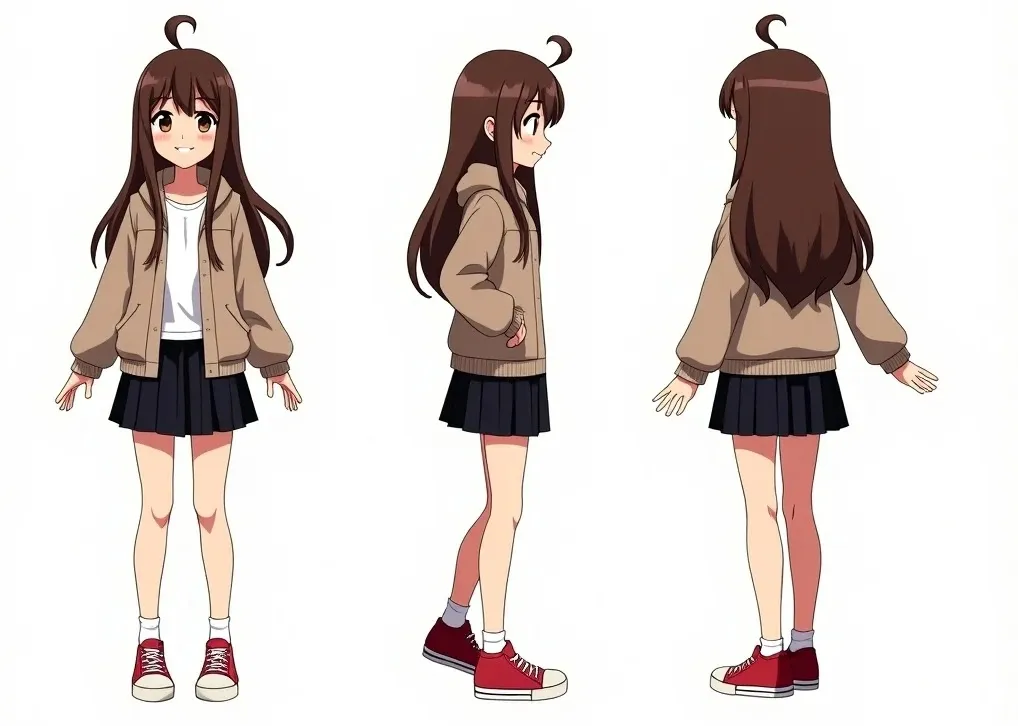
Komiko is an AI anime creation platform built for users who want to generate original characters, anime-style visuals, comic-oriented content, and related media from one place. Its official positioning leans heavily into fandom, character design, templates, and creator-friendly visual workflows rather than generic image generation alone.

This makes Komiko especially useful for people who care about consistent character identity and stylized output. If your goal is anime-style OC creation, comic-inspired visuals, or fandom-driven content production, Komiko is more focused than a broad all-purpose AI art site.

Komiko stands out by narrowing its creative identity instead of trying to be every kind of AI image platform at once. The official product framing is clearly centered on anime, original characters, and creator communities that care about style continuity, expressive visuals, and recognizable visual language. That focus gives it a stronger niche than a generic generator.

It is particularly suitable for fandom creators, OC designers, comic-style storytellers, anime art hobbyists, and short-form visual creators who want their outputs to feel character-led rather than random. The mix of generation tools, templates, and community-style discovery also helps it feel like a creation environment rather than just a prompt box.

What makes Komiko worth installing or bookmarking is that it combines multiple anime-oriented creation paths in one place. Character creation, image generation, animation-related tooling, and mobile access all support the idea of an ongoing creative loop rather than a single isolated artwork.

The tradeoff is that niche style focus will not fit every project. If you need realistic product photography or neutral corporate visuals, a broader tool may fit better. Aidown’s judgment is that Komiko is a strong pick for anime and character-driven AI creation, especially when consistent style and repeatable visual identity matter.

Setup / Usage Guide

Installation steps, usage guidance, and common notes are maintained here.

1. Open the official Komiko site and decide whether your first goal is character creation, anime image generation, comic-style output, or animation-related content.
2. Create or log into your account, then explore a small number of built-in examples before generating anything. This helps you understand the style range the platform is strongest at.
3. If your main goal is an original character, start with the character creator workflow instead of prompting a full scene immediately. Consistent identity is easier to build that way.
4. Pick a visual direction early, such as cute, dramatic, sci-fi, fantasy, or school-life anime styling, so later generations stay more coherent.
5. Generate a few controlled variations and compare them for face consistency, costume logic, and overall character readability before you scale up.
6. If the platform offers video or animation-oriented tools for your workflow, test them only after the character or key visual base feels stable.
7. Save successful prompts, presets, and output variants in a dedicated folder. Character-led projects improve when you can return to the same reference logic later.
8. Use public or community inspiration selectively. It is useful for understanding what the tool does well, but your own project needs clearer internal consistency than a trend feed.
9. If you plan to publish or reuse the outputs, check export quality, aspect ratio, and any usage limits before committing to a longer project.
10. Keep future use tied to the official Komiko platform, especially if your workflow depends on templates, account history, or mobile continuation.

Related Software

Keep exploring similar software and related tools.