The current English page for Krisp needs a fuller rewrite because the official materials checked on April 21, 2026 show a product with a wider and more practical role than a short noise-cancellation label suggests. Krisp is easier to evaluate as a Windows meeting-audio workflow tool for cleaner calls, app integration, and optional meeting-assistant use than as only a microphone effect.

The main Krisp page still presents the product around meetings, calls, and clearer communication, and that broader framing is useful. Many users searching for Krisp are not trying to add random audio effects. They are trying to make recurring work calls cleaner and less tiring.

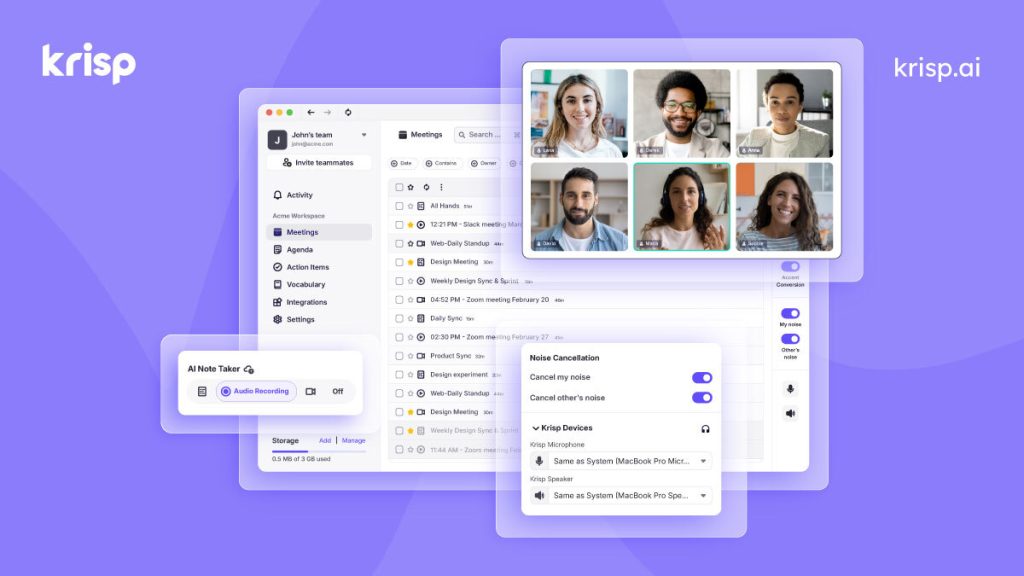
The AI Note Taker page matters because Krisp now has to be judged partly as meeting workflow software. For some users, the value is not only cleaner speech. It is the ability to keep clearer audio and meeting follow-up in one environment.

The current official get-started path is important because Krisp does not behave like a simple mirror-download utility. Users should expect an account-linked onboarding route through the vendor’s own app flow, and that affects whether the product fits their environment.

The installation article matters because desktop meeting-audio software becomes frustrating fast when users are left to guess how it should be installed or how it inserts itself into call workflow. First-party setup guidance is part of why Krisp remains practical for Windows users.

The system requirements page helps set expectations early. Krisp touches live microphone and speaker workflow, so it should be judged partly on whether the desktop environment, permissions, and general machine setup are a good fit before troubleshooting starts.

The app-setup article is one of the most practical official pages because Krisp only becomes useful once it is connected to the real app a user depends on, such as a browser meeting tab, a conferencing client, or another calling tool. Installation alone is not enough.

The compatibility article matters because users should not add Krisp on faith alone. They should judge it against the meeting and calling apps they already use. That makes the recommendation more grounded than generic marketing copy about universal communication.

The testing article is especially important because Krisp should be proven before a live meeting, not during one. A short test confirms whether routing is correct and whether the cleanup effect is actually active instead of only assumed.

The noise-modes article matters because not every workspace sounds the same. Some users are in quiet rooms, while others work near fans, keyboards, children, or office traffic. Understanding mode behavior helps Krisp feel like a configurable tool instead of an opaque filter.

The background voice guidance matters because nearby speech is one of the hardest and most realistic meeting problems to reduce. This is where Krisp either becomes worth keeping or starts to feel unnecessary, so the official guidance helps users judge fit more honestly.
Our grounded judgment is that Krisp is strongest for Windows users who spend real time in meetings and want cleaner calls plus guided app integration. It is weaker for readers who rarely join calls, who do not want a sign-in-driven desktop workflow, or who only need a tiny one-app microphone setting. Judged on the official materials available on April 21, 2026, Krisp still deserves to be recommended as practical meeting-audio software with optional AI meeting-assistant value, not as a generic sound gimmick.