Overview

This section highlights the core features, use cases, and supporting notes.

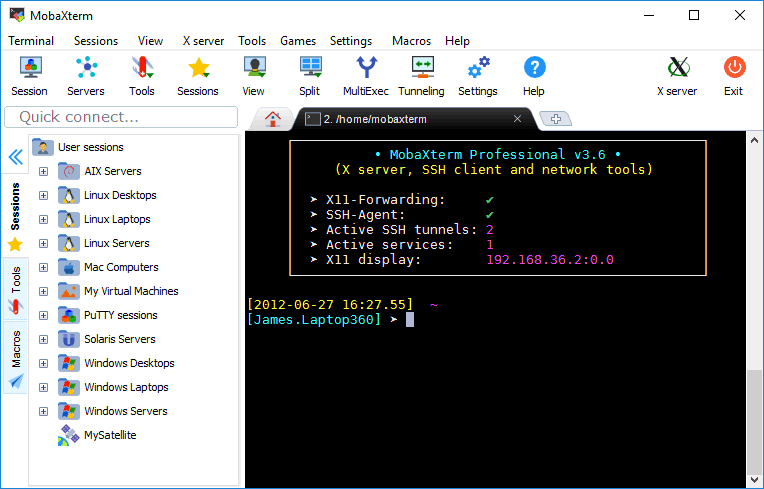
MobaXterm is a Windows-focused remote computing toolkit that combines terminal access, SSH, X11 forwarding, file transfer, and multiple session types in one desktop application. It is especially useful for technical users who want an all-in-one remote operations toolbox on Windows.

MobaXterm remains popular because it packs a lot of practical remote-work functionality into one place. SSH, RDP, SFTP, X11 forwarding, session management, and Unix-like tools are all available inside the same Windows-oriented workspace, which makes it useful for people who do not want to assemble a remote toolkit piece by piece.

As a tool choice, MobaXterm is strongest for Windows users handling varied infrastructure access and remote administration tasks. If you are searching for the best all-in-one remote terminal toolkit for Windows or a practical SSH plus X11 client, it deserves attention because it solves many remote-work problems in a single application. The tradeoff is that the interface and feature density can feel heavier than more minimal single-purpose tools.

Our recommendation is to use MobaXterm when breadth matters. It is especially valuable for engineers, admins, and technical users who frequently move between servers, remote desktops, network tools, and session types from one Windows machine.


Setup / Usage Guide

Installation steps, usage guidance, and common notes are maintained here.

The best way to start with MobaXterm is to focus on the session types you actually use instead of trying every feature at once. Users searching how to use MobaXterm on Windows usually benefit most from getting SSH, file transfer, and a small set of remote connections working cleanly before exploring everything else.

Organize sessions carefully and name them clearly. The software becomes much more useful when repeated access patterns are easy to spot and less likely to be confused.

Because MobaXterm is dense with capabilities, keep your workflow deliberate. It is strongest when it acts as a dependable remote toolbox, not when it becomes a cluttered drawer of half-configured sessions.

Related Software

Keep exploring similar software and related tools.