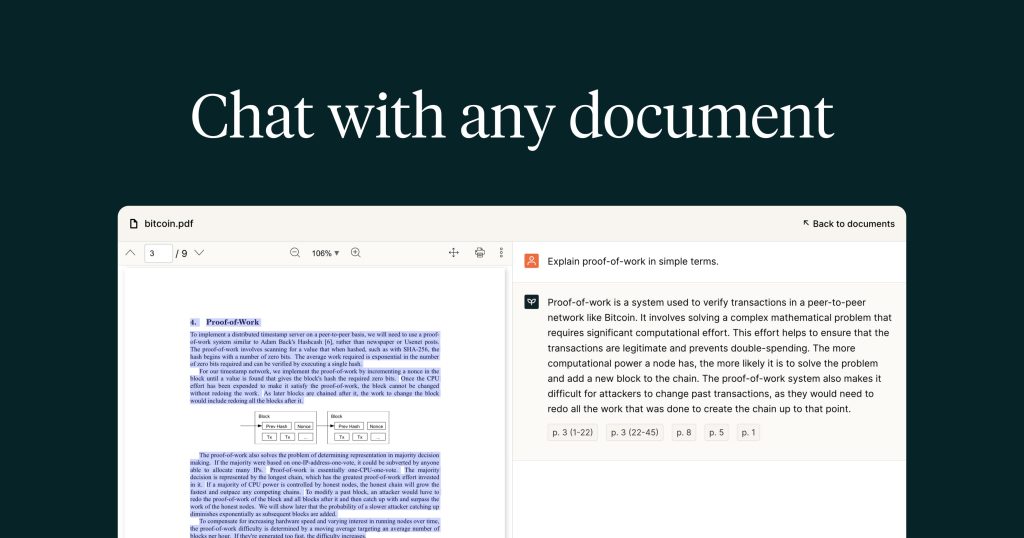
The current English page for PDF.ai is still too thin for what PDF.ai’s own materials now show. The official homepage checked on April 18, 2026 does not present the product as a normal PDF editor. It presents PDF.ai as a way to chat with PDFs and also as a PDF API for parse, extract, and split workflows. That matters because the right way to judge PDF.ai is by document understanding and retrieval instead of page-layout editing.

The official homepage description keeps that core use case clear. PDF.ai says users can ask questions, get summaries, and find answers in any PDF. That matters because the strongest reason to use a product like this is not to replace a desktop editor. It is to reduce the time spent digging through long contracts, reports, manuals, and other documents when the real need is fast understanding.
The Privacy Policy matters for the same reason. PDF.ai keeps a dedicated privacy-policy route under its main domain, and that matters because uploaded documents can contain contracts, internal reports, or other sensitive files. A document AI product should not be judged only on how clever the answers look. It should also be judged on whether it exposes a visible trust surface before users move real documents into it.

The Chrome extension page shows that PDF.ai is also trying to reduce friction around where document work starts. The official description says the extension lets users chat with any PDF using AI, ask questions, get summaries, and find what they need. That matters because document review often begins in the browser, and convenience is part of whether a PDF assistant becomes something users actually keep open.

The official Get started article makes the platform easier to evaluate. PDF.ai says it brings documents to life, including legal agreements and financial reports, and says users can ask questions, get summaries, and look up information. That matters because good onboarding guidance helps frame the product around real document work instead of generic AI novelty.

The How to upload a PDF document? article is simple, but it still matters. Document chat tools depend on smooth intake, and PDF.ai explicitly documents that first step through the official resource center. That matters because a product that lives on uploaded files should make the upload step feel operationally clear, not assumed.

The Access all documents article shows that PDF.ai is not limited to one file at a time. The official description says users may now access all uploaded documents at once. That matters because real research, support, compliance, and review work often involves several PDFs rather than one isolated upload. PDF.ai becomes more compelling when it behaves like a document set, not just a single-file chat window.

The How to share a PDF with others? article adds collaboration value. PDF.ai says users can share a PDF with other people. That matters because documents rarely stay with one reader. Teams, clients, colleagues, and reviewers often need access to the same file or the same working context, and a document-AI tool becomes more practical when sharing is treated as part of the workflow.

The fastest way to start a PDF chat article keeps the focus on speed. PDF.ai says users can start a chat with a PDF by uploading online in the easiest way possible. That matters because a document assistant only earns repeat use if the first useful interaction happens quickly enough to replace old habits like endless scrolling or repeated Ctrl+F searches.

The Chat with all of your PDF documents article may be one of the strongest reasons to keep the product. PDF.ai says it can pick up an answer from all of your documents and tell you which document the answer came from. That matters because cross-document retrieval is one of the clearest ways a specialized PDF AI tool can save time compared with opening every file manually.

The How to embed a PDF with AI chatbot guide shows that PDF.ai also reaches into more productized workflows. The official description says the guide explains embedding PDFs with an AI chatbot using PDF.ai. That matters because some teams need document chat on websites, support portals, or other public-facing surfaces. It makes PDF.ai feel broader than a private reading helper alone.

Our grounded judgment is that PDF.ai is most worth keeping for users who regularly ask questions of PDFs, summarize long files, search across document collections, or want a browser-friendly and API-friendly way to work with document content. It is a weaker fit for users who mainly need offline PDF editing or a classic desktop markup tool. PDF.ai looks strongest when the real problem is understanding and retrieving information from documents, because that is where its official product surfaces stay most coherent.