The current English page for PhotoDemon should not undersell it as a basic screenshot utility, and it should not oversell it as a complete replacement for every commercial graphics suite either. The official site checked on April 28, 2026 presents a much cleaner middle ground: a portable Windows photo editor with real editing breadth and unusually transparent distribution details.

The official homepage gives PhotoDemon a strong identity immediately. It is presented as a free, portable, open-source photo editor for Windows, not as a cloud service and not as a locked-down install-first suite. That matters because many users simply want a capable local editor they can keep nearby and launch quickly when image work appears.

The official homepage says the current build includes more than 200 professional-grade tools, including layers, selection tools, digital paintbrushes, content-aware fill and resize, shadow and highlight recovery, and perspective or lens correction. That is a meaningful feature range for a portable editor. It pushes PhotoDemon well beyond the category of tiny viewer-adjacent helpers.

The portability story is one of the software’s clearest strengths. The official about page says it runs on Windows XP through Windows 11, does not require installation, does not require administrator access, and can be carried on USB or SD storage. That changes the fit a lot. It makes PhotoDemon attractive not only for one main workstation but also for shared or locked-down environments where a conventional install is inconvenient.

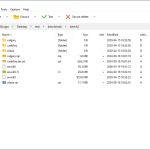
The official download page is stronger than many commercial tools manage. It lists stable version 2025.12 as a 22 MB zip, publishes multiple checksums, offers nightly builds, and points to past GitHub releases. For cautious users, that release transparency is a real advantage. It supports a cleaner install-or-carry decision than a generic download button with no visible release trail.

The official about page also keeps expectations grounded. PhotoDemon is 100 percent free, 100 percent open-source, available under a permissive BSD license, and supported by contributions and donations instead of enterprise-style service guarantees. That honesty is a plus. Users who want a transparent volunteer project with real capability will likely appreciate it more than users who expect a polished support contract.
Our grounded judgment is that PhotoDemon is most worth installing for Windows users who need a capable local image editor and who specifically value portability, transparent release files, and a broad built-in toolset. It is especially suitable for screenshots, local photo cleanup, file conversion, and general image correction when you do not want a bulky permanent suite. It is a weaker fit for users whose work depends on advanced ecosystem integrations or fully commercial support expectations.