Overview

This section highlights the core features, use cases, and supporting notes.

Synthesia is an AI video platform for teams that need training, SOP, product, and multilingual business videos without running a traditional filming workflow. Its practical value comes from combining AI avatars, script-driven video creation, translation, team collaboration, and enterprise-oriented distribution into one system.

Synthesia is easiest to judge if we treat it as a business video production platform, not as a simple AI avatar toy. On April 14, 2026, the official site at synthesia.io publicly positioned the product as an all-in-one AI video platform for business, then backed that up with feature pages for AI avatars, AI video generation, translation, collaboration, training, and SOP workflows. That matters because it tells us Synthesia is strongest when the real problem is repeatable business video creation at scale, not cinematic storytelling or hobbyist editing.

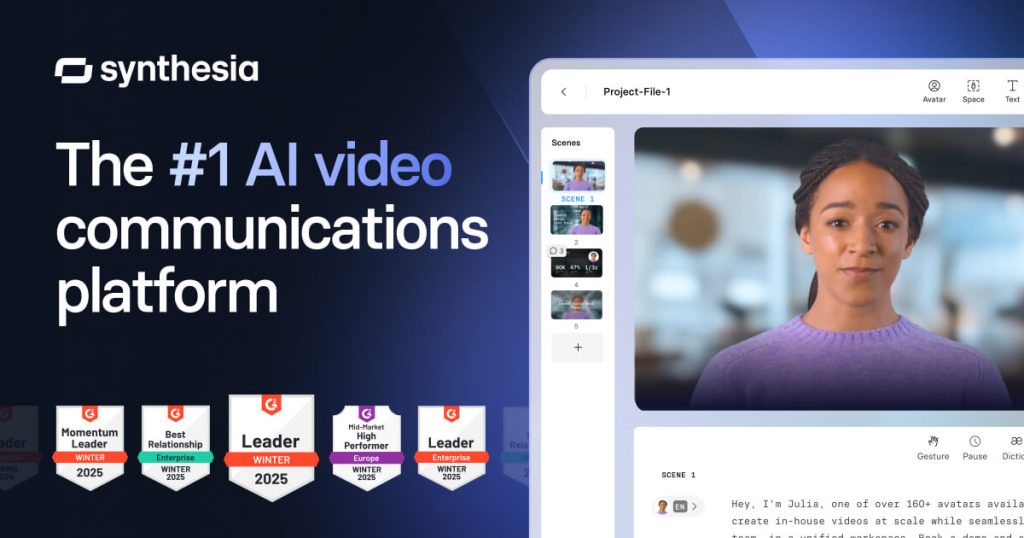
Annotated screenshot of the official Synthesia homepage hero
The homepage hero matters because Synthesia is openly targeting business communication and training workflows.

The collaboration layer is an important clue that Synthesia is built for teams, not just solo prompt experiments. The homepage section around real-time collaboration helps explain why the platform is relevant for learning teams, marketing teams, operations teams, and internal enablement groups who need repeatable branded output. That kind of collaboration support is much more useful than a novelty avatar generator if your real workflow involves approvals, reviews, and template reuse.

Annotated screenshot of the official Synthesia collaboration section
Collaboration matters because Synthesia is trying to fit real team production, not just one-person generation.

The avatar and generator pages show the platform’s core production model. The public avatar page emphasizes realistic talking avatars, while the AI video generator page broadens that into end-to-end video creation. These two pages are useful for users searching terms like AI avatar generator for training videos, AI business video generator, or AI presenter video tool. The grounded takeaway is that Synthesia is best when script-driven clarity matters more than camera realism or full creative video editing freedom.

Annotated screenshot of the official Synthesia AI avatar page
AI avatars are one of Synthesia’s clearest public differentiators for training and communications.
Annotated screenshot of the official Synthesia AI video generator page
The AI video generator page matters because it frames Synthesia as a workflow platform, not only an avatar catalog.

The video translator page is one of the strongest practical reasons to keep Synthesia on a shortlist. Publicly, the site positions translation in 130+ languages as part of one larger workflow. For global companies, multilingual training and product communication are often much more valuable than a single English-only video. Users searching for AI video translator for training or multilingual AI video localization should care about this part more than the avatar headline alone.

Annotated screenshot of the official Synthesia video translator page
Video translation matters because multilingual rollout is one of Synthesia’s most practical enterprise advantages.

The use-case pages make the product easier to evaluate honestly. The learning-and-development page highlights training video production, while the SOP page turns a common business pain point into a concrete workflow: text-heavy procedures made easier to follow through video. These are the kinds of pages that help separate Synthesia from generic AI video hype. It is most convincing when the job is repetitive communication, training, compliance, or process explanation, not when you need a flexible cinematic editor.

Annotated screenshot of the official Synthesia learning and development page
L&D matters because training is one of Synthesia’s clearest real-world business fits.
Annotated screenshot of the official Synthesia SOP use-case page
The SOP page is useful because it turns an abstract AI video promise into a specific operations workflow.

The pricing page also matters more than usual here. Synthesia is a business platform, so budget expectations, plan boundaries, and rollout scale are part of the real buying decision. That is why this English page should not oversell it as a universal free tool. Our grounded judgment is that Synthesia is most worth trying for teams that create a lot of training, onboarding, support, or product communication video and want consistency, multilingual reach, and faster production. It is less suitable for users who need deep manual video editing, full cinematic control, or a hobby-first free playground.


Annotated screenshot of the official Synthesia pricing page
Pricing matters because Synthesia is usually evaluated as a team or business platform, not just a casual tool.

Setup / Usage Guide

Installation steps, usage guidance, and common notes are maintained here.

The best way to start with Synthesia is to choose one real business video task first instead of trying to judge the whole platform from a generic avatar demo.

  1. Open the official website at https://www.synthesia.io/ and decide your first scenario before clicking anything else. Good starting points are training, SOP explanation, product video, internal communications, or multilingual localization.
  2. If you want a public entry point without booking a sales call first, use the official free route exposed on the site. In this run, public paths such as Create free AI video and the homepage starter flow pointed into Synthesia's own free or pricing-led onboarding.
  3. Start with a short script you already trust. Synthesia is strongest when the message is clear before generation. A weak or bloated script will still become a weak video.
  4. Choose the use case before you choose the avatar. Teams often get distracted by presenter style first, but the more important question is whether the video is for training, process explanation, product messaging, or translation.
  5. If your main goal is internal training, use the learning-and-development workflow as your benchmark. That is where Synthesia's speed and consistency are easiest to evaluate.
  6. If your real pain point is documentation or operations communication, test it on one SOP. This is one of the clearest ways to see whether Synthesia actually reduces process friction for your team.
  7. Use the translation workflow only after the original version is already solid. Translating a weak source video faster does not fix the message.
  8. Review pronunciation, pacing, terminology, and visual emphasis before sharing the output. AI-generated talking-head videos are useful only when review is still part of the workflow.
  9. If multiple teammates are involved, test collaboration on one small video before rolling the platform out broadly. Templates and approval flows matter more than one successful solo draft.
  10. Check pricing before you commit to a process change. Synthesia is usually a platform decision, not a casual one-off tool choice, so budget and scale expectations matter early.
  11. Keep your scripts, translated versions, brand rules, and exported videos organized outside the platform too. A good video workflow should become more consistent, not more scattered.
  12. Lower expectations in one important area: Synthesia is excellent for repeatable business video, but it is not a replacement for full creative filmmaking or deep manual editing.
  13. Decide whether Synthesia belongs in your workflow based on one practical question: does it help your team turn approved text into clear, reusable video faster than your current process, without creating too much review overhead?

A practical long-term Synthesia setup usually looks like this: choose one business use case, begin with a clean script, validate one team workflow, use translation only after the source is strong, keep human review in the loop, and treat the platform as a repeatable business-video system rather than a one-click creative shortcut.

Related Software

Keep exploring similar software and related tools.