Overview

This section highlights the core features, use cases, and supporting notes.

Tactiq is an AI meeting transcription and follow-up platform for teams that want live notes, summaries, action items, and workflow automation without adding a meeting bot to every call. Its practical value comes from turning spoken meetings into structured outputs that can be reused during the meeting, right after it ends, and across the tools the team already uses.

Tactiq is easiest to judge if we treat it as a meeting-output platform, not as a generic transcription app. On April 14, 2026, the official site at tactiq.io publicly positioned the product around live meeting transcription, summaries, AI prompts, action items, workflow automation, and enterprise-ready follow-up. That matters because the real question is not whether Tactiq can create text from a meeting; it is whether it helps a team leave meetings with clearer next steps and less cleanup.

Annotated screenshot of the official Tactiq homepage hero
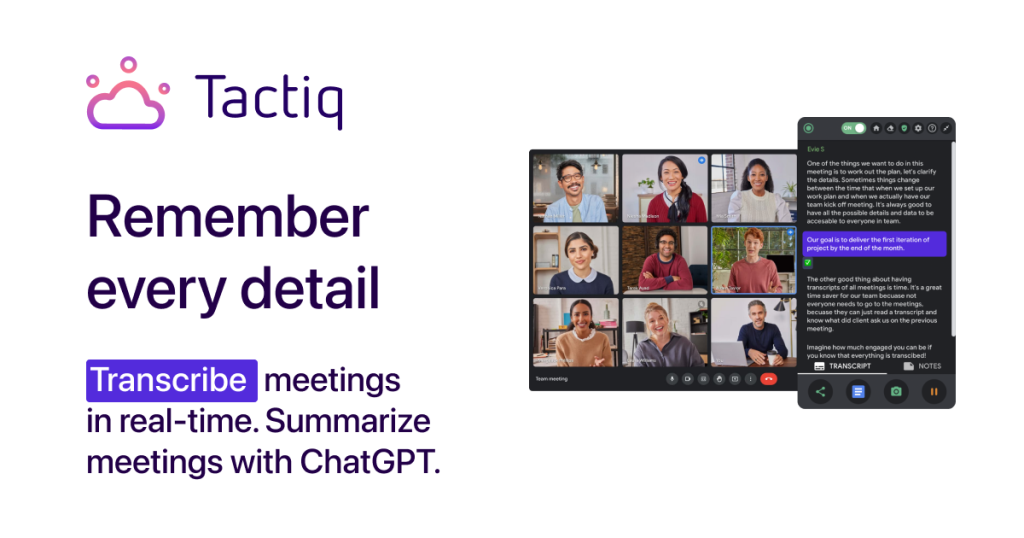
The homepage hero matters because Tactiq is clearly targeting meeting execution, not only note capture.

The bot-free transcription pitch is one of Tactiq’s most practical differentiators. The homepage explicitly frames live transcription as something that happens without an AI bot joining the meeting, which is useful for teams that dislike extra participants or want lower-friction adoption in Google Meet, Zoom, or Teams. For users searching for bot-free meeting transcription or live meeting notes without a meeting bot, this is the part worth checking first.

Annotated screenshot of the official Tactiq live transcription section
Bot-free live transcription matters because it reduces friction in meetings where extra attendees are unwelcome.

The homepage also shows that Tactiq wants to shorten the distance between transcript and action. Public sections such as Summarize meetings as they take place and Get actionable AI insights from your transcripts in one click matter because meeting notes are only valuable when they reduce follow-up work. This makes Tactiq relevant for teams looking for AI meeting summaries, one-click action items, or faster post-meeting recap workflows.

Annotated screenshot of the official Tactiq meeting summary section
Live summary generation matters because many teams need useful notes before the meeting ends, not hours later.
Annotated screenshot of the official Tactiq AI insights section
Actionable AI insights matter because transcripts alone rarely solve meeting follow-through.

The official Chrome extension page adds important first-use clarity. Tactiq openly presents its Google Meet extension as the low-friction install route, then connects that to generated action items, summaries, prompts, and bot-free operation. That is a more useful entry point than a vague sign-up page because it tells the reader how the product is actually meant to fit into their meeting workflow.

Annotated screenshot of the official Tactiq Chrome extension page
The extension page matters because Tactiq’s real-world onboarding starts with installation, not abstract AI promises.

The Ask AI during meetings and AI Workflow pages show where Tactiq becomes more than a transcript layer. Publicly, the site positions in-meeting AI as a real-time thought partner, while workflows are framed around extracting insights and pushing them into systems like Slack, Linear, or HubSpot. That combination matters for users who want meeting-to-action automation rather than just a searchable archive.

Annotated screenshot of the official Tactiq in-meeting AI page
In-meeting AI matters because Tactiq is trying to help during the meeting, not only after it ends.
Annotated screenshot of the official Tactiq AI workflow page
Workflows matter because the highest-value meeting tools push insights into the rest of the team’s systems.

The enterprise page rounds out the judgment. Security, team spaces, reports, and cross-functional collaboration are all public signals that Tactiq is trying to serve larger organizations, not only solo note takers. Our grounded judgment is that Tactiq is most worth trying for teams that run many recurring meetings and want faster summaries, clearer action items, and less manual follow-up. It is less suitable if you rarely meet, do not need shared meeting outputs, or prefer a full recording bot with richer post-call media processing.

Annotated screenshot of the official Tactiq enterprise page
The enterprise page matters because team security and structured follow-up are part of Tactiq’s real business value.

Setup / Usage Guide

Installation steps, usage guidance, and common notes are maintained here.

The best way to start with Tactiq is to pick one recurring meeting type first instead of turning it on for every call immediately.

  1. Open the official website at https://tactiq.io/ and decide which meeting type will be your first test: internal standups, customer calls, team syncs, interviews, or review meetings. Tactiq is easier to judge when the workflow repeats.
  2. If you want the clearest official install route, use the public Chrome extension page at https://tactiq.io/chrome-extension. That is the most practical first step for how the product is publicly presented.
  3. Start with one meeting where notes usually get lost or action items often drift. This gives you a cleaner baseline than testing on a casual call that nobody needs to revisit.
  4. During the meeting, pay attention to whether live transcription feels less disruptive than a bot-based tool. That is one of Tactiq's clearest practical selling points.
  5. After the meeting, compare the generated summary and action items against what the team actually agreed to. Good AI notes should reduce cleanup, not create a second review burden.
  6. Use in-meeting AI only after you trust the transcript quality enough. Live AI prompts are much more useful when the underlying capture is already reliable.
  7. If your team uses Slack, Linear, HubSpot, or similar systems, test one simple workflow next. Tactiq becomes more valuable when insights leave the transcript and enter the systems where work happens.
  8. Keep one eye on meeting etiquette and internal policy. Even a bot-free tool still changes how notes are captured, stored, and shared, so transparency with participants matters.
  9. Check whether the product works best in one platform first, such as Google Meet, before rolling it across every meeting environment at once.
  10. If you are evaluating for a larger team, review the enterprise and privacy material before wider rollout. Security and access control matter once transcripts become shared organizational records.
  11. Keep your own summary templates and follow-up habits outside the platform too. Tactiq should strengthen your meeting process, not replace all judgment about what matters.
  12. Lower expectations in one area: no meeting AI tool can fix unclear meetings by itself. Tactiq works best when the meeting already has a purpose, decisions, and owners.
  13. Decide whether Tactiq belongs in your workflow based on one practical question: does it reduce the time between meeting end and team action without making review or privacy management harder?

A practical long-term Tactiq setup usually looks like this: start with one recurring meeting type, confirm the transcript and summary quality, add in-meeting AI only after baseline capture works, automate follow-up into the tools your team already uses, and keep privacy expectations clear as transcripts become a normal part of team operations.

Related Software

Keep exploring similar software and related tools.