Overview

This section highlights the core features, use cases, and supporting notes.

CodeRabbit is an AI code review platform for teams that want faster pull-request feedback, richer code context, and review support across PR, IDE, and CLI workflows. Its real value comes from moving review earlier and making it more configurable, so teams can catch issues sooner without relying only on manual diff reading.

CodeRabbit is easiest to judge if we treat it as an AI review layer for real software teams, not as a generic coding copilot. On April 14, 2026, the official site at coderabbit.ai publicly positioned the product around faster code reviews, richer context, learning from team feedback, pre-merge checks, and coverage across pull requests, IDE, and CLI. That matters because review is one of the places where AI can either save real time or create expensive noise, depending on how much context and control the tool actually has.

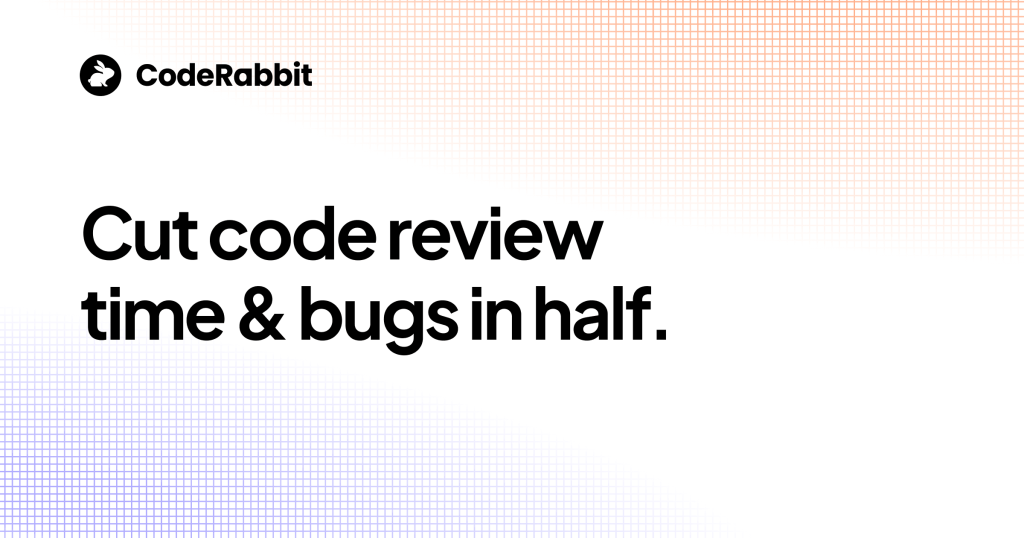
Annotated screenshot of the official CodeRabbit homepage hero
The homepage hero matters because CodeRabbit is explicitly selling code-review speed and defect reduction.

One of the most practical signals on the homepage is the promise to review wherever the team works. Publicly, CodeRabbit emphasizes that it reviews across surfaces instead of only inside pull requests. That matters because review bottlenecks often begin before a PR opens. Teams searching for AI code reviews in PR, IDE, and CLI should care about this more than about generic AI coding claims.

Annotated screenshot of the official CodeRabbit reviews everywhere section
This section matters because CodeRabbit is trying to make code review a continuous workflow, not a single PR event.

The context story is another strong reason to take CodeRabbit seriously. The homepage publicly highlights codebase intelligence, external context, linters and scanners, plus path-based and AST-based instructions. That is more meaningful than vague AI review marketing because useful review depends on understanding more than one isolated diff. If you are evaluating AI code review tools for large codebases, this is where CodeRabbit becomes more interesting than a shallow PR commenter.

Annotated screenshot of the official CodeRabbit context section
Context matters because AI review quality depends on more than the current patch alone.

CodeRabbit also puts unusual weight on learnings and customization. The homepage frames review behavior as something that can learn from the team, and it exposes instructions, coding-agent guidelines, and custom checks as part of the public story. That is important because teams rarely want a static reviewer; they want one that adapts to house rules, code style, and recurring review preferences over time.

Annotated screenshot of the official CodeRabbit learnings section
Learning and customization matter because review quality improves when the tool can reflect team-specific expectations.

The pre-merge checks section is where the platform becomes operationally useful. Catching issues before merge, summarizing diffs, and skipping low-value noise can matter more than adding yet another reviewer voice. That is why CodeRabbit looks strongest for teams trying to reduce review latency without dropping review depth. It is much weaker if the team expects AI to replace all human judgment on risky architectural or product-level decisions.

Annotated screenshot of the official CodeRabbit pre merge checks section
Pre-merge checks matter because the highest-value review feedback arrives before defects land on main branches.

The public Plan page is also worth attention because it extends CodeRabbit beyond reactive review into pre-code alignment. The issue-planning surface suggests a workflow where teams improve intent before implementation, reduce rework, and make AI output less sloppy before the coding agent even starts. That is a useful signal for teams trying to connect planning quality and review quality instead of treating them as unrelated steps.

Annotated screenshot of the official CodeRabbit planning page
The planning page matters because CodeRabbit is pushing upstream into intent and issue quality, not only downstream review.

The CLI and IDE pages make the product easier to recommend to active developers. Publicly, CodeRabbit now supports review in terminal and inside the IDE, including line-by-line review and one-click fixes. This matters because many developers want AI review before they ever open a PR. That makes CodeRabbit relevant for users looking for AI code reviews in VS Code, terminal-based AI review, or earlier feedback in AI-assisted coding loops.

Annotated screenshot of the official CodeRabbit CLI page
The CLI page matters because review in terminal shortens feedback loops for developers who code outside the browser.
Annotated screenshot of the official CodeRabbit IDE page
The IDE page matters because CodeRabbit is trying to bring review into the coding loop instead of waiting for PR-only feedback.

Our grounded judgment is that CodeRabbit is most worth trying for engineering teams that ship frequently, review a lot of AI-generated or fast-moving code, and need more structured review coverage across multiple surfaces. It is less suitable for teams that barely review code, have extremely low change volume, or expect AI review to replace human accountability for architecture, product, or security decisions. Used well, CodeRabbit looks strongest as a review accelerator and consistency layer rather than a substitute for senior engineering judgment.


Setup / Usage Guide

Installation steps, usage guidance, and common notes are maintained here.

The best way to start with CodeRabbit is to test it on one active repository with a normal review cadence instead of dropping it across every repo at once.

  1. Open the official website at https://www.coderabbit.ai/ and decide which surface you want to evaluate first: pull requests, IDE, or CLI. CodeRabbit is easier to judge when you start with one review surface rather than all of them together.
  2. If you want the clearest official start path, use the public free-trial login at https://app.coderabbit.ai/login?free-trial. That is the most direct official usage entry exposed by the homepage during this run.
  3. Choose one repository with active but manageable review volume. The best first test is not your most chaotic monorepo, but also not a dead sample repo that receives no meaningful changes.
  4. Let CodeRabbit review a few normal pull requests before you decide whether it is useful. One PR is rarely enough to judge whether the tool's comments are consistent or just occasionally lucky.
  5. Pay close attention to context quality. If the review comments ignore repository conventions, architecture boundaries, or external signals you care about, that is the first thing to fix before scaling usage.
  6. Use the platform's learnings and custom-instruction features early. CodeRabbit is publicly designed to adapt, so the quality test is not only what it does out of the box, but how well it improves once you teach it your team's expectations.
  7. Test pre-merge checks on lower-risk changes first. This is a good way to see whether CodeRabbit reduces review friction without blocking developers on noisy findings.
  8. If your developers work heavily in terminal or editor-first flows, test the official CLI or IDE surfaces after the PR baseline feels acceptable. This will tell you whether earlier review really helps or just duplicates later review noise.
  9. Do not treat every comment as equal. The practical question is whether CodeRabbit helps reviewers focus faster on real defects, logic risks, or missing safeguards.
  10. If planning quality is already a bottleneck, try the official planning surface on one issue before coding begins. Better problem framing often improves downstream AI and human review together.
  11. Keep human reviewers in the loop for architecture, security, and product intent. AI review can accelerate the process, but it should not become the sole authority on risky changes.
  12. If you are evaluating for a larger engineering organization, review the enterprise, trust, and documentation material before broader rollout. Security, permissions, and team process fit matter more as usage expands.
  13. Decide whether CodeRabbit belongs in your workflow based on one practical question: does it reduce review time and missed issues without flooding your team with low-value comments?

A practical long-term CodeRabbit setup usually looks like this: start with one real repo, calibrate context and instructions early, test PR review before expanding to IDE or CLI usage, add pre-merge checks carefully, and keep human reviewers focused on the highest-risk decisions that AI still should not own alone.

Related Software

Keep exploring similar software and related tools.