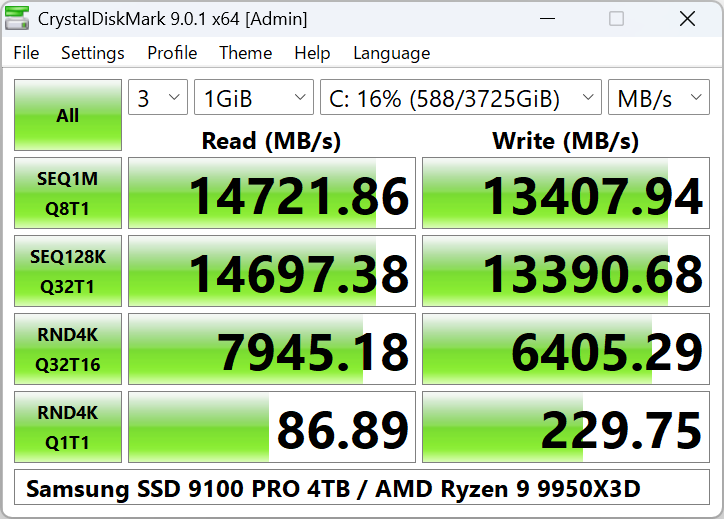
CrystalDiskMark is popular because storage questions often come down to one practical point: how fast is this drive actually reading and writing under a simple repeatable test? Whether you are checking a new SSD, comparing an old drive, or trying to understand whether a storage upgrade behaved as expected, a focused benchmark tool can answer that question quickly.
It is especially suitable for PC builders, maintainers, reviewers, and everyday Windows users who want to confirm storage performance after installation, replacement, or troubleshooting. If a system feels slower or faster than expected and storage is part of the suspicion, CrystalDiskMark gives you a clearer starting point than guesswork.
What makes it worth keeping is simplicity. It presents recognizable test results for sequential and random performance without demanding a complex lab setup. That makes it useful both for one-time checks and for comparisons across different drives or machines.
The tradeoff is that benchmark results are not the whole user experience. One strong or weak number does not fully describe application loading, file organization, thermal behavior, or long-term drive health. CrystalDiskMark is most valuable as a quick measurement tool, not as the only basis for judging a storage device.
My recommendation is to use CrystalDiskMark when you need a fast, readable storage performance check on Windows. Run the test under normal conditions, compare it to realistic expectations for the drive type, and use the results to support smarter decisions rather than chasing numbers for their own sake.