Overview

This section highlights the core features, use cases, and supporting notes.

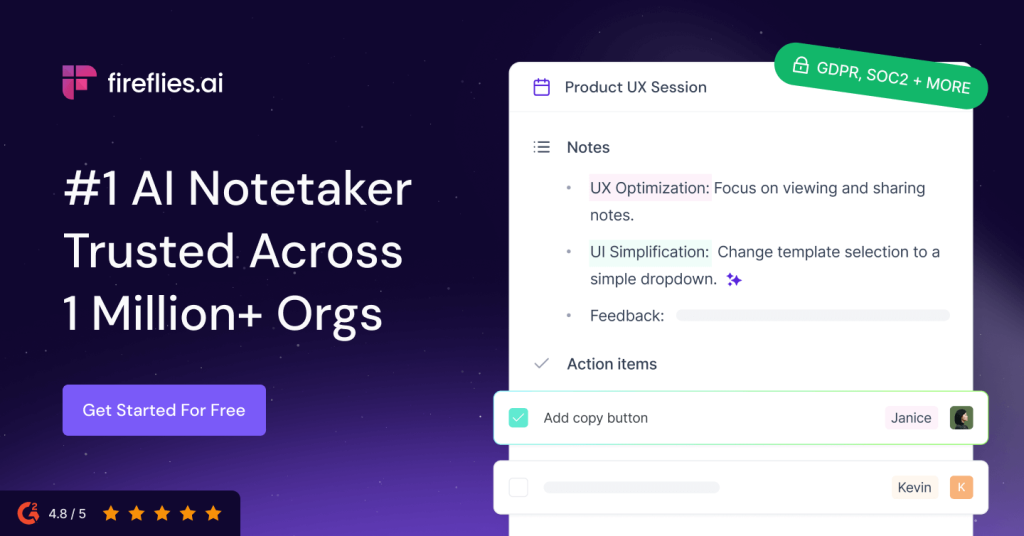
Fireflies.ai is an AI meeting note taker for teams that want automatic meeting transcription, AI summaries, searchable conversation memory, and smoother follow-up across CRM, docs, and collaboration tools. Its real value is not only recording calls, but helping teams turn meetings into reusable notes, tasks, and workflow signals.

Fireflies.ai makes the most sense when we judge it as meeting workflow software rather than as another generic AI chat product. On April 14, 2026, the official English site positioned Fireflies around AI note taking, meeting transcription and recording, AI summaries, searchable conversation memory, AI skills, integrations, security, and pricing. That combination matters because most teams do not actually struggle to join meetings. They struggle to remember, reuse, and route what was said after the meeting ends.

Annotated screenshot of the official Fireflies.ai homepage hero
The hero matters because Fireflies is clearly selling an AI meeting note taker workflow, not simple recording for its own sake.

The meeting transcription and recording section is still the foundation of the product. If a team cannot capture meetings reliably enough, every later promise about summaries, search, or automation becomes weaker. That is why Fireflies is worth evaluating first as AI meeting transcription software and only second as a broader conversation intelligence layer.

Annotated screenshot of the official Fireflies transcription and recording section
Meeting transcription matters because every summary, action item, and searchable memory depends on the capture layer being dependable first.

The AI summary angle is where Fireflies becomes more practical for real teams. A raw transcript is useful, but it still costs time to review. The official site emphasizes comprehensive AI summaries because the daily value of a meeting note taker usually shows up in faster follow-up, clearer recap sharing, and fewer repeated internal questions afterward.

Annotated screenshot of the official Fireflies AI summaries section
AI summaries matter because busy teams usually need faster follow-up and decision recall, not another transcript to reread line by line.

Search is another major reason Fireflies can justify staying in a workflow. The homepage frames this as remembering every conversation with AI powered search. That matters because meeting information loses value quickly if it cannot be retrieved when someone needs the exact decision, objection, requirement, or commitment weeks later.

Annotated screenshot of the official Fireflies AI powered search section
AI meeting search matters because the real retention value of a meeting tool shows up after the call, when people need to find the right conversation quickly.

Fireflies also tries to move beyond notes and summaries by highlighting more than 200 AI skills. Publicly, that positions the product as a post-meeting extraction and automation layer rather than a single transcript viewer. For users searching for an AI meeting summary tool with more structured outputs, this is one of the more interesting parts of the product story.

Annotated screenshot of the official Fireflies AI skills section
AI skills matter because Fireflies is trying to turn meeting content into reusable outputs and workflow actions, not only static notes.

The integrations page is one of the strongest practical trust signals on the official site. Fireflies publicly highlights connections with more than 100 apps across video conferencing, audio recording, CRM, collaboration, and storage categories. That matters because a meeting note taker becomes much more valuable when the result can move into the rest of the tools your team already uses.

Annotated screenshot of the official Fireflies integrations page
Integrations matter because meeting notes are more useful when they can flow into CRM, collaboration, and knowledge tools instead of staying isolated.

The security page deserves real attention because meeting transcripts often contain customer details, hiring discussions, internal planning, and sensitive project context. Fireflies publicly maintains a dedicated security and privacy page for meeting notes, which is a more serious evaluation signal than a product claiming to be smart without explaining how trust should be handled.

Annotated screenshot of the official Fireflies security page
Security matters because meeting transcripts and AI summaries often contain information teams cannot treat casually.

The pricing page keeps the decision grounded. Fireflies can sound lightweight at first, but meeting volume, user count, integrations, and team-wide rollout can turn a simple trial into a recurring operations expense. Public pricing is important because it helps users decide whether Fireflies fits a solo workflow, a small team, or a larger cross-functional meeting process.

Annotated screenshot of the official Fireflies pricing page
Pricing matters because recurring meetings and team rollout can quickly change Fireflies from a light test into a real cost decision.

Our grounded judgment is that Fireflies.ai is most worth trying for teams with recurring meetings, sales and customer-facing work, recruiting, research interviews, and internal coordination where meeting memory actually affects later work. It is less suitable for users who only need occasional voice-to-text conversion or who are not comfortable putting meeting records into a cloud workflow. Fireflies looks strongest when the real goal is not just recording the meeting, but making the meeting usable afterward.

Setup / Usage Guide

Installation steps, usage guidance, and common notes are maintained here.

The best way to start with Fireflies.ai is to treat it as a meeting memory and follow-up tool, not only a transcription utility. Decide first which real workflow you want it to improve: internal syncs, customer calls, recruiting interviews, research conversations, or recurring project meetings.

  1. Open the official site at https://fireflies.ai/ and read the main product framing first. This helps you judge whether you need AI meeting notes, searchable meeting memory, or broader post-meeting automation.
  2. During this run, the public "Get Started" buttons on the official site pointed to https://app.fireflies.ai/login. Use that official app entry for account access and first workspace setup instead of relying on third-party links.
  3. Pick one real meeting type for the first test. Fireflies is easier to evaluate on an actual recurring workflow than on a random sample conversation with no follow-up value.
  4. Check the capture layer first. If the transcript and recording quality are not useful enough for your meetings, the later AI summary and search features will not save much time.
  5. Review the AI summary immediately after a meeting. Look for whether it actually shortens follow-up work, clarifies next actions, and reduces the need to reread the full transcript.
  6. Run at least one search test on a real topic, decision, objection, or action item from the meeting. Search quality is one of the easiest ways to tell whether Fireflies will still help you weeks later.
  7. If your team depends on CRM, docs, or collaboration tools, test one integration early instead of connecting everything at once. A small realistic workflow check is safer than broad setup before you know the product fits.
  8. Look at the AI skills area only after the basic note-taking flow already works for you. Extra automation is helpful only when the transcript, summary, and search layers already feel reliable.
  9. Read the official security page before inviting more teammates or using it for sensitive calls. Meeting records often carry more customer and internal context than people expect.
  10. Check pricing before turning a successful trial into a team habit. Recurring meetings, more users, and deeper workflow use can change the cost picture quickly.
  11. Set expectations clearly inside the team. AI meeting notes can speed up recall and follow-up, but they should not replace human review for sensitive details, commitments, or nuanced decisions.
  12. After several real meetings, make the keep-or-drop decision based on one practical question: does Fireflies help your team find and reuse meeting information faster than your current note-taking process?

A practical Fireflies.ai rollout usually starts with one meeting type, confirms transcript and summary usefulness first, then expands into search, integrations, and AI skills only where those layers solve a real follow-up problem.

Related Software

Keep exploring similar software and related tools.