Overview

This section highlights the core features, use cases, and supporting notes.

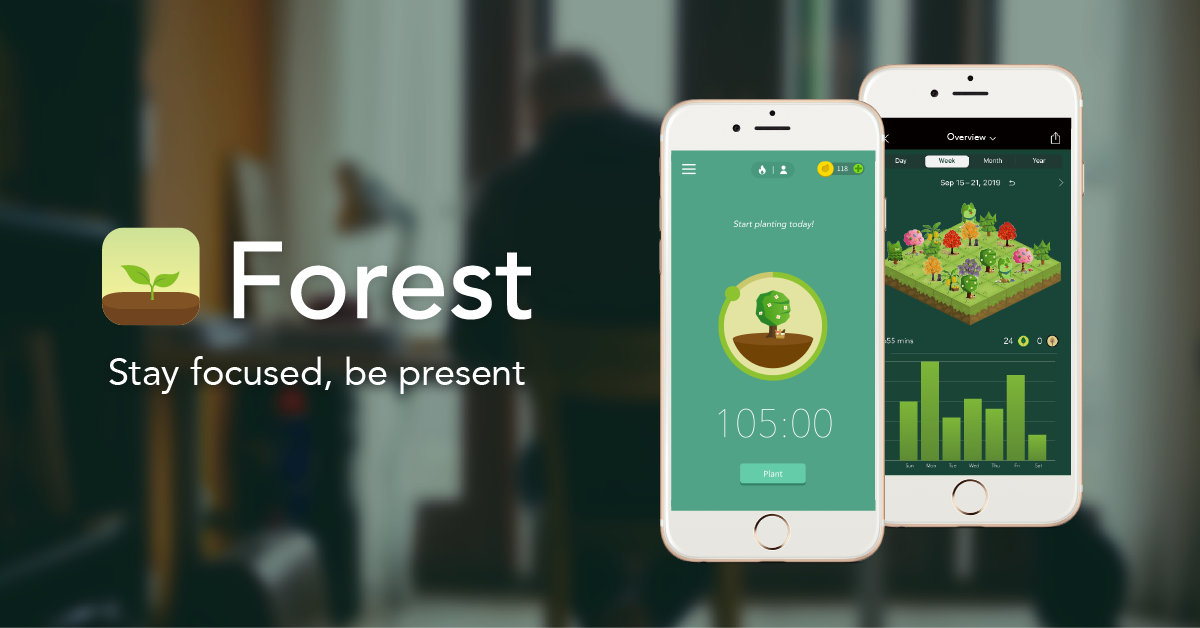
Forest is a focus timer app that uses a simple tree-growing metaphor to make distraction more visible and concentration more rewarding. It is especially appealing for students, knowledge workers, and phone users who want a gentler but still effective way to build better focus habits.

Forest works because it turns focus into something you can see. Instead of giving users another sterile timer, it ties each concentration session to a small visual outcome, which makes the cost of distraction feel more immediate. That sounds playful, but it has real value for people who struggle with constant phone checking.

As a productivity app, Forest is strongest for users who need behavioral support more than complex scheduling logic. If you are searching for the best focus timer app for students or a mobile app to reduce phone distraction, it remains one of the more memorable tools in the category because it makes habit-building feel lighter and more tangible. The tradeoff is that it does not replace a full planning system; it supports attention, not project management.

Our recommendation is to use Forest alongside another task or calendar system. It is especially useful when you already know what you should be doing but need help staying with it for the next 25, 40, or 60 minutes without drifting back to the phone.
Setup / Usage Guide

Installation steps, usage guidance, and common notes are maintained here.

The best way to start with Forest is to connect each timer session to one clear task. Study one chapter, finish one email block, read one paper, or complete one writing sprint. Users searching how to use Forest to improve focus usually get the best results when each session has a concrete target instead of a vague promise to be productive.

Start with session lengths that are realistic for your current attention span. A short successful block builds more momentum than a long session you abandon halfway through. Forest becomes effective through repeatability, not through heroic first attempts.

Treat the app as a habit cue, not a miracle cure. It works best when paired with a sensible task list, notification control, and an environment that already supports concentration.

Related Software

Keep exploring similar software and related tools.