Overview

This section highlights the core features, use cases, and supporting notes.

Notta is an AI meeting assistant for teams and professionals who need fast transcription, AI notes, bilingual meeting support, and clearer meeting follow-up without drowning in raw transcripts. Its strongest value is that it connects recording, transcription, summaries, and deliverable generation into one practical workflow.

Notta makes the most sense when we judge it as a meeting-productivity workflow, not as a simple speech-to-text utility. On April 14, 2026, the official English site positioned Notta around AI note taking, meeting visualization, transcription, AI notes, bilingual meetings, bot-free recording, Notta Brain deliverables, and plan-based collaboration features. That matters because many teams do not really need more transcripts. They need a way to turn conversations into something usable afterward.

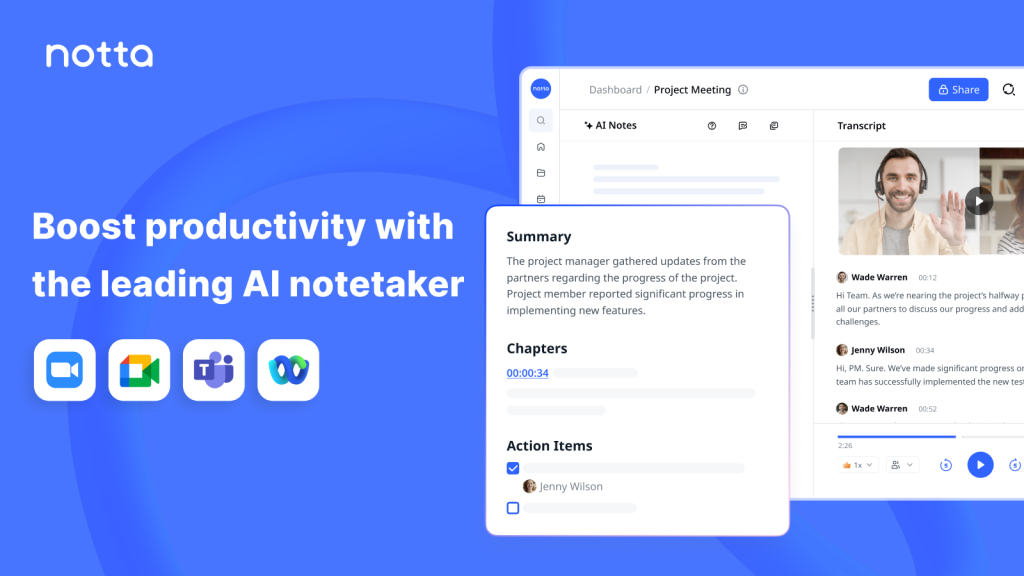
Annotated screenshot of the official Notta homepage hero
The homepage hero matters because Notta is clearly selling meeting decisions and usable outputs, not just raw transcription.

The homepage journey section is one of the strongest reasons to take Notta seriously. Publicly, Notta frames the workflow as moving from words to valuable knowledge. That is much more practical than treating transcription as the final goal. Teams usually benefit only when meeting content becomes searchable, shareable, and actionable after the call ends.

Annotated screenshot of the official Notta workflow journey section
The workflow journey matters because the real value of meeting software comes after the transcript exists.

The AI transcription feature remains the foundation of everything else. Publicly, Notta positions this as instant and accurate transcription for audio and video across many languages. That matters because if the transcript layer is weak, summaries, follow-up notes, and deliverables all become harder to trust.

Annotated screenshot of the official Notta AI transcription page
AI transcription matters because every later Notta workflow depends on the transcript being timely and dependable enough to reuse.

The AI notes feature is where Notta becomes much more useful for busy teams. Instead of forcing everyone to reread long transcripts, the product highlights summaries, key details, tailored prompts, and custom recap templates. This is usually where meeting software starts saving real time rather than just recording more information.

Annotated screenshot of the official Notta AI meeting notes page
AI notes matter because teams usually need fewer raw lines and more usable summaries, action items, and shared understanding.

Bilingual meeting support is another practical differentiator. Publicly, Notta positions bilingual transcription as a dedicated workflow instead of hiding it inside one settings menu. That matters because multilingual meetings often fail not from bad discussion, but from poor documentation and slow translation after the fact.

Annotated screenshot of the official Notta bilingual transcription page
Bilingual transcription matters because multilingual meetings are one of the fastest places for manual note-taking to become unreliable.

Notta Brain pushes the product further than a normal meeting note tool. Publicly, it promises deliverables like slides, infographics, and multi-meeting analysis. That is a meaningful shift because many teams no longer want only minutes and summaries; they want the meeting to feed directly into actual outputs people can use.

Annotated screenshot of the official Notta Brain page
Notta Brain matters because it turns meeting capture into deliverables, not just searchable archives.

The bot-free desktop feature is also worth attention because some organizations dislike recording bots joining calls. Publicly, Notta Desktop positions itself around local recording without participant notification from a meeting bot. That will not fit every compliance environment, but it is a strong practical option for teams that need lower-friction capture across platforms.

Annotated screenshot of the official Notta Desktop page
Bot-free recording matters because some teams want easier meeting capture without relying on visible meeting bots.

The pricing page helps keep the evaluation realistic. Transcription volume, team plans, and add-on services quickly change whether meeting software feels lightweight or becomes a meaningful recurring tool. Public pricing and plan comparison make it easier to decide whether Notta fits occasional calls, daily collaboration, or a more structured operations workflow.

Annotated screenshot of the official Notta pricing page
Pricing matters because meeting volume, collaboration needs, and add-on services quickly affect the real fit of Notta.

Our grounded judgment is that Notta is most worth trying for teams, researchers, multilingual groups, and professionals who need more than a transcript and want faster meeting reuse. It is less suitable for users who only need occasional raw transcription or who expect meeting AI to replace good discussion discipline and human judgment. Notta looks strongest when the real problem is turning meetings into something usable after the call ends.

Setup / Usage Guide

Installation steps, usage guidance, and common notes are maintained here.

The best way to start with Notta is to treat it as a meeting workflow tool, not just a recorder. Decide first whether your main need is transcription, AI summaries, multilingual documentation, or turning meetings into deliverables.

  1. Open the official English site at https://www.notta.ai/en and review the main workflow first. Notta is easier to judge when you understand that it connects capture, transcription, AI notes, and follow-up outputs.
  2. If you want to begin actual use, the clearest official start path during this run is https://app.notta.ai/signup?language=en&from=official. That is the public account-creation entry exposed by the official site.
  3. Choose one real meeting scenario for your first test: an online meeting, an uploaded recording, a bilingual conversation, or a recurring team sync. Notta is easier to evaluate on a real workflow than on a random sample clip.
  4. Start with transcription quality first. If the transcript itself feels weak, every summary, action item, and deliverable will be less trustworthy.
  5. After transcription, move immediately to AI notes and summaries. This is where Notta usually shows whether it can save time or whether it only creates more text for you to read.
  6. If your team works across languages, test the bilingual meeting flow early. Multilingual support is one of Notta's more practical public feature areas, and it is better to verify this before building it into regular team habits.
  7. If visible meeting bots are a problem for your environment, look at Notta Desktop and decide whether the bot-free approach matches your capture and compliance needs better.
  8. Use Notta Brain only after the transcript and note layers already feel reliable. Deliverables such as slides or infographics are only helpful when the source meeting content has already been captured well.
  9. Think carefully about permissions and expectations. Meeting software can create the illusion that capture equals understanding. It still helps to define what should be shared, what should be summarized, and what needs manual follow-up.
  10. Check pricing before you scale usage across a team. Meeting frequency, transcription volume, and collaboration needs can turn a simple test into a real recurring cost decision.
  11. Keep humans responsible for decisions and sensitive context. AI notes can speed up follow-up, but they should not become the only source of truth for nuanced conversations.
  12. After a few real meetings, decide based on one practical question: does Notta help your team reuse meeting information faster and more clearly than your current note-taking process?

A practical Notta workflow usually starts with one real meeting type, confirms transcript quality first, then adds AI notes, bilingual support, or deliverable generation only where they solve a clear next-step problem.

Related Software

Keep exploring similar software and related tools.