Okular
Category Education & Management
Published 2026-03-31

Overview

This section highlights the core features, use cases, and supporting notes.

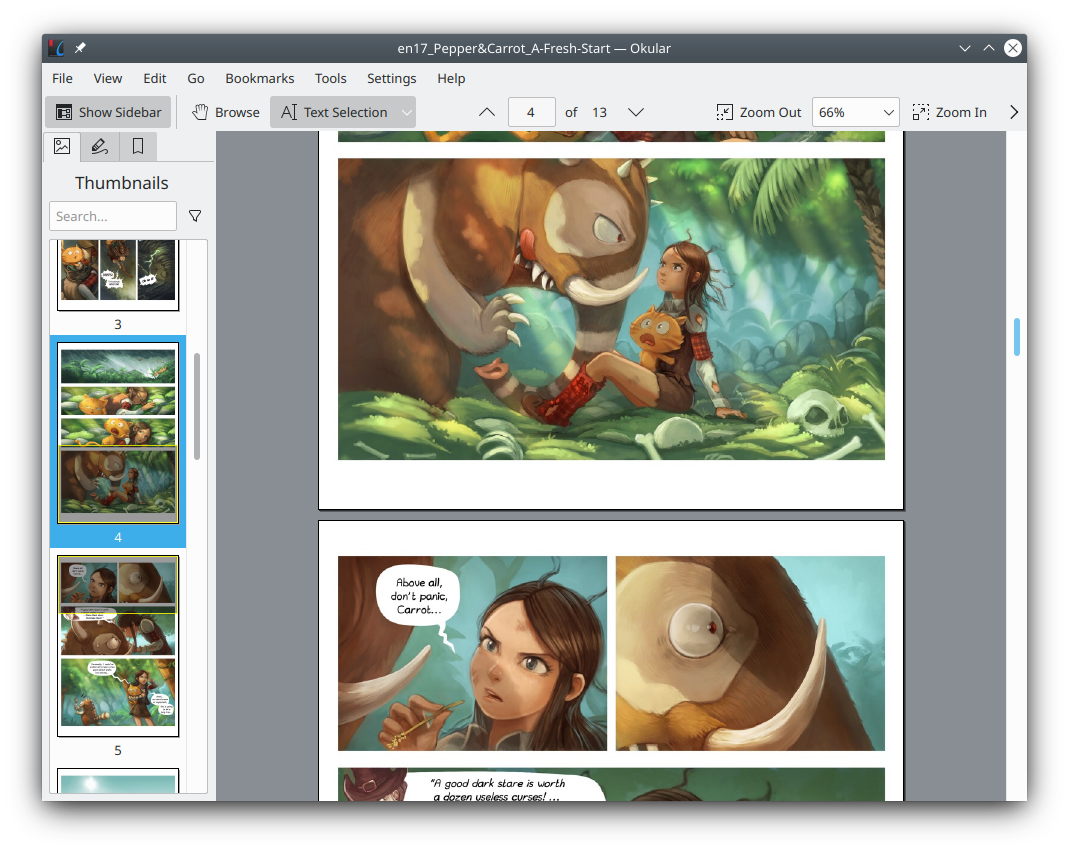
Okular is a document viewer for people who read seriously and want stronger control over PDF navigation, markup, and multi-format support than a basic reader usually gives. It is especially useful when reading is part of the work, because page navigation, annotations, and side-panel structure matter more than a decorative interface.

Okular is most valuable when documents are not just something you glance at but something you work through. PDF manuals, class material, reports, and long references are easier to manage when the reader gives you strong navigation and annotation tools.

It suits students, teachers, researchers, and office users who keep many documents open over time. If you only need a simple viewer to open the occasional file, the benefits may feel modest. If documents are part of your daily process, they add up quickly.

What makes Okular worth installing is its reading-focused depth. Side panels, bookmarks, notes, highlights, and broad format support help the program act more like a work tool than a bare viewer.

The tradeoff is that it is not the most stylish or lightweight option in every situation. Some users may also prefer a simpler interface if they never touch annotations. The right expectation is a capable document workstation, not a minimal open-file-and-leave app.

This site recommends Okular for users who regularly read, mark, and revisit documents. Start with one structured PDF, test navigation and highlights, then decide whether it improves concentration and recall enough to replace your current reader.

Setup / Usage Guide

Installation steps, usage guidance, and common notes are maintained here.

  1. Download Okular from the official project page. Use the official Windows package so you start from the supported release path.
  2. Install it and open a document with a table of contents. This shows quickly whether the side panel and navigation tools help your actual reading style.
  3. Test zoom, page layout, and reading modes first. Those settings shape comfort more than advanced features do.
  4. Try highlights, notes, and simple annotations on a working file. If you never use them, a simpler viewer may be enough. If they help immediately, Okular is doing its job.
  5. Check how the app handles the document types you use most. PDF may be the priority, but support for other reading formats can matter too.
  6. Decide where your annotated files will live. If the reader becomes part of study or review work, file organization and backup matter as much as the annotations themselves.
  7. Export or share a marked document once as a test. Make sure the results match what you expect before depending on it for collaborative work.
  8. Keep it if reading feels more controlled. Better navigation and annotation are the real reason to stay, not the fact that it can simply open the file.

Related Software

Keep exploring similar software and related tools.