Overview

This section highlights the core features, use cases, and supporting notes.

Otter.ai is worth recommending when it is judged as a meeting follow-up workflow tool instead of only as another speech-to-text utility. The official materials checked on April 21, 2026 still position Otter.ai through its main meeting-agent page, AI notes and AI chat product pages, integrations hub, desktop app route, pricing, and role-based pages for sales, education, and media work. That combination matters because many meeting-heavy users are not only trying to capture every spoken word. They are trying to reduce manual note-taking, recover decisions after a call, keep action items visible, and make repeated meetings easier to search and reuse later. Otter.ai is strongest for teams, managers, interviewers, students, journalists, customer-facing staff, and frequent meeting participants who need searchable notes and structured follow-up. It is weaker for readers who rarely hold meetings, who do not want cloud-based meeting records, or who only need a tiny offline recorder with no collaboration layer. Our grounded judgment is that Otter.ai still deserves to be recommended when the real need is meeting documentation and post-meeting usefulness, not just raw transcription.

The current English page for Otter.ai needs a fuller rewrite because the official materials checked on April 21, 2026 show a product with a much clearer role than a short transcription label suggests. Otter.ai is most useful when it is judged as a meeting documentation and follow-up workflow tool instead of as only a recorder that turns speech into text.

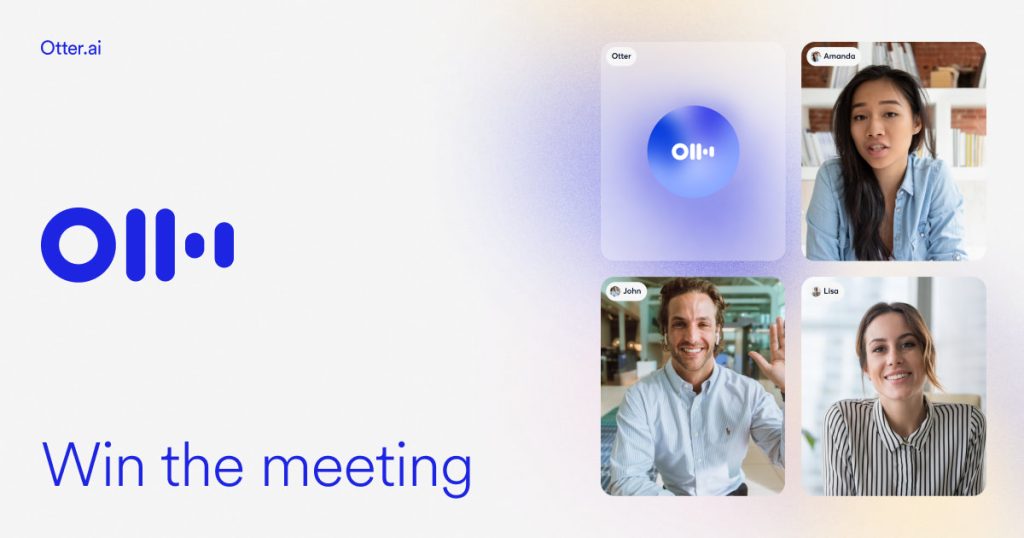
Annotated reference image based on the official Otter.ai homepage highlighting AI meeting agent positioning
The main page matters because it positions Otter as a meeting workflow product, not only as a transcript generator.

The main Otter page still presents the product as a meeting agent and note-taking assistant, and that framing is important. Many users do not need one more transcript file. They need something that helps them recover key points and decisions after meetings without starting over from scratch.

Annotated reference image based on the official Otter AI notes page highlighting searchable notes workflow
The AI notes page matters because Otter earns its place when meeting notes remain useful after the conversation is over.

The AI notes page matters because searchable and reusable meeting notes are one of the clearest reasons to keep Otter. This is where the product starts to move beyond plain speech capture and toward actual post-meeting usefulness.

Annotated reference image based on the official Otter meeting agent page highlighting active meeting assistance
The meeting-agent page matters because Otter is stronger when it is judged as an active meeting assistant, not just an archive.

The meeting-agent page matters because Otter is increasingly positioned as a tool that helps during and after meetings, not only after the recording is finished. That wider role is what makes it worth evaluating for regular work instead of occasional one-off use.

Annotated reference image based on the official Otter AI chat page highlighting question-and-answer access to meeting content
The AI chat page matters because Otter is more useful when users can query meeting content directly instead of rereading everything.

The AI chat page matters because meeting content becomes easier to reuse when users can ask for details instead of manually rereading long note sets. This helps Otter feel more like a practical assistant and less like a passive archive.

Annotated reference image based on the official Otter integrations page highlighting workflow fit with existing tools
The integrations page matters because Otter only earns long-term use when it fits the tools people already rely on.

The integrations page matters because meeting tools are only valuable when they work inside real habits. If Otter cannot connect to the apps and processes a team already uses, it quickly becomes extra overhead instead of help.

Annotated reference image based on the official Otter desktop page highlighting desktop-oriented meeting access
The desktop page matters because Otter adoption is much more realistic when users know how it fits desktop meeting habits.

The desktop page is practical because many readers will first try Otter on the same computer they use for work calls. That makes the desktop route more useful than a vague product promise with no clear starting point.

Annotated reference image based on the official Otter pricing page highlighting personal and team adoption decisions
The pricing page matters because Otter often moves from personal trial to team consideration very quickly.

The pricing page matters because meeting tools often begin with one user and then spread across a team if they work well. That makes plan visibility part of the product decision earlier than many users expect.

Annotated reference image based on the official Otter sales page highlighting follow-up and customer conversation use
The sales page matters because it shows a realistic scenario where better notes and faster follow-up clearly matter.

The sales page matters because customer-facing calls are one of the easiest places to see Otter’s real value. Missed details and weak follow-up cost more there than in a casual internal call.

Annotated reference image based on the official Otter education page highlighting lecture-note and classroom use
The education page matters because it shows Otter fitting lecture and learning workflow, not only office meetings.

The education page broadens the judgment by showing that Otter is not only about office work. Lecture notes, real-time class support, and later review are strong examples of where searchable notes matter more than perfect formatting.

Annotated reference image based on the official Otter media page highlighting interview and content-production workflow
The media page matters because interview-heavy work is one of the clearest reasons to want Otter’s searchable notes and summaries.

The media page matters because interviews are one of the clearest real-world examples of why teams want better search, summaries, and note recovery instead of just a raw transcript dump.

Our grounded judgment is that Otter.ai is strongest for readers who spend real time in meetings and want notes that remain useful after the meeting ends. It is weaker for readers who rarely meet, who do not want cloud-linked meeting records, or who only need a tiny offline transcription utility. Judged on the official materials available on April 21, 2026, Otter.ai still deserves to be recommended as a meeting follow-up and documentation tool, not as a generic transcript app.

Setup / Usage Guide

Installation steps, usage guidance, and common notes are maintained here.

The best way to start with Otter.ai is to treat it as a meeting workflow tool and not as a simple recorder. The official materials checked on April 21, 2026 make the order clear: begin from the official Otter site, understand its note-taking and meeting-agent role, use the official desktop route if you work primarily on a computer, connect the tools you actually use, test one short real meeting, review the notes and AI chat output, and only then decide whether the workflow is strong enough for broader team use.

  1. Start from the official Otter site at https://otter.ai/ so you understand the product as a meeting assistant and not only as speech-to-text software.
  2. If you mostly work on a laptop or desktop, review the official desktop page at https://otter.ai/integrations/desktop before setup. This gives you the clearest first-party route for desktop use.
  3. Create or sign in to your official Otter account through the vendor workflow. Otter is not a standalone offline desktop utility, so account setup is part of normal first use.
  4. Read the AI notes and meeting-agent product pages before your first real meeting. They help set expectations around what Otter is trying to automate for you.
  5. Connect the meeting or productivity tools you already rely on through the official integrations hub. This matters because Otter only saves time when it fits your existing workflow.
  6. Do not start with a very important meeting. Begin with one short internal call, lecture, or interview where you can safely review the results afterward.
  7. After the session, review the generated notes carefully. Check whether the captured content is genuinely useful for your own follow-up style instead of assuming every summary will match your needs automatically.
  8. Use the AI chat layer to retrieve one or two concrete details from the meeting. This is one of the fastest ways to judge whether Otter is helping you work faster after the call.
  9. If you are testing Otter for a team, look at the pricing page early rather than late. Meeting tools often spread quickly once they are useful, so plan fit matters sooner than many users expect.
  10. If your work is customer-facing, also review the official sales page. It helps you judge whether Otter can support follow-up and documentation habits that matter in revenue-facing calls.
  11. If your work is academic or training-focused, check the education page. Otter may be more useful for lectures and study review than for casual one-off note capture.
  12. If your work depends on interviews, recorded conversations, or content production, review the media page. Otter's search and summary value is easier to feel in interview-heavy workflow.
  13. Keep your first week of use narrow. Test Otter in the same one or two contexts repeatedly so you can judge consistency instead of bouncing across every feature at once.
  14. Decide honestly whether the notes are saving you enough time after meetings. Otter is strongest when it reduces follow-up effort, not when it simply creates more text to review.
  15. After a short trial, make one final judgment: is Otter improving your meeting memory and follow-up enough to deserve a permanent place in your workflow? That is the clearest test of fit.

A practical Otter.ai setup usually means starting from the official site, using the desktop route when relevant, understanding the note-taking and meeting-agent role before heavy use, connecting real meeting tools through official integrations, testing one short session first, reviewing the notes and AI chat output carefully, and then deciding whether the post-meeting value is strong enough for daily use. That is how Otter becomes a useful meeting workflow tool instead of a transcript pile you stop reading.

Related Software

Keep exploring similar software and related tools.