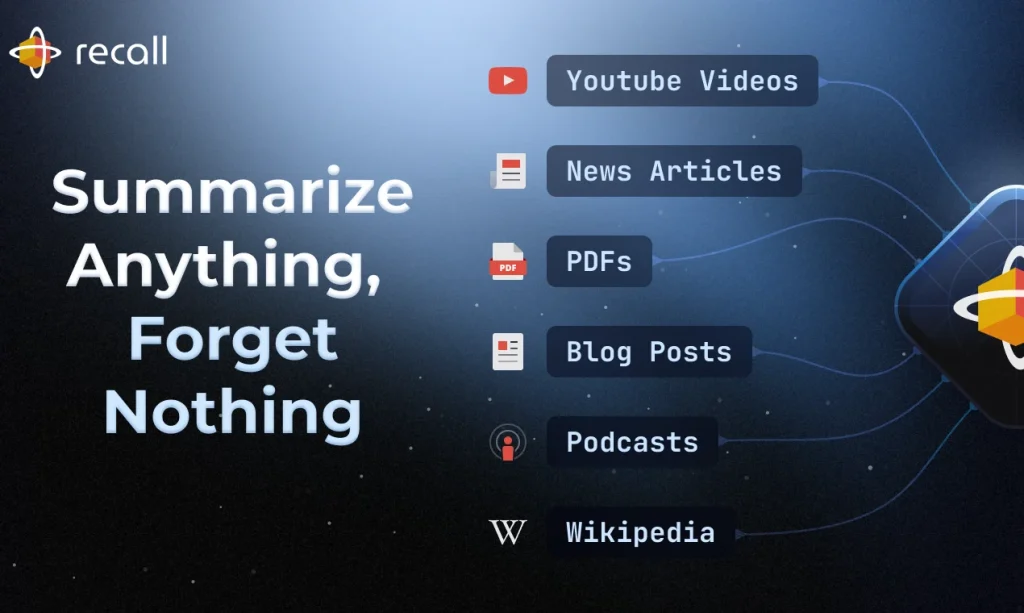
Overview

This section highlights the core features, use cases, and supporting notes.

Recall is most useful as a personal AI knowledge base for mixed online content, not just as another one-click summarizer. Users looking for a tool to summarize YouTube videos, podcasts, PDFs, articles, and notes into one searchable system will get the most value when they need triage, organization, and retrieval together instead of a single fast summary. It fits founders, researchers, students, and heavy readers well, but summaries, automatic links, and chat answers still need source checking before they become trusted knowledge.

Recall is easier to understand when you stop comparing it to isolated AI summary tools and start treating it as a capture-and-revisit system. The official homepage does not only promise fast summaries. It emphasizes saving, summarizing, chatting with, and keeping your content inside a self-organizing knowledge base. That matters because the real problem for many users is not simply that content is too long. It is that useful things are scattered across videos, podcasts, PDFs, articles, and quick notes, then forgotten as soon as the tab closes.


Annotated screenshot of the official Recall homepage showing the knowledge-base positioning
The homepage screenshot is valuable because it shows Recall’s real positioning immediately: this is meant to be a long-term knowledge workspace, not only a quick summarizer for one page at a time. Click the image to open the full-size screenshot.

The strongest use case starts before full consumption, not after it. Recall can summarize mixed sources quickly, which makes it practical for pre-screening long content before you commit serious attention. That is a more useful framing than “summarize anything” marketing on its own. If you are comparing AI tools for summarizing YouTube videos, podcasts, PDFs, articles, and Google Docs, Recall becomes much more worthwhile when it helps you decide what deserves a full watch, read, or second pass instead of forcing you to process everything manually first.


Annotated screenshot of the official Recall homepage showing the save and summarize workflow for mixed sources
This section has decision value because it clarifies the source mix Recall is built for. It is useful for people whose knowledge intake is spread across videos, podcasts, documents, and notes rather than one content type alone. Click the image to open the full-size screenshot.

Where Recall becomes more than a save-it-later app is automatic structure. The official site explicitly highlights tagging, linking, and a knowledge graph, which points to the real retention value: captured items should not remain isolated. For users who consume a lot of related material over time, that linking layer can matter more than any one summary. It turns saved content into a connected archive that is easier to browse later, especially when themes, repeated names, and related ideas start resurfacing across what you have already stored.


Annotated screenshot of the official Recall homepage showing the automatic organization and knowledge graph section
This screenshot earns its place because it shows the feature boundary that separates Recall from simpler read-later tools: captured items are meant to become linked knowledge, not just a pile of saved links. Click the image to open the full-size screenshot.

Another meaningful difference is that Recall is trying to support retrieval and memory, not just capture. The homepage ties together chat, semantic search, and spaced repetition. That combination makes the product more interesting for people who need to return to ideas repeatedly rather than only archive them. If you are searching for a personal AI knowledge base with chat over saved content or a second-brain tool with review and memory support, this is closer to the real value proposition than the summary feature alone.


Annotated screenshot of the official Recall homepage showing the chat, search, and spaced repetition section
The retrieval screenshot matters because it shows Recall’s broader ambition: helping users ask questions, re-find ideas, and actually retain knowledge instead of only storing another summary they may never revisit. Click the image to open the full-size screenshot.

The official documentation makes the workflow more believable. The docs homepage is not just a thin marketing stub. It walks through access, adding content, organizing, connecting, reviewing, exporting, augmented browsing, and spaced repetition. That breadth is important because tools like Recall only become useful when they fit an actual daily system. A maintained docs area is a good sign that the product expects repeat use, not just a one-time demo.


Annotated screenshot of the official Recall documentation homepage showing the setup and feature guide structure
The docs screenshot is valuable because it shows that Recall has a real operating model behind the homepage promises. New users can see immediately that setup, organization, exporting, and review are treated as part of the workflow. Click the image to open the full-size screenshot.

Our judgment is that Recall is strongest for people who consume a lot of mixed-source knowledge and want one place to triage, summarize, connect, and revisit it. It is less convincing for users who expect fully reliable summaries without reading the source, or who want total manual control over every structure inside their PKM workflow. Used well, Recall works as a practical external memory system. Used carelessly, it can become another impressive archive that still needs human judgment before anything important is trusted or reused.

Setup / Usage Guide

Installation steps, usage guidance, and common notes are maintained here.

The best way to test Recall is to use it on one real information stream you already struggle to keep up with. That could be industry podcasts, research PDFs, long-form YouTube content, saved articles, or a mix of all of them. The steps below keep the trial practical and close to the official workflow.

  1. Open the official Recall site from the website button on this page and create an account. Before saving anything, decide what kind of information overload you actually want to fix first.
  2. Start small. Pick one article, one video, and one PDF or podcast episode on the same topic instead of dumping your whole backlog into the tool on day one.
  3. Use the browser extension, web interface, or supported app entry that fits your current workflow. The goal is to make capture friction low enough that you will really use Recall, not just admire the interface once.
  4. Save the first few items and read the summaries critically. Do not assume the summary is the truth. Check whether the main idea, nuance, and terminology still match the original source before trusting it.
  5. Add your own note or comment to at least one saved item. Recall becomes much more useful when your own interpretation sits next to the AI summary instead of outside the system in another app.
  6. Watch how Recall tags and links items automatically. If the emerging connections are helpful, keep building around them. If they feel noisy, tighten your scope and avoid saving too many unrelated things into the same flow.
  7. Try the chat and search side only after you already have a few related items saved. This is where the product starts to show whether it can function as a real knowledge base rather than just a summary generator.
  8. Use review features selectively. Spaced repetition and quiz-style recall are most valuable for high-value ideas you actually want to remember, not for every piece of content you ever saved.
  9. Open the official docs once the basic workflow is working. The guides for adding content, organizing, connecting, exporting, augmented browsing, and review make more sense after you already have a small live library.
  10. Delay big imports until the system feels useful. If Recall supports bookmark or Pocket import for your use case, do that later. Importing everything too early often creates a cleaner-looking mess rather than a usable knowledge base.
  11. Check privacy, export, and long-term retention expectations before making Recall your main archive. If a tool becomes your memory layer, you should know how your data is stored and how you can get it back out.
  12. After one or two weeks, decide whether Recall deserves a permanent place in your workflow. Keep it if it helps you decide faster, remember more, and reconnect ideas you would otherwise lose. Skip it if it only increases the number of saved things without improving what you can actually use later.

A practical evaluation order works well for most users: triage summaries first, note-taking second, connections third, chat and review fourth. That order makes it easier to see whether Recall is becoming a useful memory system instead of just a prettier dumping ground.

Related Software

Keep exploring similar software and related tools.