
Overview

This section highlights the core features, use cases, and supporting notes.

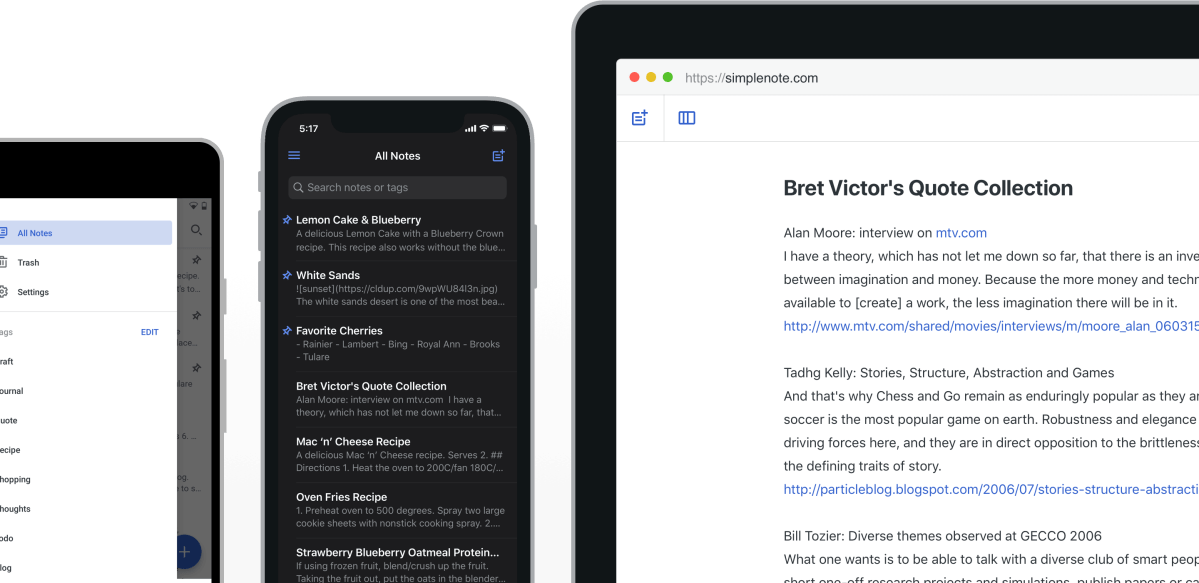
Simplenote is a cross-device note app for users who want fast plain-text notes, tags, sync, and search without turning note-taking into a heavy knowledge-management project. It is especially useful for writers, quick capture users, and people who value simplicity over feature overload. Its real strength is low-friction note capture and sync, while the main tradeoff is that users wanting rich databases, advanced formatting, or visual canvases will likely need a more complex tool.

Simplenote is built for people who want note-taking to stay light. The product centers on quick text capture, tags, search, sync, and straightforward writing rather than attempting to become an all-in-one project management or second-brain platform.

It fits writers, students, minimalist note users, and anyone who prefers plain text and fast access over elaborate formatting. If the best note app for you is the one you actually open quickly and trust to stay out of the way, Simplenote deserves attention.

What makes Simplenote worth keeping is low friction. Notes open fast, sync is central to the experience, and the app is more interested in helping you keep writing than in tempting you into interface complexity.

The tradeoff is obvious: if you want databases, deep attachments, canvases, rich formatting, or many layers of structure, Simplenote may feel too simple. That is not a flaw so much as the product’s whole point.

My recommendation is to use Simplenote if your priority is quick note capture, clean search, and dependable cross-device text access. It is strongest for users who value consistency and simplicity over feature breadth.


Setup / Usage Guide

Installation steps, usage guidance, and common notes are maintained here.

1. Download Simplenote from the official website and install the Windows version from the official source.

2. Create or sign in to your account so sync is active from the beginning. Simplenote makes the most sense when your notes are available across devices.

3. Start by creating a few ordinary notes rather than trying to design a full note system immediately. The app is strongest when you capture first and organize lightly.

4. Use tags on a small set of notes to learn the organizational model. Simplenote relies on simple structure, so tags matter more than nested complexity.

5. Test search early. In a lightweight note app, reliable search is one of the most important daily features.

6. If you write longer notes, experiment with how the editor feels during actual drafting instead of only short reminders. This will tell you whether the simplicity is a benefit for your workflow.

7. Keep the note system intentionally minimal. Too many tags or conventions can defeat the purpose of using a simple tool in the first place.

8. If you work across mobile and desktop, verify that sync behaves the way you expect before depending on it for important notes.

9. Decide whether Simplenote is your main notes home or your quick-capture layer for another system. Both can work, but the role should be clear.

10. Stay on the official Simplenote release path and reevaluate after a week of real use. The app proves itself through calm daily repetition rather than feature demos.

Related Software

Keep exploring similar software and related tools.
