Subsection Navigation

Switch between child sections to keep browsing the matching software lists.

Browsers Software List

This list follows the subsection ranking order for easier browsing and detail-page access.

Google Chrome

Google Chrome

Google Chrome is a Windows browser for users who want maximum site compatibility, strong Google account sync, and a huge extension ecosystem in one familiar app. It is especially suitable for people who move between Google services, web apps, and multiple devices throughout the day. Its practical value comes from speed, seamless account-based continuity, and built-in tools such as password management and tab organization, though users who want stricter privacy defaults may prefer a different browser.


PC Software 2026-03-28
Quark Browser

Quark Browser

Quark Browser is a Chinese AI browser for Windows aimed at users who want web browsing, AI assistance, PDF handling, cloud storage, and video tools in one desktop app. It suits students, office users, content-heavy researchers, and Chinese-speaking users who prefer an integrated browser instead of stitching together many separate utilities. Its real advantage is the all-in-one workflow around AI browsing and file handling, while the main tradeoff is that it is less neutral and minimal than a plain global browser.

PC Software 2026-03-28
QQ Browser

QQ Browser

QQ Browser is Tencent's Windows AI browser for users who want browsing, AI search, page assistance, document preview, and video subtitle tools inside one desktop client. It is a good fit for Chinese-speaking users who browse heavily, switch across many tabs, and want AI helpers built into the browser rather than added later through separate extensions. Its strength is the combination of AI browsing and office-friendly utilities, but people who prefer a plain, low-feature browser may find it more ambitious than necessary.

PC Software 2026-03-28
Firefox

Firefox

Firefox is a Windows web browser for users who want a serious everyday browser with stronger privacy defaults, flexible customization, and a mature extension ecosystem outside the Chromium crowd. It is a smart choice for researchers, office users, students, and privacy-conscious users who want a capable main browser without giving up modern features. Its appeal is the balance between usability and privacy control, though some site behavior and habits may still feel smoother in Chrome-based browsers for certain users.

PC Software 2026-03-29
Brave Browser

Brave Browser

Brave Browser is a Windows browser for users who want stronger privacy out of the box without spending time configuring many add-ons first. It fits people who are tired of ads, trackers, and noisy pages but still want a browser that feels familiar for everyday web use. Its biggest strength is that built-in privacy protection works from the start, while the main tradeoff is that some sites may need occasional adjustment when aggressive protection gets in the way.

PC Software 2026-03-29
Vivaldi

Vivaldi

Vivaldi is a Windows browser for power users who want deep control over tabs, interface layout, shortcuts, and browsing workflow instead of settling for a fixed mainstream design. It is ideal for researchers, operators, heavy tab users, and people who live in the browser all day and care about layout efficiency. Its strength is extreme customization without needing endless hacks, while the obvious tradeoff is that new users can spend more time tuning the browser than browsing if they are not careful.

PC Software 2026-03-29
Opera

Opera

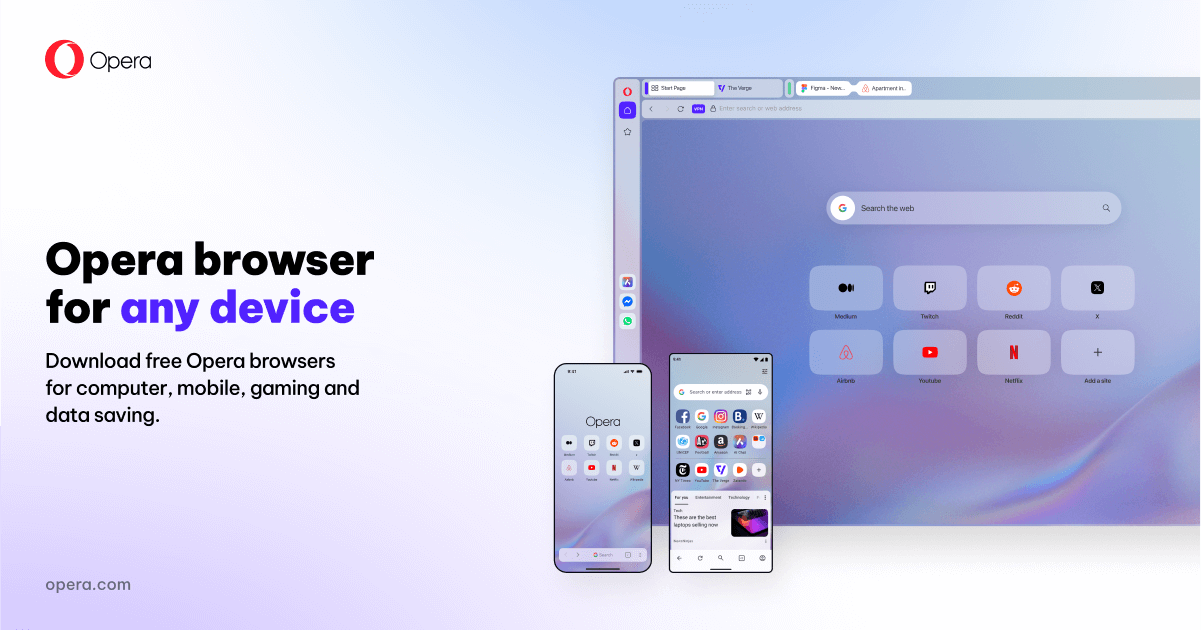
Opera is a Windows browser for users who like built-in extras such as ad blocking, free VPN, Flow file sharing, AI features, and sidebar communication tools without installing everything separately. It suits people who want an all-in-one browser for personal browsing, lightweight productivity, and mixed desktop use. Its appeal is convenience and bundled features, while the tradeoff is that people who prefer a stripped-down browser may find Opera more feature-heavy than necessary.

PC Software 2026-03-29
Microsoft Edge

Microsoft Edge

Microsoft Edge is a Windows browser for users who want strong site compatibility, Microsoft account sync, and a browser that fits naturally into the Windows desktop environment. It is especially suitable for office users, Microsoft 365 users, students, and general Windows users who want a capable browser without adding another ecosystem immediately. Its everyday strength is practical integration with Windows and Microsoft's services, while the tradeoff is that users who want a very neutral browsing setup may not want so much Microsoft presence around the browser.

PC Software 2026-03-29
Zen Browser

Zen Browser

Zen Browser is a productivity-first web browser built for people who want tabs, workspaces, split views, and calmer browsing to function like a real working environment. It is a strong pick for heavy tab users who feel cramped inside more traditional browser layouts.

PC Software 2026-03-29
Floorp

Floorp

Floorp is a Windows browser for users who want a Firefox-based browsing experience with heavier control over tab layout, appearance, and workspace behavior. It is best suited to power users, tinkerers, and people who care about browser layout more than mainstream simplicity. Its appeal is the amount of interface and tab customization available inside the browser, while the tradeoff is that it comes from a smaller project and may involve practical limits such as ESR timing or certain media support expectations.

PC Software 2026-03-29
Waterfox

Waterfox

Waterfox is a Windows browser for power users who want a privacy-focused browsing experience with deeper control than many mainstream browsers provide. It is a good fit for users who care about customization, tab management, and reduced telemetry without giving up a full desktop browser. Its standout value is the mix of privacy-oriented defaults and built-in power-user tools, while the tradeoff is that it is a more specialized browser choice than the biggest mainstream options.

PC Software 2026-03-29
LibreWolf

LibreWolf

LibreWolf is a Windows browser for users who want a privacy-first browsing setup with many protective defaults already in place instead of being added later one by one. It suits privacy-conscious users, technical users, and people who want a Firefox-based browser with stronger hardening out of the box. Its real value is the aggressive privacy stance and clean community-driven focus, while the tradeoff is that some convenience features and default behaviors may feel stricter than mainstream browsers.

PC Software 2026-03-29
Pale Moon

Pale Moon

Pale Moon is an alternative browser for Windows users who want a more traditional browser style and who are willing to evaluate a non-mainstream web experience carefully. It is especially relevant to users who care about classic browser behavior and who can test compatibility against the websites they depend on. Its value comes from offering a distinct browser path, though modern site support and extension expectations should be checked through real use rather than assumed from feature descriptions.

PC Software 2026-03-29
Basilisk

Basilisk

Basilisk is a niche Windows browser for users who want a more traditional browser style and who are willing to test an alternative web experience outside the mainstream browser choices. It is especially relevant to users who already understand why they want a less common browser and are comfortable verifying website compatibility themselves. Its value comes from offering a different browser direction, though expectations around extension support, site behavior, and long-term fit should be kept practical.

PC Software 2026-03-29
SeaMonkey

SeaMonkey

SeaMonkey is an internet suite for Windows users who want a traditional all-in-one package that combines web browsing, email, and related tools in one application family. It is especially useful for users who prefer an older-style integrated desktop internet workflow instead of several separate apps. Its value comes from that all-in-one approach, though new users should lower expectations around modern polish and test website compatibility against their actual needs.

PC Software 2026-03-29
Slimjet

Slimjet

Slimjet is a Chromium-based browser for Windows users who want a familiar browsing engine with a different bundle of built-in features and privacy-oriented options than mainstream default browsers provide. It is especially useful for users who like Chromium compatibility but want to explore an alternative browser workflow. Its value comes from familiar site support with a different product philosophy, though expectations around long-term browser preference and feature fit should be tested personally rather than assumed.

PC Software 2026-03-29