Subsection Navigation

Switch between child sections to keep browsing the matching software lists.

PC Essentials Software List

This list follows the subsection ranking order for easier browsing and detail-page access.

Notepad++

Notepad++

Notepad++ is a lightweight Windows text and code editor for users who need to edit logs, config files, scripts, and plain text quickly without opening a full IDE. It is especially useful for developers, operators, and power users who care about speed, strong search tools, and reliable syntax highlighting. Its practical value comes from staying fast on everyday editing work, though its old-school interface and plugin-driven workflow will feel less polished than modern development suites.

PC Software 2026-03-30
Everything

Everything

Everything is an instant file search tool for Windows users who want to find files and folders by name far faster than normal Explorer search. It is especially useful for users with large drives, deep directory structures, and workflows that depend on quick file retrieval all day. Its main strength is speed and low-friction search, while the main tradeoff is that it focuses primarily on file-name discovery rather than full content indexing for every scenario.

PC Software 2026-03-30
WinDirStat

WinDirStat

WinDirStat is a disk usage analyzer for Windows users who want to understand what is taking up space through directory views and treemap visualization instead of guessing at large folders manually. It is especially useful for storage cleanup, troubleshooting full drives, and understanding file distribution on cluttered systems. Its key value is visibility into disk space, while the main tradeoff is that insight alone does not decide what should be deleted safely.

PC Software 2026-03-30
KeePass

KeePass

KeePass is an open-source password manager for Windows users who want local control over their password database instead of relying entirely on a hosted password service. It is especially useful for privacy-conscious users, administrators, and people who prefer a file-based password vault they can back up and manage themselves. Its key strength is full user control over the password database, while the main tradeoff is that convenience features depend more on how carefully you set up and maintain the workflow.

PC Software 2026-03-30
Tailscale

Tailscale

Tailscale is a mesh VPN service built on WireGuard for users who want secure remote access between devices without managing traditional VPN infrastructure by hand. It is especially useful for remote workers, homelab users, small teams, and anyone who wants private device-to-device connectivity with less setup pain. Its strongest value is ease of use on top of strong networking foundations, while the main tradeoff is that it is a service-oriented product rather than a pure do-everything-yourself VPN stack.

PC Software 2026-03-30
WireGuard

WireGuard

WireGuard is a modern VPN protocol and Windows client option for users who want a leaner, faster, and easier-to-audit VPN approach than many older VPN stacks. It is especially useful for administrators, self-hosters, remote access setups, and technically minded users who need secure tunnels without unnecessary complexity. Its value is the combination of modern design and practical performance, while the main tradeoff is that users still need to understand keys, peers, and configuration basics to use it well.

PC Software 2026-03-30
WinMerge

WinMerge

WinMerge is a file and folder comparison tool for Windows users who need to inspect differences, compare versions, and merge changes with a visual interface instead of relying only on command-line diff tools. It is especially useful for developers, translators, maintainers, and anyone reviewing document or code changes. Its main strength is clear side-by-side comparison, while the tradeoff is that conflict resolution still depends on user judgment rather than magic automation.

PC Software 2026-03-30
Standard Notes

Standard Notes

Standard Notes is a note-taking app for users who care about private, cross-device notes and a more security-conscious writing environment than ordinary cloud note apps usually provide. It is especially useful for users who want serious long-term notes, journaling, and personal knowledge capture with privacy in mind. Its strongest value is the privacy-first note model, while the main tradeoff is that the product feels more deliberate and structured than ultra-minimal note apps.

PC Software 2026-03-30
Simplenote

Simplenote

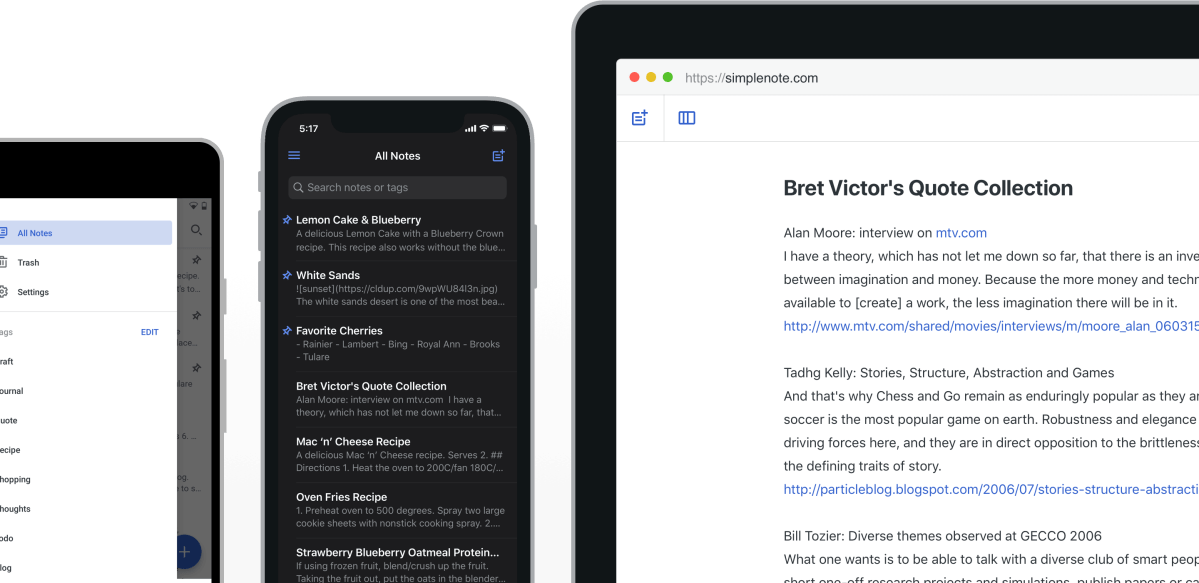
Simplenote is a cross-device note app for users who want fast plain-text notes, tags, sync, and search without turning note-taking into a heavy knowledge-management project. It is especially useful for writers, quick capture users, and people who value simplicity over feature overload. Its real strength is low-friction note capture and sync, while the main tradeoff is that users wanting rich databases, advanced formatting, or visual canvases will likely need a more complex tool.

PC Software 2026-03-30
LosslessCut

LosslessCut

LosslessCut is a video and audio trimming tool for Windows users who want to cut, split, or extract media quickly without re-encoding and without waiting through long export times. It is especially useful for cleaning recordings, trimming interviews, removing unwanted sections, and doing fast rough edits on large media files. Its core advantage is speed plus no-quality-loss cutting, while the main tradeoff is that it is built for efficient trimming rather than creative timeline editing.

PC Software 2026-03-30
MKVToolNix

MKVToolNix

MKVToolNix is a Matroska video toolkit for Windows users who need reliable muxing, splitting, merging, track selection, subtitle handling, and container-level editing without re-encoding video. It is especially useful for subtitle workers, media organizers, archivists, and anyone managing MKV files seriously. Its strongest value is precise control over MKV containers, while the main tradeoff is that it is a technical media utility rather than a beginner-friendly all-purpose video editor.

PC Software 2026-03-30
HWiNFO

HWiNFO

HWiNFO is a hardware information and monitoring tool for Windows users who need deep visibility into components, sensors, temperatures, voltages, clocks, and system details for troubleshooting or maintenance. It is especially useful for enthusiasts, builders, technicians, and users diagnosing performance or thermal issues. Its strongest value is detailed live insight into the machine, while the main tradeoff is that the amount of information can feel excessive if you only want a simple yes-or-no health check.

PC Software 2026-03-30
Bulk Crap Uninstaller

Bulk Crap Uninstaller

Bulk Crap Uninstaller is a Windows uninstall tool for users who want deeper software removal, batch uninstall support, and leftover cleanup beyond the normal Programs and Features experience. It is especially useful for technicians, power users, and anyone cleaning up cluttered machines with many installed apps. Its real strength is visibility plus aggressive cleanup assistance, while the main tradeoff is that more powerful uninstall control should still be used carefully on system-sensitive software.

PC Software 2026-03-30
ShareX

ShareX

ShareX is a screen capture and productivity tool for Windows users who want screenshots, annotation, screen recording, OCR, scrolling capture, and automated post-capture actions in one workflow-heavy package. It is especially useful for documentation, bug reporting, tutorials, and creator or support work. Its biggest strength is automation around capture and sharing, while the main tradeoff is that the tool exposes so many options that new users should start simple instead of enabling everything at once.

PC Software 2026-03-30
Advanced Renamer

Advanced Renamer

Advanced Renamer is a batch renaming tool for Windows users who need to rename many files or folders at once based on rules, tags, numbering, metadata, or other repeatable patterns. It is especially useful for photographers, media organizers, office users, and anyone cleaning up large batches of files. Its real value is preview-driven bulk renaming without chaos, while the main tradeoff is that large rename operations still deserve careful review before execution.

PC Software 2026-03-30
CopyQ

CopyQ

CopyQ is a clipboard manager for Windows users who want searchable clipboard history, editable entries, tabs, notes, and automation instead of losing copied content every time they copy the next item. It is especially useful for writers, operators, support staff, developers, and anyone who reuses text snippets often. Its practical strength is that clipboard history becomes a working tool instead of a hidden accident, while the main tradeoff is that it rewards users who are willing to organize and learn a few habits beyond basic copy and paste.

PC Software 2026-03-30