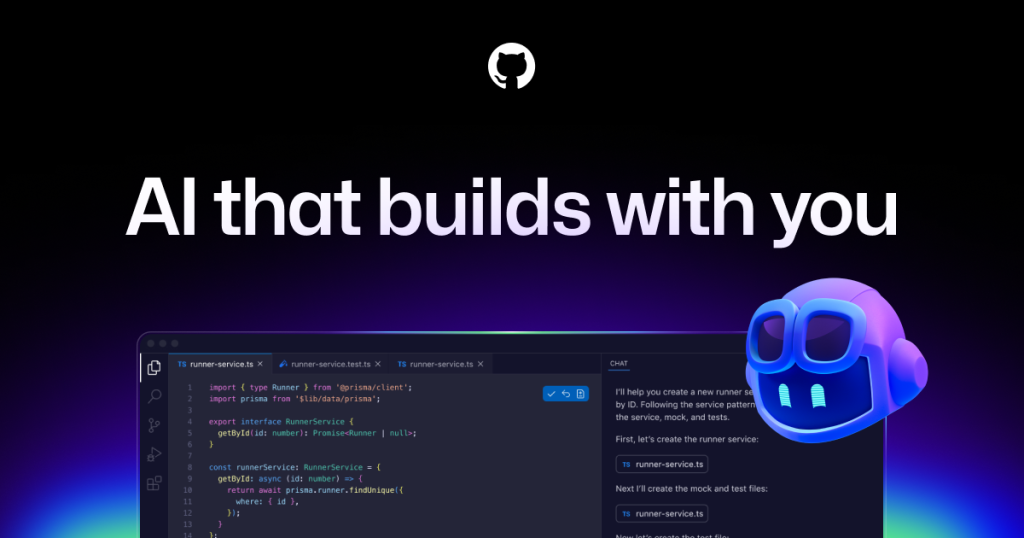
GitHub Copilot is still often described too narrowly as an AI coding assistant that lives inside an IDE, but the official GitHub pages checked on April 16, 2026 show a broader product shape than that. The main product page now talks about using Copilot to delegate open issues, work with custom or third-party agents, and handle review-oriented workflows. That matters because it changes the right expectation from the start. Copilot is now better understood as a GitHub-native AI workflow layer rather than as only a completion engine.

The dedicated AI code editor page makes this even clearer. GitHub says Plan mode lets you review and approve a blueprint before the agent starts coding, and Agent mode helps make changes at scale by analyzing code, proposing edits, running tests, and validating results across multiple files. The same page also lists current platform coverage across GitHub, VS Code, Visual Studio, Xcode, JetBrains IDEs, Neovim, Eclipse, Raycast, SQL Server Management Studio, and Zed. That is a much broader and more current picture than the thin English page currently presents.

The official plans page is also critical because Copilot’s fit now depends heavily on plan tier. On April 16, 2026, the Free plan page said users got 50 agent mode or chat requests per month, 2,000 completions per month, access to Haiku 4.5, GPT-5 mini, and more, plus Copilot CLI. This is enough to make the free tier more than a teaser, but it is still clearly bounded. That distinction matters for recommendation writing because light experimentation and daily professional use are no longer the same Copilot story.

The Pro tier changes the value proposition substantially. The same official plans page listed Pro at $10 USD per user per month and said it includes Copilot cloud agent, Copilot code review, Claude and Codex on GitHub and VS Code, 300 premium requests, unlimited agent mode and chats with GPT-5 mini, and unlimited inline suggestions. That is a much richer product story than simply paying for more completions. Our grounded judgment is that this is where Copilot starts becoming a serious GitHub-native agent workflow product.

Pro Plus extends that platform direction further. On the same date, GitHub listed Pro Plus at $39 USD per user per month, including access to all models, 5× as many premium requests as Pro, and access to GitHub Spark. Whether a reader needs that tier depends on how heavily they use current frontier models and premium workflow volume, but the existence of the tier itself tells us something important: GitHub no longer presents Copilot as a tiny add-on to the editor. It is now being packaged as a wider AI development platform.

The official feature map gives the best one-page overview of where Copilot actually works. GitHub says Copilot Chat is available on the GitHub website, in GitHub Mobile, in supported IDEs including VS Code, Visual Studio, JetBrains IDEs, Eclipse, and Xcode, and in Windows Terminal. The same docs describe Copilot cloud agent as an autonomous AI agent that can research a repository, create an implementation plan, and make code changes on a branch. They also distinguish Edit mode and Agent mode in Copilot Edits. This is a much better foundation for a decision-oriented software page than the old generic summary.

Setup guidance is another place where the old page undersells reality. The current GitHub docs do not present Copilot as one ordinary download with one installer. Instead, they tell users to install the GitHub Copilot extension in their chosen environment and follow IDE-specific steps. That is the right expectation to preserve on this page. GitHub Copilot is not a standalone desktop tool in the usual sense. It is a GitHub account and workflow service that reaches users through several environments.

The terminal story is also more mature than many directory pages reflect. GitHub says Copilot CLI gives quick access to a powerful AI agent without leaving the terminal, supports Linux, macOS, and Windows from within PowerShell and WSL, and includes both interactive and programmatic modes. In the interactive interface, GitHub documents a real plan mode that builds a structured implementation plan before code is written. This matters because Copilot now has a first-class terminal path rather than only editor chat.

The install page for Copilot CLI is equally practical. GitHub says the CLI can be installed with WinGet on Windows, Homebrew on macOS and Linux, npm on all platforms, or an install script on macOS and Linux. The docs require Node.js 22 or later for npm installation, and on Windows they require PowerShell v6 or higher. That kind of concrete setup detail is exactly what a useful software page should preserve for users who are comparing real effort rather than only features.

The strongest premium workflow angle in Copilot today is the combination of cloud agent and code review. GitHub says cloud agent works in its own ephemeral development environment powered by GitHub Actions, where it can explore code, make changes, and execute automated tests and linters. The pull-request docs say users can ask Copilot to create a pull request from places including GitHub Issues, Copilot Chat, the GitHub CLI, and IDEs with MCP support. The code-review docs say Copilot code review is a premium feature available with Pro, Pro+, Business, and Enterprise, and they list support across GitHub.com, GitHub CLI, GitHub Mobile, VS Code, Visual Studio, Xcode, and JetBrains IDEs. This is excellent capability coverage, but it also means plan tier and admin policy can materially affect the experience.

Our grounded judgment is that GitHub Copilot is now most worth installing for developers or teams who already work heavily in GitHub and want one AI layer that can extend from IDE usage into terminal work, mobile review, cloud pull-request creation, and code review. It is less suitable for users who specifically want a simple one-time software download, who want the strongest experience without any GitHub-centered workflow, or who expect every advanced feature to be equally available on the free tier. The page should recommend Copilot as a GitHub-native agent workflow with clear plan tradeoffs, not as a generic all-purpose AI coding button.