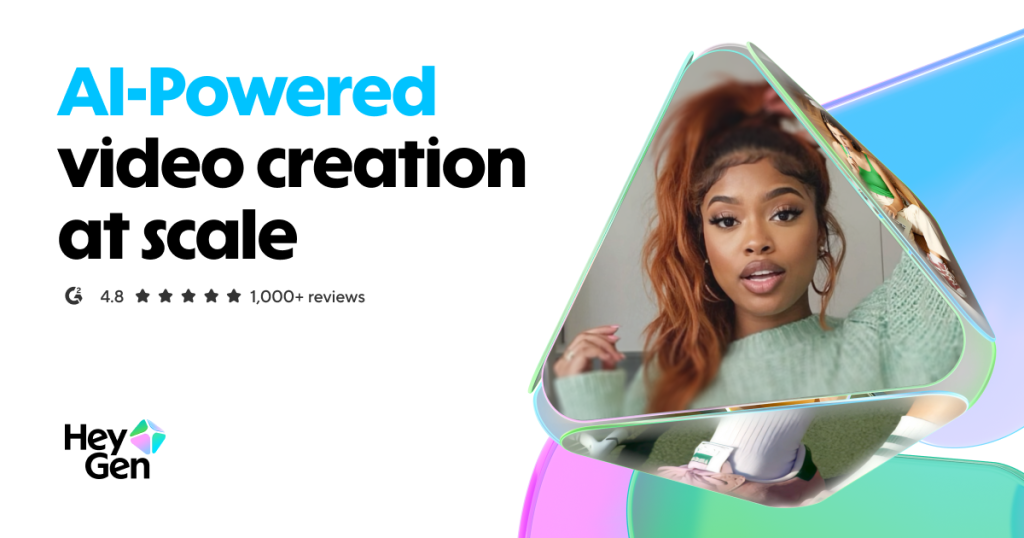
Overview

This section highlights the core features, use cases, and supporting notes.

HeyGen is worth recommending when it is judged as a communication-oriented AI video platform instead of as another broad media generator. The official materials checked on April 22, 2026 still position HeyGen through its main site, web app, pricing page, API pricing page, FAQ page, subscription guidance, API plan guidance, video-translation guide, LiveAvatar introduction, Avatar IV guide, and premium-credits guidance. That combination matters because many marketers, training teams, product educators, customer-support teams, and content operators do not only want synthetic visuals. They want a practical way to turn scripts, avatars, translation, and interactive or scalable video delivery into repeatable communication workflow. HeyGen is strongest for users who need talking-head style AI video, multilingual delivery, or avatar-based communication at scale. It is weaker for readers who mainly need conventional timeline editing, deep cinematic post-production, or a general-purpose image-generation workspace. Our grounded judgment is that HeyGen still deserves to be recommended when the real need is scalable avatar and communication video workflow, not when the user only wants a classic video editor or a general generative media lab.

The current English page for HeyGen needs a fuller rewrite because the official materials checked on April 22, 2026 show a product with a more specific role than a thin AI video label suggests. HeyGen is most useful when it is judged as an avatar and communication video platform for scalable delivery, localization, and presenter-style output instead of as only another general media generator.

Annotated reference image based on the official HeyGen homepage highlighting communication-focused AI video positioning
The main HeyGen page matters because the software should be judged as a communication-oriented video platform, not only as an AI gimmick.

The main HeyGen page still matters because it frames the product around practical communication video workflow. That is a more useful starting point than treating it as just another experimental AI media toy.

Annotated reference image based on the official HeyGen web app highlighting actual production workflow
The web app matters because HeyGen only proves itself once users step into the actual production workflow.

The web app matters because this is where users actually test scripts, avatars, scenes, and output. Product pages help, but the real workflow begins inside the app.

Annotated reference image based on the official HeyGen pricing page highlighting plan expectations
The pricing page matters because HeyGen is easier to recommend honestly when usage and plan boundaries are clear.

The pricing page matters because scalable video workflow can become expensive or constrained faster than users expect. Clear plan expectations are part of a grounded recommendation.

Annotated reference image based on the official HeyGen API pricing page highlighting automation and integration value
The API pricing page matters because HeyGen becomes more useful when avatar video workflow can be integrated into broader systems.

The API pricing page matters because a communication platform becomes more valuable when teams can automate parts of their delivery workflow. That broadens HeyGen beyond manual clip creation.

Annotated reference image based on the official HeyGen FAQ highlighting practical first-use clarity
The FAQ page matters because HeyGen should be judged partly on practical clarity, not only on polished demo results.

The FAQ matters because AI video tools are easier to trust when everyday questions are answered clearly. This helps the product feel more operational and less marketing-heavy.

Annotated reference image based on the official HeyGen subscription guidance highlighting plan structure
The subscription guide matters because HeyGen should be judged partly on how clearly it explains plan structure to working users.

The subscription guidance matters because plan details often shape whether a tool is viable for repeated use. It gives readers a more realistic picture than headline pricing alone.

Annotated reference image based on the official HeyGen API subscription guidance highlighting product-scale feasibility
The API subscription guide matters because HeyGen becomes easier to evaluate for product integration when cost structure is clearer.

The API subscription guidance matters because product teams need more than feature excitement. They need a realistic sense of what automated use could cost and how it scales.

Annotated reference image based on the official HeyGen video-translation guide highlighting multilingual workflow
The video-translation guide matters because HeyGen often proves its value through multilingual communication workflow.

The video-translation guide matters because localization is one of the clearest practical reasons teams look at HeyGen. This is where the platform starts to feel genuinely useful rather than merely impressive.

Annotated reference image based on the official LiveAvatar introduction highlighting interactive avatar workflow
The LiveAvatar page matters because it shows HeyGen supporting more interactive avatar workflow beyond ordinary rendered videos.

The LiveAvatar page matters because interactive communication widens HeyGen’s role. It helps the platform feel more like an ongoing communication layer than a one-way video renderer.

Annotated reference image based on the official Avatar IV guide highlighting core avatar creation system
The Avatar IV guide matters because HeyGen still has to prove its avatar workflow quality before broader claims feel convincing.

The Avatar IV guide matters because avatar quality and control remain central to whether HeyGen feels usable in professional communication. This is one of the clearest places where the platform has to justify itself.

Our grounded judgment is that HeyGen is strongest for teams and creators who need repeatable presenter-style AI video, avatar-driven communication, or multilingual delivery. It is weaker for readers who need conventional editing, heavy cinematic post-production, or a broad creative studio for every media type. Judged on the official materials available on April 22, 2026, HeyGen still deserves to be recommended as a practical avatar and communication video platform, not as a universal replacement for every video workflow.

Setup / Usage Guide

Installation steps, usage guidance, and common notes are maintained here.

The best way to start with HeyGen is to treat it as a communication video platform and not as a classic editor. The official materials checked on April 22, 2026 make the practical order clear: start from the official site, enter the web app, test one short script with a basic avatar first, review pricing before scaling usage, check video translation if multilingual delivery matters, and only then decide whether the platform fits your communication workflow well enough to keep using.

  1. Start from the official HeyGen site at https://www.heygen.com/ so you understand the product as an avatar and communication video platform rather than as a broad editing suite.
  2. Enter the official web app at https://app.heygen.com/ and create or sign in to your account. This is the real starting point for actual use.
  3. Do not begin with a large campaign. Test one short practical script first, such as a product explainer, onboarding clip, support message, or internal training snippet.
  4. Choose a simple avatar workflow before chasing every advanced feature. HeyGen is easier to judge once the basic script-to-video path already makes sense.
  5. Review the pricing page early if you expect repeated use. AI video workflow can grow in cost or complexity faster than it first appears.
  6. Read the subscription guidance before your team builds habits around the platform. Plan fit matters once the tool becomes part of a normal content process.
  7. If product integration matters, review the API pricing and API subscription guidance only after the manual workflow already feels useful. Buildability matters most once product fit is clear.
  8. Test video translation on one short clip if your audience spans more than one language. This is one of the clearest practical reasons to use HeyGen.
  9. If you care about interactive use, review LiveAvatar after you understand the basic rendered-video workflow. Interactive avatars are a later step, not the first evaluation step.
  10. Read the Avatar IV guide if avatar realism and control are critical to your use case. Avatar quality is still central to whether HeyGen feels viable for professional delivery.
  11. Use the FAQ to clear practical questions instead of guessing around platform behavior. This reduces avoidable friction during first use.
  12. Keep expectations grounded if you come from traditional editing software. HeyGen is strongest for scalable presenter-style communication workflow, not for every type of detailed post-production.
  13. Run one end-to-end test from script to final exported video or localized version. This is the clearest way to judge real usefulness.
  14. Watch which tasks genuinely become faster with avatars and translation and which still require other tools. This helps you judge the real place of HeyGen in your stack.
  15. Make one final judgment after a short trial: does HeyGen improve your communication-video workflow enough to justify ongoing use and plan cost? That is the clearest test of fit.

A practical HeyGen workflow usually means starting from the official site and app, testing one short communication task before scaling up, checking pricing and subscription structure early, using video translation when multilingual delivery matters, treating interactive avatars as a later step, and judging the platform by whether it actually improves scripted communication workflow. That is how HeyGen becomes a useful production tool instead of another AI video demo.

Related Software

Keep exploring similar software and related tools.