Overview

This section highlights the core features, use cases, and supporting notes.

NarraLand is an AI storytelling and presentation workspace for people who have ideas but not necessarily extra design bandwidth. Its official English site focuses on turning reports, landing pages, slide decks, infographics, timelines, story cards, and personal narratives into polished visual output with less manual layout work.

NarraLand is most useful when the real problem is not having an idea, but turning that idea into something presentable quickly. On April 14, 2026, the official site exposed a public English mode directly from the homepage and positioned the product with the line Your Story Beautifully Presented. The rest of the homepage makes that promise more concrete: NarraLand is built around product marketing, business presentations, data reports, content creation, knowledge sharing, and personal-expression formats instead of just one generic AI output box. For users searching terms like AI presentation maker, AI infographic generator, AI landing page builder, or AI storytelling tool, that positioning is much more practical than vague marketing language.


Annotated screenshot of the official NarraLand homepage hero in English mode showing the core storytelling and presentation positioning
The hero section matters because it shows NarraLand aiming to close the gap between a good idea and a polished visual story. Click the image to open the full-size screenshot.

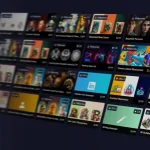
The gallery adds an important reality check. Even in English mode, the public homepage still showed many community examples with Chinese titles, mixed content types, and visible view or interaction counts. That is useful for two reasons. First, it proves NarraLand is not only a prompt form; it also acts like a publishing surface for finished visual work. Second, it shows the product’s current audience is still meaningfully rooted in Chinese-speaking creators, which is worth knowing if you expect a fully internationalized ecosystem from day one.


Annotated screenshot of the official NarraLand gallery in English mode showing mixed real creator examples and visual output types
The gallery is worth seeing because it shows NarraLand as a place for finished visual stories and layouts, not only for isolated generation prompts. Click the image to open the full-size screenshot.

The official use-case blocks are where NarraLand becomes easier to judge. Data Reports were described as industry research, market analysis, and financial-report workflows where AI gathers data, turns it into charts or infographics, and highlights key insights. That matters because many readers do not want only pretty layouts; they want structured narrative output for research, reporting, and business explanation. NarraLand looks strongest when the deliverable is a readable visual report instead of a wall of text.


Annotated screenshot of the official NarraLand data reports section showing charts data visualization and research-oriented output
The data-report section matters because NarraLand is not only promising style; it is also promising structure for analytical storytelling. Click the image to open the full-size screenshot.

The Product Marketing block gives NarraLand a clear commercial angle. Official English copy described product pages, brand showcases, and landing pages with embedded purchase links, QR codes, conversion-oriented layouts, and mobile responsiveness. That makes the page relevant for long-tail searches around AI landing page builder, AI product page generator, or AI brand showcase tool. It also explains why NarraLand may be more useful for marketers and founders than for users who only need occasional decorative graphics.


Annotated screenshot of the official NarraLand product marketing section showing landing page conversion and mobile-ready positioning
The product-marketing section is practical because it connects NarraLand directly to landing-page and conversion work, not just to presentation aesthetics. Click the image to open the full-size screenshot.

The Business Presentations section is another strong fit signal. NarraLand publicly described investor pitches, project reports, and proposal workflows, then paired them with full-screen presentation mode, shareable links, and professional visual design. That makes it more than a static infographic tool. At the same time, expectations should stay realistic: if your workflow depends on pixel-level PowerPoint editing or deep desktop slide control, you still need to verify how well the generated presentation fits your final handoff needs.


Annotated screenshot of the official NarraLand business presentations section showing pitch decks full-screen mode and shareable presentation workflows
The business-presentation section is useful because it shows NarraLand trying to shorten the path from rough pitch logic to a shareable visual deck. Click the image to open the full-size screenshot.

The Content Creation and Knowledge Sharing sections broaden the product beyond business. The official page highlighted multi-platform adaptation, one-click style switching, rich media integration, timeline-style storytelling, biographies, and tech explainers. That is an important product judgment point: NarraLand is trying to cover both promotional content and narrative education. If you regularly turn the same source material into social posts, explainers, timelines, and shareable cards, the product’s format range becomes much easier to justify.


Annotated screenshot of the official NarraLand content creation section showing multi-platform visual adaptation and style switching
The content-creation block has real value because it frames NarraLand as a repackaging tool for multiple channels, not as one final-format generator. Click the image to open the full-size screenshot.

Annotated screenshot of the official NarraLand knowledge sharing section showing timeline biography and explainer-oriented storytelling formats
The knowledge-sharing section matters because NarraLand supports chronology and explainer formats that many presentation-only tools do not emphasize. Click the image to open the full-size screenshot.

The Personal Expression block gives NarraLand a more human use case than most AI presentation tools. Official copy mentioned travel albums, reading notes, and creative portfolios, framed around conversational creation, layout templates, and instant sharing links. That matters because it lowers the barrier to keeping the tool installed after one work task is done. A product that can handle both a pitch deck and a travel story card often has better day-to-day stickiness than one built only for enterprise use.


Annotated screenshot of the official NarraLand personal expression section showing travel reading-note and portfolio-style storytelling output
The personal-expression section is valuable because it shows NarraLand can serve everyday storytelling and portfolio work, not only commercial deliverables. Click the image to open the full-size screenshot.

Our grounded judgment is that NarraLand is best for founders, marketers, analysts, educators, creators, and operators who often know what they want to say but do not want to build every visual narrative from scratch. Its strongest value is not raw AI novelty. It is reducing the presentation barrier between content and polished output across reports, cards, decks, pages, and timelines. Expectations should still stay grounded: community content is currently mixed-language, the ecosystem is not fully English-native yet, and real usage begins from the homepage sign-in flow rather than from a simple public deep link. Within those limits, NarraLand looks like a genuinely useful AI storytelling workspace rather than a thin one-format generator.

Setup / Usage Guide

Installation steps, usage guidance, and common notes are maintained here.

The best way to start with NarraLand is to decide what final format you actually need before you click anything else. The homepage makes it clear that the product can generate very different kinds of visual output, so your first win comes from choosing the right narrative format, not from writing the longest prompt.

  1. Open the official NarraLand homepage at https://www.narraland.com/. If the page opens in Chinese, use the visible EN toggle on the homepage to switch into English mode.
  2. Pick one real deliverable first. The official English homepage is already organized around six core use cases: data reports, product marketing, business presentations, content creation, knowledge sharing, and personal expression.
  3. Match your project to the right format before signing in. If you need charts and insight framing, start from data reports. If you need a product page or conversion asset, start from product marketing. If you need a deck for investors or internal reporting, start from business presentations. If you need explainers or timelines, choose knowledge sharing.
  4. Use the homepage itself as your stable starting point. In this run, the official Get Started Free and Log In buttons launched the sign-in flow directly from the homepage, so there was no clearer public deep-link entry worth recommending instead.
  5. Prepare your source material before entering the prompt. Gather the core facts, target audience, brand tone, CTA, important links, and any must-keep metrics or milestones. NarraLand can help with structure, but weak input still leads to weak storytelling.
  6. Write a specific prompt that includes both content and delivery intent. A better NarraLand prompt says what the topic is, who the audience is, what format you want, and what kind of emphasis matters most.
  7. If you are building a data report, include the time range, market or industry scope, and the key questions the report should answer. Ask for charts, summaries, or infographic-style structure only where they actually help the reader understand the story.
  8. If you are building a product-marketing page, provide product positioning, proof points, differentiators, desired CTA, and any link or QR-code requirement. Review the first version on mobile as well as desktop, because the official page explicitly positions NarraLand around mobile-responsive output.
  9. If you are building a business presentation, define the storyline early: problem, solution, traction, market, or proposal logic. The official product promise includes full-screen presentation mode and shareable links, so use NarraLand for the narrative structure first, then decide whether final handoff needs additional slide editing elsewhere.
  10. If you are building social or brand content, reuse one source idea across multiple styles instead of starting from scratch every time. The official site presents style switching and multi-platform adaptation as core strengths, so take advantage of that instead of rewriting the brief for each channel.
  11. If your topic is educational or historical, think in timelines, milestones, and narrative progression. NarraLand's knowledge-sharing mode is strongest when the sequence itself helps the reader understand the subject.
  12. Review the generated output for claims, numbers, ordering, and emphasis. AI-generated structure can still overstate weak points, mis-prioritize evidence, or make the story look cleaner than the source material supports.
  13. Use the gallery and public examples for inspiration, but do not copy their structure blindly. NarraLand's public gallery in English mode still includes mixed-language examples, which is useful for understanding range but not a substitute for your own audience fit.
  14. Save your successful prompts and format choices. If NarraLand works for your workflow, the real long-term value comes from repeatable storytelling patterns, not from one lucky result.
  15. Keep NarraLand in your stack only if it consistently reduces the time between raw content and something you would actually be comfortable sharing, presenting, or publishing.

A practical NarraLand workflow usually looks like this: start from the official homepage, switch to English if needed, choose the right narrative format first, feed the tool a focused content brief, review the generated structure carefully, and keep the prompts that turn your ideas into presentable visual stories without forcing a full manual layout pass every time.

Related Software

Keep exploring similar software and related tools.