Overview

This section highlights the core features, use cases, and supporting notes.

Bolt.new is most useful when it is judged as a browser-based AI builder for websites, apps, and prototypes rather than as a simple prompt toy. The official homepage, pricing page, enterprise page, help center, quickstart guide, model-selection page, code-view page, design-system page, GitHub integration page, and Supabase integration page checked on April 19, 2026 all point to a product built for turning words into web products with increasingly serious control over models, code, design systems, version control, and backend services. That positioning matters because Bolt is clearly trying to cover more than one-click mockups. The homepage says users can build and scale high-performing websites and apps using their words. The quickstart guide says no code is required for a first build, while the code-view page shows that direct file editing is also part of the workflow. The design-system, GitHub, and Supabase pages matter because they move Bolt closer to real product work instead of leaving it at generic demos. The enterprise page reinforces that by talking about design systems, production workflows, SOC2, SSO, and turning repos, npm packages, and docs into an agent. What keeps Bolt worth considering is this combination of speed and growing operational depth. It is easy to start from prompts, but it also exposes model choice, direct code view, documentation, version control integration, and backend connections. That makes Bolt feel more like a serious browser-based app and website builder than a disposable AI playground. Our grounded judgment is that Bolt.new is strongest for founders, product teams, designers, and builders who want fast browser-based creation of websites and apps with AI, especially when model choice, direct file editing, GitHub integration, and Supabase-backed workflows matter. It is a weaker fit for users who need a fully offline local IDE, deep system-level engineering control from the first minute, or a workflow that avoids hosted product layers entirely. Bolt looks most defensible when the real need is rapid product building in the browser with practical connections to code and backend systems.

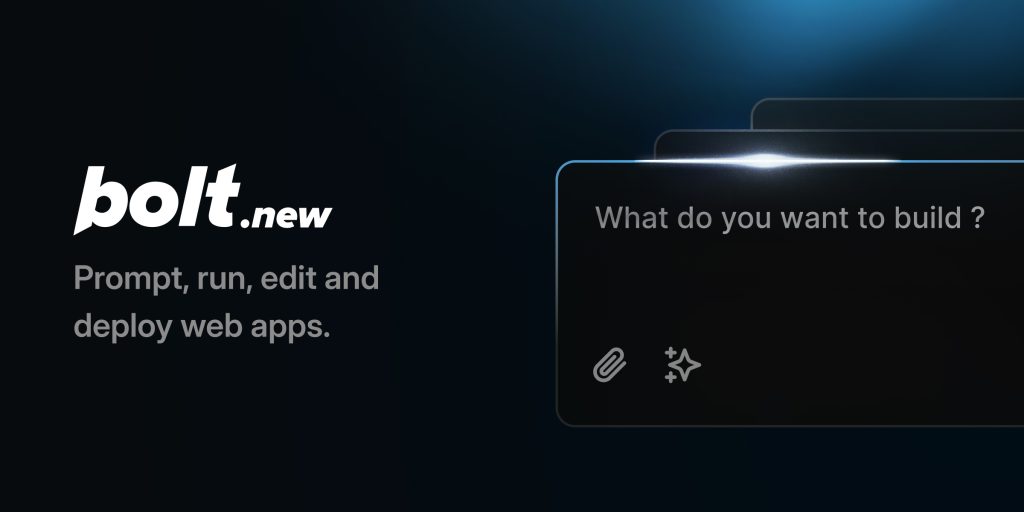
The current English page for Bolt.new is still too thin for what Bolt’s own official materials now show. The official homepage checked on April 19, 2026 calls Bolt an AI builder for websites, apps & prototypes and says users can build and scale high-performing websites and apps using their words. That matters because Bolt should not be judged like a small prompt gimmick. It is trying to be a browser-based product builder.

Annotated reference image based on the official Bolt homepage highlighting browser based AI building for websites apps and prototypes
The homepage matters because it defines Bolt as a browser-based builder for websites apps and prototypes.

The official Pricing page helps ground that position. Its description says users can start for free and unlock advanced features as they grow. That matters because builders like this are only worth keeping if the jump from casual experimentation to regular use is clear enough to evaluate early.

Annotated reference image based on the official Bolt pricing page highlighting the move from free trial use to broader usage
The pricing page matters because a browser-based builder is easier to adopt when ongoing usage expectations are visible.

The Enterprise page shows that Bolt is aiming above lightweight experimentation. The official description says Bolt can turn repos, npm packages, and docs into an agent for AI-native teams, with SOC2, SSO, and unlimited tokens. That matters because the product is also being framed as a path from design systems to production, not only as a casual prototype toy.

Annotated reference image based on the official Bolt enterprise page highlighting design system to production workflow
The enterprise page matters because Bolt is presenting a path from design systems to shippable output, not only fast prompts.

The official Help Center also matters because it makes Bolt look like a maintained product rather than a single landing page. Its description promises tutorials, FAQs, and support docs for creating websites and apps with AI. That matters because a tool with several working surfaces needs accessible guidance if it is going to stay useful after the first session.

Annotated reference image based on the official Bolt help center highlighting docs FAQs and tutorials
The help center matters because real product use usually depends on accessible guidance beyond marketing copy.

The QuickStart page is one of the clearest first-use signals. It says users can build a first website or app with Bolt and that no code is required. That matters because Bolt is designed to lower the barrier to starting, especially for people who want to move from an idea to a visible product quickly inside the browser.

Annotated reference image based on the official Bolt QuickStart guide highlighting the first website or app workflow
The quickstart page matters because it turns the first website or app build into an official workflow rather than a guess.

The official Choose your model page adds a more serious layer to the workflow. Bolt documents Claude Agent and the models users can choose for projects. That matters because model choice can affect speed, quality, and cost. Bolt is not pretending that one hidden model fits every project equally well.

Annotated reference image based on the official Bolt model selection page highlighting Claude Agent and model choice
The model-selection page matters because Bolt treats the underlying build model as part of the practical workflow.

The Code View page is important because it shows Bolt is not only a prompt interface. The official description says Bolt includes a workspace for exploring and editing project files directly. That matters because serious builders often need to inspect and adjust files, not only accept whatever the first generation produces.

Annotated reference image based on the official Bolt code view page highlighting direct file exploration and editing
The code-view page matters because Bolt supports direct file-level work instead of only generated output previews.

The Design systems page makes Bolt more credible for teams. The official description says design systems in Bolt help teams build high-fidelity, on-brand prototypes and user interfaces from their own components. That matters because production-minded teams usually need AI output that stays closer to existing interface standards.

Annotated reference image based on the official Bolt design systems page highlighting on brand prototypes from existing components
The design-system page matters because Bolt is trying to move closer to brand-aware and component-aware product work.

The official GitHub and Supabase integration pages show that Bolt also tries to connect with practical development workflows. GitHub integration handles commit and update operations automatically, while Supabase can add a database, authentication, or edge functions as an alternative to Bolt Database. That matters because many useful app projects need version control and backend support before they become more than front-end mockups.

Annotated reference image based on the official Bolt GitHub integration page highlighting version control workflow
The GitHub page matters because Bolt becomes more serious when it can live alongside version control workflows.
Annotated reference image based on the official Bolt Supabase integration page highlighting databases authentication and edge functions
The Supabase page matters because Bolt is trying to extend AI-built projects into workable backend-supported apps.

Our grounded judgment is that Bolt.new is strongest for founders, product teams, designers, and builders who want fast browser-based creation of websites and apps with AI, especially when model choice, direct file editing, GitHub integration, and Supabase-backed workflows matter. It is a weaker fit for users who need a fully offline local IDE, deep system-level engineering control from the first minute, or a workflow that avoids hosted product layers entirely. Bolt looks most defensible when the real need is rapid product building in the browser with practical connections to code and backend systems.


Setup / Usage Guide

Installation steps, usage guidance, and common notes are maintained here.

The best way to start with Bolt.new is to treat it as a browser-based product builder rather than as a generic AI chat box. Bolt's official pages checked on April 19, 2026 show a workflow that begins with words and prototypes, but can extend into model choice, direct file editing, design systems, GitHub version control, and Supabase-backed app behavior.

  1. Start from the official homepage at https://bolt.new/ and confirm that your real need is building a website app or prototype quickly in the browser.
  2. Read the official QuickStart guide at https://support.bolt.new/building/quickstart before your first serious test. It is the fastest way to understand how Bolt expects a first build to happen.
  3. For the first evaluation, build one small but real project instead of many disconnected prompts. Bolt is easiest to judge on a complete flow from idea to visible output.
  4. Review the official pricing page early so you understand what may change when usage moves beyond casual experimentation.
  5. If the project quality depends on the underlying AI engine, read the official Choose your model page and decide whether Bolt's model options fit the type of work you want to generate.
  6. Use the official Code View page as soon as the generated project becomes nontrivial. Direct file editing is one of the clearest signs that Bolt can support more than one-shot output.
  7. If you are working with an existing brand or component library, read the official design-system introduction before expecting Bolt to stay on-brand automatically.
  8. Connect GitHub only when the project is worth tracking. Bolt's repository integration is most useful once you know the project deserves version history and updates.
  9. Use Supabase when the app needs a database authentication or edge functions. That is one of the simplest ways to test whether Bolt can move beyond front-end mockups.
  10. If your team is evaluating Bolt for broader rollout, read the enterprise page to understand the design-system and production-facing promises before assuming they match your environment.
  11. Finish the evaluation with one practical question: does Bolt genuinely reduce the time from idea to usable web product for your kind of work, or do you still need a more traditional engineering workflow before the tool becomes reliable?

A practical Bolt.new setup usually means starting with the homepage and QuickStart guide, using one real browser-based build as the test case, moving into model selection and code view once the project becomes more complex, and only then adding GitHub or Supabase where the project actually needs version control or backend support.

Related Software

Keep exploring similar software and related tools.