Overview

This section highlights the core features, use cases, and supporting notes.

BuildShip is a visual AI workflow builder and backend automation platform for teams that want to turn ideas into APIs, internal tools, bots, and deployable AI workflows without wiring every backend piece from scratch. Its clearest strengths are workflow-first docs, remixable templates, API shipping guidance, keyless nodes for rapid prototyping, and the option to keep code access instead of getting trapped in a shallow no-code layer.

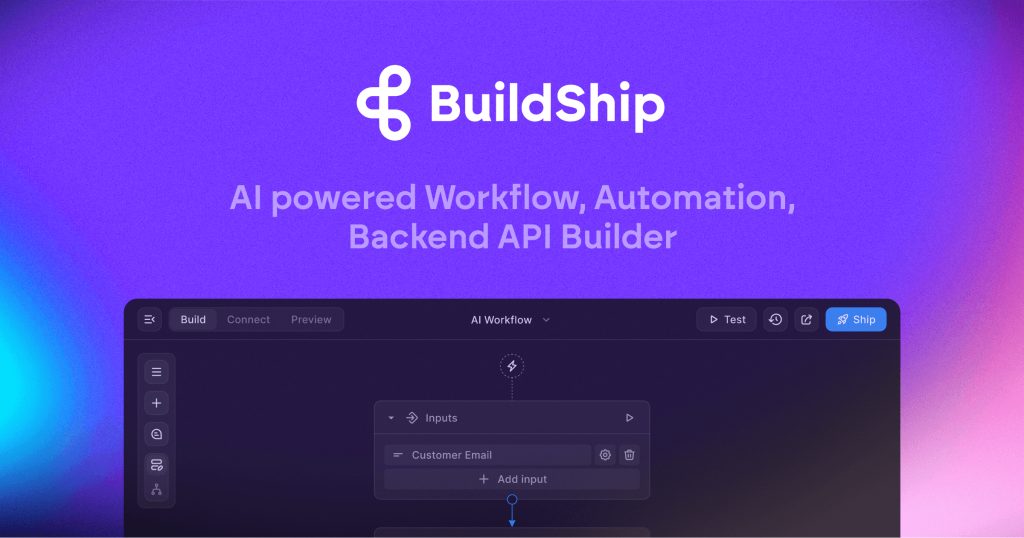
BuildShip makes the most sense when you frame it as a visual backend builder for AI workflows rather than as a simple AI chatbot product. The official homepage leads with ideas like backend APIs, tools for AI agents, prompt-to-flow, and full code access, and that combination is the right clue. This is not being positioned as a toy for chatting with a model in isolation. It is being positioned as a faster way to design, connect, and ship workflow logic that can sit behind products, automations, bots, and internal tools. For readers searching for a visual AI workflow builder, an AI backend builder, or a platform to ship AI APIs without starting every integration from zero, that is the right mental model.


Annotated screenshot of the official BuildShip homepage showing the backend API and workflow-builder positioning
This homepage screenshot matters because it shows BuildShip’s category immediately: it is trying to help users build and ship backend workflow logic, not just chat with an AI model. Click the image to open the full-size screenshot.

The official docs homepage makes the product scope even clearer. BuildShip says you can use it to create scalable APIs, scheduled tasks and CRON jobs, backend cloud functions, database CRUD or event-triggered functions, and bot integrations such as WhatsApp, Telegram, Slack, Discord, and AI chatbots. That breadth is useful because it shows who should actually care about this platform. It is strongest for founders, product teams, operators, and technical builders who need AI-enabled workflows to do something operationally real. If your use case depends on triggers, integrations, requests, and outputs, BuildShip is relevant. If your goal is only a lightweight consumer AI helper, it may feel like more platform than you need.


Annotated screenshot of the official BuildShip docs homepage showing it as the main quick-start hub
The docs-home screenshot earns its place because it shows BuildShip’s official quick-start hub, where the platform’s intended breadth becomes much easier to judge. Click the image to open the full-size screenshot.

The Workflow 101 page is one of the most practical parts of the official material because it exposes BuildShip’s core mental model directly. A workflow is described as a visual representation of tasks organized toward a goal, built out of triggers, inputs, nodes, and outputs. That sounds simple, but it is actually a big part of BuildShip’s value. Teams often get stuck between “we want an AI feature” and “what is the actual flow?” BuildShip’s workflow-first framing forces the logic into a clearer structure. That makes it more useful for builders who are comfortable thinking in processes and event chains than for users hoping the platform will hide every backend decision automatically.


Annotated screenshot of the official BuildShip Workflow 101 documentation showing the workflow model and key concepts
This workflow screenshot is valuable because it shows the official model BuildShip wants users to think in before they wire nodes or ship anything. Click the image to open the full-size screenshot.

One of the biggest reasons to consider BuildShip seriously is that it does not force every user to begin from a blank canvas. The official templates catalog highlights remixable community templates and nodes across categories such as tools, agents and automation, data and databases, development and integration, and document processing. That is more than a convenience feature. For readers searching for BuildShip templates, AI automation templates, or backend workflow starting points, this shortens the path from idea to useful prototype. It also lowers the risk of abandoning the platform before the first serious test simply because the blank-state cost was too high.


Annotated screenshot of the official BuildShip templates catalog showing community templates and category-based starting points
The templates screenshot matters because it shows that BuildShip is built around remixing and adapting existing workflow ideas instead of forcing every builder to start from zero. Click the image to open the full-size screenshot.

The API-shipping documentation is another strong signal about where BuildShip is most useful. The official guide walks through breaking an API into smaller pieces, choosing the trigger, specifying the request structure, testing, and then shipping it. That matters because many workflow tools stop at visual design and leave deployment feeling vague. BuildShip is more compelling when the destination is a real endpoint, bot flow, automation, or internal tool integration with a concrete request-and-response path. In other words, the platform feels strongest when the workflow is not an abstract diagram but something that must actually serve a caller.


Annotated screenshot of the official BuildShip Ship an API documentation showing the practical API-building path
This API guide screenshot is practical because it shows BuildShip is not only about drawing flows. The official docs explicitly push users toward a shippable request-and-response workflow. Click the image to open the full-size screenshot.

The keyless-node documentation is one of BuildShip’s most pragmatic differentiators. Officially, the platform lets users access major model providers through BuildShip credits without juggling API keys first, while still offering a BYOK path later. That is valuable for early evaluation because it reduces setup friction and lets teams prove a workflow before they spend too much time managing provider accounts. At the same time, this feature also reveals an important tradeoff. Once usage grows, credits, provider choice, and production cost discipline still matter. The convenience is real, but it does not eliminate operational judgment. It simply lets teams reach the judgment stage faster.


Annotated screenshot of the official BuildShip keyless nodes documentation showing AI access without immediate API-key setup
The keyless screenshot deserves a place because it shows one of BuildShip’s most practical onboarding advantages: prototype first, then move to your own API keys when control or cost starts to matter more. Click the image to open the full-size screenshot.

Our grounded view is that BuildShip is strongest for builders who need to shorten the path from workflow idea to tested backend automation, API, or AI-enabled operational flow. It is weaker for users who only want a simple consumer AI app, for teams that already prefer hand-written backend services everywhere, or for anyone expecting a platform to remove all abstraction costs automatically. BuildShip becomes worth keeping when it clearly reduces backend assembly friction without making logic, deployment, or long-term ownership harder to reason about.


Setup / Usage Guide

Installation steps, usage guidance, and common notes are maintained here.

The best way to evaluate BuildShip is to start from one real workflow outcome and work forward from the official docs instead of opening the platform with a vague “let's build something with AI” mindset.

  1. Open the official BuildShip site from the website button on this page, then read the official docs home before building anything. Decide whether your target is an API endpoint, a bot action, a scheduled job, or an internal workflow.
  2. Read the Workflow 101 page next. BuildShip becomes much easier to judge once you understand its basic model of trigger, inputs, nodes, and outputs instead of treating it like a generic no-code canvas.
  3. Browse the official templates catalog before starting from a blank workflow. If you can find a close starting point in tools, agents and automation, documents, or development and integration, remixing is usually the faster path.
  4. If no template fits well enough, write down the smallest useful first version of your workflow. Keep it to one trigger, one main transformation path, and one output so you can see whether the platform is helping or just adding another layer.
  5. Choose the trigger that matches your real use case. For example, BuildShip can sit behind a REST API request, a scheduled job, or a bot/integration path. Pick the trigger early so the rest of the flow has a concrete shape.
  6. Define your request structure and expected output before adding too many nodes. The official Ship an API guide emphasizes this for a reason: unclear inputs create messy flows and make debugging harder later.
  7. Add only the nodes the first version truly needs. BuildShip may let you move fast, but that speed is most useful when the workflow stays narrow enough to test with realistic payloads instead of toy examples.
  8. Use the testing path seriously. Run inputs that resemble real product or operations data so you can judge whether the flow is robust, whether the outputs are usable, and where retries or edge cases will matter.
  9. If model access is the first blocker, try keyless nodes for the initial evaluation. That is one of the cleanest ways to see whether the workflow idea has value before you spend time juggling multiple provider accounts and API keys.
  10. Once the workflow proves useful, revisit cost and control. For repeated or higher-volume usage, decide whether BuildShip credits are still the right fit or whether you should switch certain nodes to your own API keys.
  11. When the logic feels stable, choose the deployment path deliberately. BuildShip is useful partly because it supports faster shipping, but you still need to decide whether BuildShip Cloud or a more controlled self-hosting path fits your environment better.
  12. Connect one real caller at the end, such as a frontend form, a bot, or an internal tool request. Keep BuildShip in your stack only if it materially reduces backend wiring time without making the workflow harder to understand, debug, or own.

A practical evaluation order works well for most teams: docs first, workflow model second, templates third, one narrow build fourth, realistic testing fifth, deployment choice sixth, and API-key strategy last. That order helps you judge BuildShip as infrastructure instead of mistaking a fast demo for a stable workflow platform.

Related Software

Keep exploring similar software and related tools.