Subsection Navigation

Switch between child sections to keep browsing the matching software lists.

AI Office Software List

This list follows the subsection ranking order for easier browsing and detail-page access.

WPS AI

WPS AI

WPS AI works best as an office productivity layer inside WPS Office, not as a standalone chatbot. For users searching how to use WPS AI in WPS Office, the strongest real-world fit is document drafting, presentation outline building, and PDF review inside the same workspace instead of constant app switching. It is most worth trying if your daily work already lives in WPS and you want WPS AI for document writing and PPT creation, but facts, formatting, and spreadsheet logic still need human review before anything important goes out.

AI Office 2026-03-28
Coze

Coze

Coze is an AI agent and bot-building workspace that is better suited to workflow design, prompt orchestration, and interactive assistant building than to ordinary one-shot chatting. It is most useful for users who want to create a task-oriented bot, connect logic into a reusable workflow, or experiment with a more productized AI agent environment. For most users, the best way to evaluate Coze is to start with the official web workspace first, because the browser version makes the product structure and agent-building logic easiest to understand.

AI Office 2026-03-28
AiPPT

AiPPT

AiPPT is worth recommending when it is judged as a presentation-creation workflow instead of as another generic AI writing page. The official materials checked on April 22, 2026 still position AiPPT through its main site, features page, pricing page, help center, template hub, AI templates page, PPT templates page, Word templates page, Excel templates page, and desktop download center. That combination matters because many users do not only need a slide deck generated from one prompt. They need a practical route from idea to outline, template selection, editable office-style output, and faster first draft creation with less blank-page friction. AiPPT is strongest for users who frequently make presentations, class slides, training decks, internal reports, or office-style visual materials and want a faster starting point. It is weaker for readers who need pixel-level manual design control, deep offline PowerPoint craftsmanship, or a general AI assistant with no presentation focus. Our grounded judgment is that AiPPT still deserves to be recommended when the real need is faster AI-assisted presentation workflow with template support and office-style output, not when the user only wants a broad chatbot or a fully manual slide-design tool.

AI Office 2026-03-28
Gaoding Design

Gaoding Design

Gaoding Design is a web-based design workspace built for fast commercial visuals, template-driven content production, and practical AI-assisted layout work rather than deep custom art direction. It is especially useful for posters, social graphics, e-commerce images, lightweight presentation drafts, and other design tasks where speed and ready-made structure matter more than starting from a blank canvas. For most users, the right way to evaluate Gaoding Design is through the official web version, because the browser workspace shows immediately whether its template-heavy workflow fits your real production needs.

AI Office 2026-03-28
Quark PPT

Quark PPT

Quark PPT is a web-based AI slide maker designed for users who want to turn a topic, outline, or rough idea into a usable presentation quickly without entering a heavyweight design workflow. It is especially suitable for fast presentation drafts, classroom slides, internal reports, and idea-to-deck tasks where convenience matters more than deep manual layout control. For most users, the best way to judge Quark PPT is the official web version, because the browser product shows immediately whether its speed-first presentation workflow fits the way you actually prepare slides.

AI Office 2026-03-28
Docmee AIPPT

Docmee AIPPT

Docmee AIPPT is an AI presentation builder that becomes most useful when you already have source material such as a document, report, notes, or written draft and want to turn it into slides faster. Its value is not just generating a deck from a topic, but reducing the time needed to convert existing text into a usable presentation structure. For users searching for the best AI tool to convert documents into PPT slides, the official web version is the right place to start because that document-to-deck workflow is the product's clearest advantage.

AI Office 2026-03-28
Biling AI Writing

Biling AI Writing

Biling AI Writing is a Chinese AI writing platform built for practical output such as essays, reports, resumes, workplace copy, and structured drafts rather than casual chatbot conversation. Its real strength is not one isolated prompt result but the way it packages writing scenarios into a usable workflow for people who need words delivered faster. For most users, the best way to start with Biling AI Writing is the official homepage, because that gives access to the broader product instead of jumping straight into a narrower PPT subpage.

AI Office 2026-03-28
iFlytek Zhiwen AI

iFlytek Zhiwen AI

iFlytek Zhiwen AI is an office-oriented AI generator focused on creating PPT decks and Word-style documents from a topic, requirement, or rough material rather than acting as a general chatbot. It is most useful for users who need to produce slides and written office documents quickly inside a structured workflow. For people searching for an AI tool to generate PPT and Word drafts online, the official web version is the right place to start because that dual-format productivity angle is the product's clearest advantage.

AI Office 2026-03-28
Monica AI

Monica AI

Monica AI is an all-in-one AI assistant that combines chat, search, writing, translation, summarization, and multi-model access across browser and desktop workflows. It is most useful for users who want one AI workspace for daily web tasks instead of juggling separate tools for every small job.

AI Office 2026-03-28
NotebookLM

NotebookLM

NotebookLM is worth recommending when it is judged as a source-grounded research and study notebook instead of as another broad chatbot. The official materials checked on April 22, 2026 still position NotebookLM through its main site, help center, notebook-creation guide, chat guide, audio-overview guide, video-overview guide, mobile-app guide, upgrade guide, multilingual audio-overviews announcement, and multilingual video-overviews announcement. That combination matters because many students, researchers, analysts, and heavy readers do not only want a generic answer. They want a place to collect source material, ask focused questions against those sources, generate study-friendly outputs, and keep the workflow tied to their own documents instead of to the entire open web. NotebookLM is strongest for users who need structured source-grounded understanding, study support, or knowledge synthesis across documents, audio, websites, slides, and videos. It is weaker for readers who want a general chat assistant detached from source material or who need a fully offline research system. Our grounded judgment is that NotebookLM still deserves to be recommended when the real need is source-based learning and research workflow with strong summarization formats, not when the user only wants a general-purpose AI companion.

AI Office 2026-04-04
Napkin

Napkin

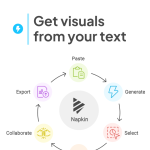
Napkin is most useful when it is judged as a browser-based visual AI tool for business storytelling instead of as a generic image generator or a traditional downloadable graphics app. The official homepage, pricing page, web-app sign-in page, Getting Started collection, Features collection, Languages collection, Login & Account collection, Subscription & Billing collection, Frequently Asked Questions collection, and Privacy Policy checked on April 19, 2026 all point to a product built to turn text into visuals quickly inside an online workflow. That positioning matters because Napkin is clearly trying to solve a specific communication problem. The homepage says users can get visuals from their text, while the main product title calls it the visual AI for business storytelling. The app sign-in route and homepage copy also make it clear that this is a web-first product with no download required. The help collections then show that Napkin expects recurring use across onboarding, features, language support, account access, billing, and common questions. What keeps Napkin worth considering is that it narrows its ambition in a useful way. It does not look like a full design suite or a free-form art generator. It looks more like a productivity layer for people who need to convert notes, documents, outlines, or ideas into cleaner visual explanations faster. The official support structure matters too because business communication tools need steady answers around account access, plans, sharing habits, and supported-language expectations. Our grounded judgment is that Napkin is strongest for users who regularly need to turn written ideas into visual material for presentations, internal communication, or business storytelling without opening a heavier design workflow. It is a weaker fit for users who want a fully offline desktop graphics program, highly detailed illustration control, or a general-purpose image-generation sandbox. Napkin looks most defensible when the real problem is clarifying ideas visually from text, not doing full custom design from scratch.

AI Office 2026-04-04
Raccoon Office Assistant

Raccoon Office Assistant

Raccoon Office Assistant is SenseTime's AI office workspace for people who spend their day reading documents, organizing information, writing drafts, and turning raw material into usable output. It is most useful when you want document understanding, writing help, and light analysis to stay inside one office-oriented workflow instead of being split across isolated chat tools.

AI Office 2026-04-04
ima.copilot

ima.copilot

ima.copilot is a more structured recommendation than a normal AI chat page because Tencent positions it as a knowledge-base-centered AI workspace rather than as a one-shot prompt box. The official homepage and download materials checked on April 17, 2026 describe ima as a search-read-write productivity tool aimed at users with heavier knowledge acquisition, information processing, and content output needs. The same official description says the product currently integrates Tencent Hunyuan models and DeepSeek R1, while the homepage interface exposes persistent areas such as Personal Knowledge Base, Knowledge Square, Q&A History, and a direct Open desktop version handoff. What keeps ima.copilot worth considering is that the official materials show a real workspace shape instead of only a marketing slogan. The homepage includes guidance for opening the desktop client and even for checking storage space later, while the official download bundle currently exposes Windows, Mac, Android, iPhone, and iPad platform coverage plus visible package lines including a Windows x64 2.3.0_3717 installer, a Mac universal 2.3.0_3717 package, and an Android 2.3.0.1710 APK. That makes ima.copilot strongest for users who want AI help wrapped around persistent knowledge and multi-device access. It is a weaker fit for people who only want a minimal blank chat box and do not need a knowledge-base-centered workflow.

AI Office 2026-04-04
Cappt PPT

Cappt PPT

Cappt PPT is an AI presentation workspace that helps users turn a topic or source document into an editable deck much faster than starting from a blank slide. It is most useful for sales, training, teaching, and reporting work where the real need is a solid first structure and usable pages, not a designer-perfect presentation from the first click.

AI Office 2026-04-04
MTY Watch

MTY Watch

MTY Watch is an AI web page monitoring and website subscription service for users who need to track price pages, announcements, competitor pages, or other changing websites without refreshing them manually every day. It is most useful when the real problem is ongoing page-change detection and noise filtering, not one-time information lookup.

AI Office 2026-04-04
AnyGen

AnyGen

AnyGen is an AI work platform for users who need documents, slides, and analysis to be drafted with AI and then refined on the same page instead of accepted as one-click output. It is most useful when the job requires shaping raw material into deliverables you can confidently send to teammates, managers, or clients.

AI Office 2026-04-04