Subsection Navigation

Switch between child sections to keep browsing the matching software lists.

AI Office Software List

This list follows the subsection ranking order for easier browsing and detail-page access.

Speechify

Speechify

Speechify is most useful when it is judged as a text-to-speech and voice-AI productivity platform instead of as a simple audio reader. The official homepage, pricing page, text-to-speech online page, AI voice generator page, Chrome extension page, voice typing page, iPhone and iPad page, Android page, Mac app page, and privacy policy checked on April 18, 2026 all point to a product built around reading, listening, dictation, and cross-device voice workflows. That positioning matters because Speechify's own materials consistently go beyond reading text aloud. The homepage frames it as a text-to-speech and voice typing assistant with 55M plus users. The pricing page calls out advanced AI voices, cross-device sync, and offline use. The online TTS page says users can paste text or upload a PDF and listen instantly with no sign-up. The AI voice generator, Chrome extension, and voice typing pages expand the product into content creation, browser productivity, and dictation. What keeps Speechify worth considering is the breadth of those voice surfaces inside one product family. The iOS, Android, and Mac pages make platform support explicit instead of vague. The AI voice generator and dictation surfaces make the tool useful not only for passive listening but also for narration and faster writing. The privacy policy matters too because text-to-speech and dictation tools may handle books, PDFs, notes, messages, and other materials that users may not want treated casually. Our grounded judgment is that Speechify is strongest for users who regularly need documents, web pages, books, or notes read aloud and who may also benefit from dictation, browser reading, or cross-device listening. It is weaker for users who only need a tiny offline reader or a very narrow single-purpose audio utility. Speechify looks most defensible when the real problem is reducing reading friction and adding flexible voice workflows to daily work.

AI Office 2026-04-05
ElevenLabs

ElevenLabs

ElevenLabs is worth recommending when it is judged as a voice-production platform instead of only as a text-to-speech demo site. The official materials checked on April 21, 2026 still position ElevenLabs through its main platform page, text-to-speech, voice cloning, voice agents, conversational AI, speech-to-text, voice library, Studio editor, documentation, and pricing. That combination matters because many users are not simply trying to generate one synthetic voice clip. They are evaluating whether the platform can support narration, multilingual voice work, prototype assistants, transcription, reusable voices, and longer-form audio workflow in one place. ElevenLabs is strongest for creators, developers, educators, product teams, media producers, and businesses that actually work with voice as an ongoing asset. It is weaker for readers who only need a tiny occasional voice effect, who are not comfortable with account-based web workflow, or who do not have a clear use case for cloning or agent features. Our grounded judgment is that ElevenLabs still deserves to be recommended when the real need is serious voice generation and voice workflow experimentation, not just a novelty audio tool.

AI Office 2026-04-05
Krisp

Krisp

Krisp is worth recommending when it is judged as a Windows meeting-audio workflow tool instead of only as another noise-cancellation switch. The official materials checked on April 21, 2026 still position Krisp through its main product site, AI Note Taker page, official sign-up route, installation guidance, system requirements, app-setup documentation, app compatibility references, noise-cancellation testing guidance, mode selection help, and background voice cancellation notes. That combination matters because many meeting-heavy users do not only want cleaner audio. They also want a practical way to reduce keyboard noise, improve speech clarity, connect Krisp to real calling apps, and decide whether note-taking or meeting-assistant features are worth adding to the same workflow. Krisp is strongest for remote workers, support staff, sales users, recruiters, managers, and distributed teams who spend large parts of the day in calls and want clearer conversations without rebuilding their entire setup. It is weaker for readers who rarely join meetings, who do not want an account-linked desktop audio layer, or who only need a bare microphone effect inside one app. Our grounded judgment is that Krisp still deserves to be recommended when the real need is cleaner Windows meeting audio plus guided app integration and optional meeting-assistant workflow, not just a simple toggle for noise removal.

AI Office 2026-04-05
Fireflies.ai

Fireflies.ai

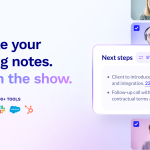
Fireflies.ai is an AI meeting note taker for teams that want automatic meeting transcription, AI summaries, searchable conversation memory, and smoother follow-up across CRM, docs, and collaboration tools. Its real value is not only recording calls, but helping teams turn meetings into reusable notes, tasks, and workflow signals.

AI Office 2026-04-05
ChatBA

ChatBA

ChatBA is a much narrower but potentially useful recommendation for people who want AI help specifically with presentation creation rather than with general chat. The official public homepage checked on April 17, 2026 identifies ChatBA as Generative AI for Slides and says it can instantly create slide decks. The current official web bundle exposed through the public site also shows a workflow centered on Create Presentation, Create New Deck from Prompt, Saved presentations, and Export as actions that mention PDF, PowerPoint, and other formats. What makes ChatBA worth considering is that the product is clearly aimed at turning prompts into presentation drafts quickly instead of pretending to be an all-purpose workspace. At the same time, the same public bundle also shows some richer edit actions such as Edit This Slide, Auto Emphasize, and AI Examples alongside visible Coming soon signals, which means the product direction is interesting but should not be oversold as a fully mature slide editor yet. That makes ChatBA strongest for users who want a web-first way to draft decks from prompts and then export the result. It is a weaker fit for anyone who needs a deeply documented presentation platform, a desktop app, or a full set of mature slide-editing controls already exposed on the public site.

AI Office 2026-04-05
VoxDeck

VoxDeck

VoxDeck is an AI presentation maker for users who want prompts, outlines, or source material turned into more polished proposal-style slides with less manual layout work. It is most useful when presentation quality matters, but the team still needs a faster path from document to deck than traditional slide building allows.

AI Office 2026-04-05
Notta

Notta

Notta is an AI meeting assistant for teams and professionals who need fast transcription, AI notes, bilingual meeting support, and clearer meeting follow-up without drowning in raw transcripts. Its strongest value is that it connects recording, transcription, summaries, and deliverable generation into one practical workflow.

AI Office 2026-04-05
HyperWrite

HyperWrite

HyperWrite is best understood as a browser-connected AI writing and task assistant rather than as a simple text generator. It mixes drafting help, research support, browser extension features, TypeAhead suggestions, and AI agent-style task assistance inside a web-first workflow. HyperWrite's official homepage, AI Personal Assistant page, Chrome page, AI Agent page, Flexible AutoWrite page, Message Expander page, Google Search Automator page, Client Communication page, Pricing page, and Privacy Policy checked on April 18, 2026 show a product that is broader than a one-screen writing helper. The official site presents HyperWrite as an AI writing assistant with web search and citations, while the personal assistant and browser-related pages make visible a stronger shift toward browser automation and task help. What keeps HyperWrite worth considering is the mix of real drafting support and browser-connected assistance. The product offers writing and research workspace features, short-form communication helpers, auto-completion through TypeAhead, business-writing use cases, and AI agent pages that go beyond passive text suggestion. The pricing page also matters because tier limits and message volume clearly affect fit, and the privacy page matters because a browser-connected assistant can touch genuine work drafts, searches, and communication tasks. That makes HyperWrite strongest for users who spend a lot of time writing in the browser and want help with drafting, research, and lightweight task automation in the same environment. It is a weaker fit for users who need a classic offline desktop editor or who want a narrow specialized tool with less workflow breadth and less browser integration.

AI Office 2026-04-05
Compose AI

Compose AI

Compose AI is a browser-based writing and autocomplete tool for users who want emails, forms, and repeated text input to move faster with less typing. It is most useful when the real productivity drain comes from constant small writing tasks rather than from long standalone documents.

AI Office 2026-04-05
Tanka

Tanka

Tanka is a team knowledge and collaboration platform for organizations that want AI assistance to stay close to messages, shared context, and accumulated internal knowledge. It is most useful when information is scattered across chats and documents and the team needs a more coherent operating base instead of another disconnected bot.

AI Office 2026-04-05
tl;dv

tl;dv

tl;dv is more useful as a meeting memory and follow-up system than as just another AI transcript recorder. Users looking for an AI meeting note taker for Zoom, Google Meet, and Microsoft Teams, CRM auto-fill from sales calls, or an AI meeting assistant for recurring customer meetings will get the most value when the real pain starts after the call: summaries, searchable recall, CRM updates, and next-step follow-ups. It is a strong fit for sales, customer success, recruiting, and internal syncs, but transcript accuracy, CRM field mapping, and AI-written drafts still need human review before anything important is logged or sent.

AI Office 2026-04-05
Jasper

Jasper

Jasper is a marketing AI platform for teams that want brand-aware content production and AI agents built around real campaign workflows. It is most useful when the challenge is not just drafting copy, but keeping marketing work consistent, collaborative, and measurable across multiple channels.

AI Office 2026-04-05
QuillBot

QuillBot

QuillBot is worth recommending when it is judged as a writing-improvement workspace for existing text instead of only as a paraphrase button. The official materials checked on April 21, 2026 still present QuillBot through its main writing suite, paraphrasing tool, grammar checker, summarizer, citation generator, AI detector, AI humanizer, plagiarism checker, student resources, and Microsoft Word integration page. That combination matters because many users are not starting from a blank page. They are revising drafts, cleaning grammar, shortening long passages, building citations, checking originality risks, and trying to make text clearer without constantly switching between unrelated tools. QuillBot is strongest for students, researchers, non-native English writers, editors, office users, and anyone polishing already-written material. It is weaker for readers who expect deep subject understanding, final fact checking, or complete writing judgment to come from the tool itself. Our grounded judgment is that QuillBot still deserves to be recommended when the real need is rewriting and improving existing text in a structured workflow, not when the goal is to outsource thinking.

AI Office 2026-04-05
Sudowrite

Sudowrite

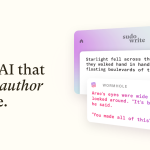
Sudowrite is most useful when it is judged as a fiction-writing partner instead of as a generic AI productivity tool. The official homepage, Muse page, FAQ, pricing page, plugins page, AI Novelist page, Writing Assistant page, Creative Writing Assistant page, Story Generator page, and Privacy Policy checked on April 18, 2026 all point to a product built for authors who are trying to keep novels, scenes, outlines, and character arcs moving. That positioning matters because Sudowrite's own materials do not frame it around office copy, factual research, or lightweight grammar cleanup. The Muse page calls Muse the only AI model made for fiction. The AI Novelist page says a story idea can become 10 chapter outlines and 2 to 3 character arcs. The writing pages repeatedly target fiction writers, story development, and plot structure instead of generic text production. What keeps Sudowrite worth considering is the depth of the creative workflow around it. The plugins page says the service includes a library of over 1,000 custom-built tools, and the story generation surfaces make visible help with plot ideas, summaries, and 3-act breakdowns. That makes it easier to see Sudowrite as a cloud fiction workspace for maintaining momentum, not just as one more prompt box. Our grounded judgment is that Sudowrite is strongest for novelists, screenwriters, and fiction-first writers who want help brainstorming, exploring alternatives, expanding scenes, and keeping long-form creative work moving. It is weaker for users who mainly need factual writing, offline editing, or a lightweight grammar fixer. The decision to keep it should depend on whether fiction workflow support is the real need, because that is where the product appears intentionally built.

AI Office 2026-04-05
Writesonic

Writesonic

Writesonic is an AI visibility and content optimization platform for teams that want to track how brands appear across ChatGPT and other AI answer systems while improving content accordingly. It is most useful when the goal is not only writing faster, but understanding and improving search and answer-surface visibility in the AI era.

AI Office 2026-04-05
Elephas

Elephas

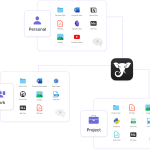
Elephas is most useful when it is judged as a private knowledge workspace for sensitive documents, notes, and writing instead of as a generic cloud chatbot. The official homepage, pricing page, iPhone and iPad page, demos page, about page, sensitive-data-protection page, privacy policy, terms of use, and official support articles on data storage and offline Ollama workflows checked on April 18, 2026 all point to a product built around privacy-sensitive knowledge work. That positioning matters because Elephas keeps making the same core claims across multiple official surfaces: redact personal information before processing, keep indexing local, choose how the AI runs, and extend the experience across Mac and iOS. The iOS page adds knowledge bases, 20 plus file formats, answers with citations, and a 7 day free trial. The demos page frames the product as personal ChatGPT from your own documents and notes, while the support site goes further by explaining data storage questions and a fully offline Ollama path. What keeps Elephas worth considering is the consistency of that privacy and knowledge-work story. The sensitive data page explicitly calls out local-first indexing and redaction for legal, medical, policy, and executive workflows. The pricing page makes privacy control part of the plan structure rather than a hidden detail. The support and policy pages also help because a product like this only deserves real work material when trust surfaces are visible beyond the homepage. Our grounded judgment is that Elephas is strongest for Mac and iOS users who work with private notes, documents, research, and knowledge bases and want more control over local indexing, redaction, and even offline AI operation. It is weaker for Windows-first users, people who only need a public-cloud writing toy, or anyone who does not actually need a privacy-focused knowledge layer. Elephas looks most defensible when sensitive knowledge work is the real problem being solved.

AI Office 2026-04-05