Subsection Navigation

Switch between child sections to keep browsing the matching software lists.

AI Office Software List

This list follows the subsection ranking order for easier browsing and detail-page access.

Rytr

Rytr

Rytr is one of the clearer fits for users who want a web-first AI writing assistant that can generate and improve many common content types quickly without forcing them into one narrow template or one single use case. Rytr's official homepage, pricing page, browser extension page, My Voice page, plagiarism page, email generator page, grammar checker page, rewording generator page, sentence shortener page, and privacy policy checked on April 18, 2026 show a product aimed at practical daily content work rather than abstract AI hype. The official site presents Rytr as a free AI writer and content generator, while the browser extension, tone-matching, and editing pages make visible a workflow that reaches across emails, messages, short-form marketing copy, and revision tasks. What keeps Rytr worth trying is the balance between generation and cleanup. The product can draft emails, rephrase text for clarity, shorten content while keeping key meaning, improve grammar and readability, and offer extras like tone matching and a built-in plagiarism checker. The pricing page also matters because usage tiers are part of the real decision with any AI writing tool, and the privacy policy matters because users often paste genuine work material into these systems rather than harmless sample text. That makes Rytr strongest for people who repeatedly produce short and medium-length English content in the browser and want speed, tone flexibility, and editing help in one place. It is a weaker fit for users who want a fully offline desktop writing environment or who expect one AI service to replace all planning, research, and editorial judgment by itself.


AI Office 2026-04-05
Copy.ai

Copy.ai

Copy.ai is a GTM AI platform for teams that want go-to-market writing, sales enablement, and repetitive commercial tasks to run inside a more connected workflow. It is most useful when the problem is not just generating copy, but scaling message production and operational handoffs across marketing and sales teams.

AI Office 2026-04-05
Paperpal

Paperpal

Paperpal is an AI academic writing assistant for students, researchers, and faculty who need help improving drafts, checking similarity risk, finding references, and preparing manuscripts for submission. Its strongest value is that it stays focused on academic workflows instead of acting like a generic writing chatbot.

AI Office 2026-04-05
Writer

Writer

Writer is most useful when it is judged as an enterprise AI platform for agentic work instead of as a generic AI writing box. The official homepage, Writer Agent page, AI Studio page, graph-based RAG Knowledge Graph page, Palmyra LLM page, trust page, plans page, research page, customer spotlights page, and Writer AI Academy checked on April 18, 2026 all point to a product built for organizations that need governed AI workflows rather than casual one-person prompting. That stack matters because Writer is clearly trying to solve several enterprise problems together. The homepage says Fortune 500 companies use it to execute and scale on-brand compliant work. Writer Agent presents one interface for enterprise work. AI Studio says business teams can build safely with AI-native governance and interoperability. The Knowledge Graph page says Writer's graph-based RAG can achieve higher accuracy than traditional vector-retrieval approaches. What keeps Writer worth considering is that the platform story is broader than a single assistant. Palmyra adds Writer's own model family for mission-critical workflows. The trust page emphasizes security privacy and compliance requirements. The plans page shows a 14-day free trial and sales-led expansion motion. The customer spotlights and academy pages also matter because enterprise adoption usually depends on proof of use and training, not only on product demos. Our grounded judgment is that Writer is strongest for teams and organizations that need AI workflows tied to governance, internal knowledge grounding, shared brand standards, and enterprise rollout. It is a weaker fit for users who only want a cheap personal chatbot, a simple Windows desktop installer, or a lightweight offline writing assistant. Writer looks most defensible when the real problem is not just generating text, but operationalizing AI work safely across a business.

AI Office 2026-04-05
Wordtune

Wordtune

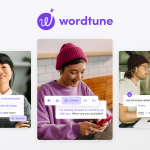
Wordtune is one of the clearer fits for people who already have text to improve and want help rewriting, paraphrasing, summarizing, checking grammar, and polishing tone without switching to a full blank-page AI workflow every time. Wordtune's official homepage, Chrome extension page, summarizer page, AI writing assistant page, rewrite page, grammar page, proofreading page, Humanize AI page, plans page, and privacy policy checked on April 18, 2026 show a product that is centered on writing refinement rather than on generic chat. The official site frames Wordtune around expressing yourself with confidence through paraphrase, rewrite, grammar correction, and summarization, while the Chrome extension page makes it clear that the product is meant to work directly inside browser writing. What keeps Wordtune worth using is the practical shape of the workflow. You can rewrite emails and messages, summarize text or YouTube material, continue a draft with AI writing help, run grammar and proofreading passes, and use the browser extension where daily writing actually happens. Wordtune is also honest enough about being a paid service with tier boundaries, and the privacy policy matters because browser-connected writing tools often process real drafts, personal notes, and work communication rather than toy examples. That makes Wordtune strongest for people who revise a lot of everyday English writing and want a web-first assistant that stays close to the draft. It is a weaker fit for users who want a fully offline desktop editor, do not like browser-based tools, or expect one AI tool to replace every part of the writing process without any judgment from the user.

AI Office 2026-04-05
Anyword

Anyword

Anyword is an AI marketing copy platform for teams that want generation and performance feedback to work together instead of living in separate tools. It is most useful when marketers care less about writing volume and more about whether copy actually improves outcomes across ads, landing pages, and campaigns.

AI Office 2026-04-05
Frase

Frase

Frase is better understood as an SEO plus GEO content operations platform than as a simple AI article writer. It is built for teams that need research, optimization, AI-search tracking, publishing connections, and scalable content workflows in one place instead of a pile of disconnected tools. Frase's official homepage, AI Agent page, AI Search Tracking page, SEO plus GEO optimization page, SEO Research page, SEO Content Optimization page, Programmatic SEO page, Integrations page, Pricing page, and Privacy Policy checked on April 18, 2026 show a product aimed at search-content teams rather than casual prompt users. The official site frames Frase around ranking on Google and getting cited by AI, while its feature pages make visible research automation, AI visibility monitoring across ChatGPT and Perplexity, dual SEO and GEO scoring, long-tail page generation, and CMS integrations for publishing. What keeps Frase worth considering is that the workflow is broader than writing alone. The platform promises market research, SERP analysis, content optimization, AI visibility tracking, publishing integrations, and an AI Agent that can work across these jobs. That makes it more useful for content marketers, SEO teams, agencies, and operations-minded teams than for someone who only wants a quick paragraph generator. The pricing page also matters because Frase is clearly sold as a platform, and the privacy page matters because research, drafts, and strategy work often include business-sensitive information. That makes Frase strongest for teams that actively publish search-oriented content and now also care about AI citation and visibility. It is a weaker fit for users who only need a lightweight personal writing helper, do not work in SEO or content operations, or expect a classic desktop app instead of a web platform with recurring workflow depth.

AI Office 2026-04-05
Bit.ai

Bit.ai

Bit.ai is most useful when it is judged as a collaborative document, wiki, and knowledge-management workspace for teams instead of as a lightweight personal notes app. The official homepage, pricing page, workplace collaboration page, wiki page, AI writer page, document management page, interactive living document page, integrations page, knowledge-management page, and privacy policy checked on April 18, 2026 all point to a product built around shared team knowledge. That positioning matters because Bit.ai repeatedly frames itself through team-oriented categories: AI-powered documents, wikis, knowledge management, workplace collaboration, document management, and interactive living documents. The AI writer page also shows that Bit.ai is not only about storing knowledge after the fact. It is also trying to help teams generate and refine material inside the same workspace. The integrations page matters too because a knowledge platform becomes more useful when it can connect to a wider tool ecosystem rather than trapping information inside one isolated editor. What keeps Bit.ai worth considering is the consistency of the team-knowledge story across its official pages. The wiki and knowledge-management surfaces make it clear that this is supposed to be a retained workspace, not just a drafting tool. The workplace collaboration, document management, and living-document pages reinforce the idea that Bit.ai is for ongoing shared use rather than one-off document export. The privacy page also matters because documents, wikis, and shared team knowledge often contain internal information that deserves visible policy coverage. Our grounded judgment is that Bit.ai is strongest for teams that want collaborative documents, living knowledge bases, wiki-style structure, and some AI-writing help in the same environment. It is weaker for users who only need a private offline note app, a traditional local desktop editor, or a minimal one-person writing tool. Bit.ai looks most defensible when the real problem is team knowledge coordination, because that is where its official product surfaces stay coherent.

AI Office 2026-04-05
Connected Papers

Connected Papers

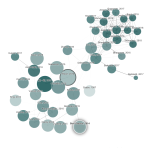
Connected Papers is a visual literature exploration tool for researchers, graduate students, and review-heavy knowledge workers who want to map a paper landscape instead of scanning search results one by one. It is strongest when you already have one good seed paper and need a research paper graph to discover related work, trace prior works, inspect derivative works, and build a stronger reading path or bibliography. Its biggest strengths are visual clustering, similarity-based discovery, and practical graph-to-list workflow, but it is not a full citation manager, not a plain-language reading assistant, and not a substitute for actually reading the papers it surfaces.

AI Office 2026-04-05
Research Rabbit

Research Rabbit

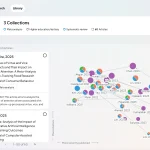
Research Rabbit is more useful as a visual literature discovery and tracking workspace than as a generic academic search box. Users looking for an AI literature review tool, research paper discovery graph, or a visual workflow for finding related papers will get the most value when they already have one or two relevant seed papers and need to expand outward, organize promising work, and keep a topic alive over time. It is especially practical for graduate students, researchers, and long-running review projects, but it should support critical reading and reproducible research workflow, not replace them.

AI Office 2026-04-05
Tactiq

Tactiq

Tactiq is an AI meeting transcription and follow-up platform for teams that want live notes, summaries, action items, and workflow automation without adding a meeting bot to every call. Its practical value comes from turning spoken meetings into structured outputs that can be reused during the meeting, right after it ends, and across the tools the team already uses.

AI Office 2026-04-05
Explainpaper

Explainpaper

Explainpaper is an AI paper explanation tool for students, researchers, and technical readers who want dense academic passages translated into clearer language without leaving the paper itself. It is most useful when research reading slows down on jargon, math-heavy sections, unfamiliar methods, or unclear claims, and its strongest strengths are in-context explanations, paper-grounded chat, and quick structural insights rather than broad literature discovery or reference management.

AI Office 2026-04-05
Logically

Logically

Logically is an AI-powered research workspace for people who want literature review, citations, PDF annotation, and paper writing to live in one connected environment. It is most useful when research work keeps splitting across too many disconnected tools and the real need is a steadier path from reading to writing.

AI Office 2026-04-05
Humata

Humata

Humata is most useful as an AI knowledge base for files and PDFs, not as a general-purpose chatbot. Users who need fast document question answering, summary, comparison, and source-grounded answers across reports, manuals, policies, or research files will get the most value, especially when they care about cited answers and team access control. It fits researchers, analysts, legal and operations teams, educators, and support-heavy teams well, but it is still a cloud service, so privacy expectations, file organization, and pricing limits should be checked before scaling up.

AI Office 2026-04-05
Fathom

Fathom

Fathom is an AI meeting note taker for people who want recordings, summaries, and action items captured automatically so they can stay present during calls. It is most useful when the real cost of meetings appears afterward in note cleanup, missed commitments, and time spent reconstructing what happened.

AI Office 2026-04-05
Granola

Granola

Granola is most useful as an AI meeting notepad for people who already jot some notes during conversations, not as a hands-off meeting bot. Users with back-to-back customer calls, 1:1s, hiring loops, product interviews, or founder meetings will get the most value when they want fast AI-enhanced notes without inviting bots into every call. It fits managers, sales teams, product teams, founders, and recruiters especially well, but users who refuse to write anything or expect perfect automation from raw transcripts alone should lower expectations.

AI Office 2026-04-05