Subsection Navigation

Switch between child sections to keep browsing the matching software lists.

PC Essentials

Core PC tools commonly used for setup, maintenance, and daily work.

View more
Node.js

Node.js

Node.js is a free, open-source, cross-platform JavaScript runtime that lets you run JavaScript for servers, APIs, command-line tools, scripts, and build workflows, backed by npm and a large first-party documentation ecosystem. Its real strength is not only backend JavaScript, but the way runtime, package management, CLI tooling, REPL workflows, and a built-in test runner can reduce setup friction for developers who want one practical platform from prototype to production.

PC Software 2026-03-28
Python

Python

Python is a general-purpose programming language that stays popular because it is readable, widely taught, and useful across automation, data work, AI, backend services, and scripting. It is one of the easiest languages to start with while still being powerful enough for serious long-term projects.

PC Software 2026-03-28
Visual Studio Code

Visual Studio Code

Visual Studio Code is worth recommending when it is judged as a practical development workspace instead of only as another text editor. The official materials checked on April 22, 2026 still position VS Code through its main site, documentation hub, download page, monthly updates, getting-started guide, themes guide, CLI guide, terminal basics, source-control overview, and settings-sync docs. That combination matters because many users do not only need a place to open files. They need an editor that can scale from note-sized edits to real development tasks with extensions, Git workflow, terminal access, language support, and a setup path that stays understandable for new and experienced users. VS Code is strongest for developers, technical learners, script writers, DevOps users, and general coding work where flexibility matters more than a giant IDE. It is weaker for readers who need every heavyweight enterprise IDE feature out of the box or who want an editor with almost no customization choices at all. Our grounded judgment is that VS Code still deserves to be recommended as one of the safest default development workspaces for Windows users because it balances approachability, extension depth, and official guidance better than many alternatives.

PC Software 2026-03-28
Rust

Rust

Rust is worth recommending when it is judged as a language-plus-toolchain ecosystem instead of only as another programming language homepage. The official materials checked on April 22, 2026 still position Rust through its main site, install guide, Rust book, Cargo book, Rust By Example, the installation chapter, the Hello Cargo chapter, the standard library docs, Clippy docs, and the Rust Playground. That combination matters because many users do not only need syntax. They need a practical route from installation to building, formatting, linting, learning, and testing real code. Rust is strongest for developers who care about performance, correctness, tooling quality, and long-term maintainability, especially when they are willing to learn a stricter model than scripting languages usually require. It is weaker for readers who want the easiest possible beginner syntax or who need instant scripting convenience more than disciplined compiled-language workflow. Our grounded judgment is that Rust still deserves to be recommended as one of the most complete modern toolchain experiences for systems and performance-conscious development because its official learning and tooling path remains unusually strong.

PC Software 2026-03-28
Docker Desktop

Docker Desktop

Docker Desktop is one of the clearest recommendations for Windows developers who need a local container workflow that is documented, actively maintained, and practical enough for real day-to-day stacks instead of one-off demos. Docker's official product page, Docker Desktop docs, Windows install guide, WSL guide, Dashboard feature pages, Compose docs, Extensions docs, Model Runner docs, and release notes checked on April 17, 2026 show a desktop product with a much broader local role than simply starting containers. Docker presents Docker Desktop as collaborative containerization software for developers, while the docs make visible first-party workflows around images, volumes, Compose, WSL 2, extensions, Kubernetes, Wasm, and AI model running. What keeps Docker Desktop worth installing is that the practical Windows path is documented with much more honesty than many local dev tools. The install guide exposes Windows 10 and 11 edition requirements, WSL 2 and Hyper-V backend choices, 8GB RAM and virtualization expectations, x86_64 and Arm installer paths, Microsoft Store availability, and administrator-related behavior. The release notes page was also updated on April 15, 2026 and shows Docker Desktop 4.46.0 together with current Windows fixes, which is exactly the kind of maintenance visibility a low-level developer tool needs. That makes Docker Desktop strongest for developers, DevOps-minded teams, and technical users who repeatedly run containers, local services, and multi-container stacks on a Windows workstation. It is a weaker fit for users who only need one occasional container command and do not want to keep a fuller desktop container environment around.

PC Software 2026-03-28
Postman

Postman

Postman is most useful when it is judged as an AI-native API platform rather than as only a simple request client. The official Postman homepage, download page, pricing page, Workspaces page, Flows page, API Catalog page, Spec Hub page, documentation overview, Newman CLI docs page, and security page checked on April 19, 2026 all point to a broader platform for API development, collaboration, governance, and automation. The homepage calls it The AI-native API Platform, while the surrounding product pages show Postman covering shared workspaces, visual flows, central API visibility, specification governance, CLI execution, and enterprise security expectations. That positioning matters because Postman now sits much closer to team workflow infrastructure than to a lightweight endpoint tester. The download page still matters because many developers begin from the install path, but the product pages show that the real value is in repeatable shared API work. Workspaces, Flows, API Catalog, and Spec Hub all signal that Postman is built for teams that need more than one isolated request tab. What keeps Postman worth considering is the combination of operational depth and practical learning support. The documentation overview gives it a serious learning surface, while Newman CLI keeps a command-line route for running and testing collections outside the graphical client. The security page also matters because API work often touches sensitive credentials, shared environments, and governed workflows that teams will not treat casually. Our grounded judgment is that Postman is strongest for developers, QA engineers, platform teams, and API programs that need one place to build, test, document, automate, and govern API work across individuals and teams. It is a weaker fit for users who only want the tiniest single-endpoint checker, a fully local offline scratch tool, or a workflow that never expands beyond a handful of manual calls. Postman looks most defensible when the real need is shared, repeatable API work with documentation, collaboration, and automation built in.

PC Software 2026-03-28
DBeaver

DBeaver

DBeaver is a universal database client for Windows users who need one desktop tool for PostgreSQL, MySQL, SQLite, SQL Server, and other database engines instead of maintaining a separate GUI for each one. It is especially useful for developers, administrators, and analysts who want a practical mix of connection management, SQL editing, table browsing, ER diagrams, and data export in one place.

PC Software 2026-03-28
Navicat

Navicat

Navicat is a premium database management client aimed at developers, analysts, and database administrators who want polished tooling across multiple SQL engines. It is especially attractive when you value a refined GUI, mature administration features, and cross-database productivity over a completely free toolchain.

PC Software 2026-03-28
Sublime Text

Sublime Text

Sublime Text is still worth recommending when it is judged as a fast, focused editor for code, markup, and prose with strong keyboard workflow, project handling, indexing, Git integration, and low-friction editing features instead of as a stripped-down toy editor or a half-IDE. The official materials checked on April 21, 2026 still present Sublime Text through its Text Editing, Done Right positioning, a direct download route, core documentation, tab multi-select, Git integration, incremental diff, indexing, command-line usage, projects, distraction-free mode, and package support. That combination matters because many users do not actually need the weight of a full IDE for every task, but they do need an editor that stays fast on large files and rewards precise editing habits. Sublime Text is strongest for developers, writers, and technical users who want a responsive editor that stays out of the way while still offering serious workflow tools. It is weaker for readers who need full IDE debugging and language-server-heavy workflow by default, but our grounded judgment is that Sublime Text still deserves to be recommended when the real need is fast, reliable, keyboard-friendly editing with room to scale.

PC Software 2026-03-28
GitKraken

GitKraken

GitKraken is still worth recommending when it is judged as a visual Git desktop client for repository history, pull-request follow-through, multi-repo organization, and merge-conflict handling instead of as only a prettier shell around basic Git commands. The official materials checked on April 21, 2026 present GitKraken Desktop through a clear Windows download path, a visual commit graph, Launchpad for issues and pull requests, Workspaces for multi-repo context, a visual 3-way merge tool, enterprise-oriented security controls, a public help center, current release notes, and a visible product roadmap. That combination matters because many developers do not struggle with Git because commands are unavailable; they struggle because repository context, merge state, and review work become hard to see at the right moment. GitKraken is strongest for developers and teams who want Git work to stay legible across branches, repositories, pull requests, and review queues without forcing every action through raw terminal memory. It is weaker for readers who prefer a purely CLI workflow or who only need the smallest possible local Git wrapper, but our grounded judgment is that GitKraken still earns its place when the real need is visual Git clarity plus day-to-day team workflow support.

PC Software 2026-03-28
Termius

Termius

Termius is still worth recommending when it is judged as a modern SSH client and remote-access workspace for saved hosts, SFTP, port forwarding, snippets, key management, and secure sync rather than as a plain terminal replacement. The official materials checked on April 21, 2026 show Termius across its Windows download page, installation docs, quick start, connection guide, SFTP workflow, port forwarding and tunneling docs, snippets guide, SSH keys and certificates guide, and enterprise-grade security page. That combination matters because remote-access work becomes messy when hosts, files, tunnels, and credentials are scattered across unrelated tools or remembered only through habits. Termius is strongest for developers, DevOps users, and administrators who move across servers and devices enough to benefit from structured host management instead of ad hoc terminal windows. It is weaker for readers who only need the simplest local SSH command on one machine, but our grounded judgment is that Termius deserves to be recommended when the real need is repeatable remote operations with organized hosts, files, tunnels, and credentials.

PC Software 2026-03-28
MobaXterm

MobaXterm

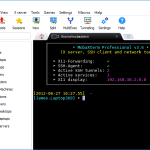
MobaXterm is still worth recommending when it is judged as a Windows remote-computing toolkit that combines terminal access, SSH, X11, RDP, VNC, file transfer, plugins, and administrative convenience in one desktop application instead of as only another SSH window. The official materials checked on April 21, 2026 still present MobaXterm through its main product page, the official download route, features page, documentation, plugins, animated demo, contact page, license page, export rules page, and the broader Mobatek company site. That combination matters because many Windows-based administrators, developers, and technical support users do not only need one shell; they need a practical place to reach many kinds of remote sessions and supporting tools without stitching together several separate utilities. MobaXterm is strongest for Windows users who want an all-in-one remote operations toolbox with built-in convenience and broad protocol coverage. It is weaker for readers who only need the smallest possible SSH client, but our grounded judgment is that MobaXterm still deserves to be recommended when the real need is broad remote-access capability in one Windows-oriented workspace.

PC Software 2026-03-28

Education & Management

Education, management, and organization software for structured workflows.

View more
Anki

Anki

Anki is a spaced-repetition flashcard app for Windows users who want knowledge to stay in long-term memory instead of disappearing after short-term cramming. Its real value comes from the deck, note, and card model, flexible editing with cloze and media support, powerful browsing and search, AnkiWeb sync, and deck options that let users shape workload instead of studying on autopilot.

PC Software 2026-03-30
JabRef

JabRef

JabRef is a free open-source reference manager built for researchers who want a local, text-based bibliography workflow for BibTeX and biblatex, with browser capture, DOI or ISBN metadata lookup, PDF management, and writing integrations for LaTeX and office documents. Its strongest fit is academic reading and citation work that should remain portable and under the user's control rather than locked inside a vendor-specific cloud database.

PC Software 2026-03-30
calibre

calibre

calibre is an ebook management platform for Windows users who need one place to organize libraries, convert formats, clean metadata, read books, fetch news, and even serve books to phones or tablets through a browser. It is especially useful for readers with large personal ebook collections who want more control than a simple store app or single-purpose reader can offer.

PC Software 2026-03-30
draw.io Desktop

draw.io Desktop

draw.io Desktop is an offline diagram editor for Windows users who need flowcharts, architecture diagrams, org charts, wireframes, or process maps without locking diagram files behind an account or browser-only workflow. It is especially useful for users who want local control, flexible storage choices, strong connector editing, templates, and practical export options such as PNG with an embedded editable copy.

PC Software 2026-03-30
Logseq

Logseq

Logseq is a privacy-first open-source knowledge base built around local Markdown files, linked thinking, graph view, queries, flashcards, plugins, and optional encrypted sync instead of a cloud-locked note workflow. Its real strength is helping researchers, students, writers, developers, and heavy note-takers turn scattered notes into a connected personal knowledge system that stays under their control.

PC Software 2026-03-30
Zettlr

Zettlr

Zettlr is a markdown-based writing and research tool built for note-heavy academic work, citations, and long-form drafting. It is especially useful for students and researchers who want a writing environment that sits between plain markdown editors and heavier academic software stacks.

PC Software 2026-03-30
TeXstudio

TeXstudio

TeXstudio is still worth recommending when it is judged as a focused LaTeX writing environment for drafting, compiling, previewing, configuring, and managing technical documents instead of as a generic text editor with TeX syntax coloring. The official materials checked on April 21, 2026 still present TeXstudio through its official homepage, the maintained GitHub release route, the current 4.9.3 documentation index, and dedicated documentation sections for getting started, editing, compiling, viewing PDFs, configuration, advanced features, and the changelog. That combination matters because LaTeX users usually do not only need a place to type commands; they need a workflow that helps them create a first document, build it correctly, inspect output, manage configuration, and keep the tool current over time. TeXstudio is strongest for students, researchers, engineers, and technical writers who want a dedicated LaTeX editor without jumping immediately into a heavier IDE or a purely terminal-only setup. It is weaker for readers who do not actually need LaTeX at all or who prefer a fully code-editor-centric TeX workflow, but our grounded judgment is that TeXstudio still deserves to be recommended when the real need is practical LaTeX writing and document production on desktop.

PC Software 2026-03-30
MiKTeX

MiKTeX

MiKTeX is a TeX distribution that provides the packages, tools, and environment needed to compile LaTeX documents on Windows and other supported systems. It is especially useful for users who need a maintainable TeX setup rather than only a document editor.

PC Software 2026-03-30
QGIS

QGIS

QGIS is still worth recommending when it is judged as a serious desktop GIS for mapping, spatial analysis, data conversion, plugins, and map output rather than as a simple map viewer or a generic geodata browser. The official materials checked on April 21, 2026 still present QGIS through the positioning line Spatial without Compromise, a first-party download route, the current QGIS 3.44 user guide, Getting Started and GUI documentation, data-opening guidance, processing algorithms, map layout training material, the official plugins portal, and an official support page. That combination matters because new users do not only need a download button; they need evidence that installation, learning, analysis, and map production are all supported by the same project. QGIS is strongest for students, planners, analysts, survey and environment teams, and anyone who needs real desktop GIS capability without being limited to a commercial stack from day one. It is weaker for readers who only want a simple viewer with almost no learning curve, but our grounded judgment is that QGIS still deserves to be recommended when the real need is capable spatial work with room to grow.

PC Software 2026-03-30
Stellarium

Stellarium

Stellarium is a planetarium software for Windows users who want a realistic night sky simulator for astronomy learning, sky observation planning, telescope prep, and celestial-event checking instead of a static star chart alone. It is especially useful for beginners, teachers, and hobby astronomers who need a desktop sky map with large star catalogs, time control, strong zoom, and a practical official FAQ plus release path.

PC Software 2026-03-30
GeoGebra Classic

GeoGebra Classic

GeoGebra Classic is still worth recommending when it is judged as an all-in-one interactive math workspace that combines graphing, geometry, algebra, 3D, CAS, scientific calculation, notes, and shareable resources instead of as only a classroom graphing toy. The official materials checked on April 21, 2026 still present GeoGebra Classic through its main classic page, the official download hub, Calculator Suite, Graphing Calculator, Geometry, 3D Calculator, CAS Calculator, Scientific Calculator, Notes, and GeoGebra Math Resources. That combination matters because many students, teachers, tutors, and self-learners do not need separate apps for every math task; they need one environment where symbolic work, visual construction, and interactive experimentation can stay linked. GeoGebra Classic is strongest for users who want equations and objects to stay connected across views and who benefit from learning by manipulating graphs, shapes, and parameters directly. It is weaker for readers who only need a quick single-purpose calculator with no exploration workflow, but our grounded judgment is that GeoGebra Classic still deserves to be recommended when the real need is connected interactive math work rather than isolated calculations alone.

PC Software 2026-03-30
KiCad

KiCad

KiCad is an open-source PCB design suite for Windows users who need one workflow for schematic capture, PCB layout, 3D inspection, Gerber checking, and manufacturing-ready outputs without paying for a locked commercial EDA stack first. It is especially useful for electronics students, makers, hardware teams, and engineers who want serious board-design capability plus official documentation and Windows download guidance they can actually follow.

PC Software 2026-03-31

Chat Apps

PC chat and communication software for teams and daily contact.

View more
Discord

Discord

Discord remains one of the clearest choices for people who need server-based voice, video, and text communication with persistent channels, cross-device access, and room for communities to grow beyond one-off chats. Discord's official homepage, download page, Safety Center, App Directory, Nitro page, Communities page, Family Center, Parent Hub, Transparency Hub, and April 6, 2026 patch notes checked on April 17, 2026 show a product that is much broader than a simple desktop messenger. The official homepage positions Discord around voice, video, or text chat and highlights Download for Windows together with Open Discord in your browser, while the download page exposes Windows, Mac, Linux, iOS, Android, and console-related surfaces plus Windows x64 and ARM64 options and Linux deb and tar.gz packages. What keeps Discord worth installing is the combination of structured servers and channels, broad platform access, optional premium extras through Nitro, server customization through the App Directory, and visible trust surfaces through the Safety Center family of pages. Discord is not pretending to be only a playful chat app anymore; it also documents family controls, parent-facing guidance, public transparency material, and recent desktop maintenance through its patch notes, including voice-thread reliability improvements on Desktop clients. That makes Discord strongest for friend groups, gaming communities, study groups, hobby servers, and recurring project spaces that need text, voice, and live room structure in the same place. It is a weaker fit for people who only want a minimal one-to-one messenger, dislike server-and-channel organization, or do not want the extra social and notification overhead that comes with a larger community platform.


PC Software 2026-03-29
Telegram Desktop

Telegram Desktop

Telegram Desktop is the Windows client for Telegram users who want cloud-synced messaging, large groups and channels, flexible file transfer, and faster keyboard-driven communication on a full desktop screen. It is strongest for community operators, business or small-team coordination, cross-device document exchange, and message-heavy daily work, while its main limitation is that the seamless multi-device experience depends on Telegram's cloud-chat model rather than end-to-end encryption for every chat.

PC Software 2026-03-30
Slack

Slack

Slack is still worth recommending when it is judged as a structured team communication and work-coordination platform for channels, huddles, shared canvases, workflow automation, integrations, and security controls instead of as a simple chat client. The official materials checked on April 21, 2026 still present Slack through its AI work platform positioning, a direct Windows desktop route, channels, huddles, canvas, workflow automation, integrations, enterprise-grade security, a public Help Center, and the Slack API applications surface. That combination matters because teams usually do not struggle from a lack of messages; they struggle from work context scattered across chat, meetings, notes, and disconnected tools. Slack is strongest for teams that want communication tied to organized workspaces, shared channels, quick live discussion, lightweight documentation, and connected tools in one environment. It is weaker for readers who only need the tiniest private messenger or who have no need for channel discipline, but our grounded judgment is that Slack still deserves to be recommended when the real need is structured, searchable team coordination rather than casual chat alone.

PC Software 2026-03-30
Zoom Workplace

Zoom Workplace

Zoom Workplace is the Windows desktop client for Zoom meetings, team chat, and day-to-day collaboration around scheduled calls. It is a practical fit for remote teams, client meetings, online training, interviews, and screen-sharing sessions where browser-only joining feels limiting. Its value is reliability and meeting control, but users should remember that the best experience comes from setting audio, camera, permissions, and host options before an important call.

PC Software 2026-03-30
Signal

Signal

Signal is a privacy-focused messenger for people who want secure daily chat and calling on both phone and desktop without ads, trackers, or a social-media-style identity model. Its real value comes from end-to-end encrypted messaging, a desktop companion that stays tied to your phone account, local message history transfer for linked devices, private calling improvements like call links, phone-number privacy through usernames, and thoughtful chat management features that make Signal Desktop practical for real everyday use.

PC Software 2026-03-30
Element

Element

Element is a Windows messaging and collaboration client built on the Matrix open standard, aimed at teams and communities that care about secure communication, interoperability, and control over where data lives. It is a strong choice for Matrix users, self-hosted organizations, open-source communities, and privacy-minded groups that do not want to be locked into a single vendor. Its power comes from rooms, federation, and encryption, but first-time users should expect more setup decisions than with mainstream chat apps.

PC Software 2026-03-30

Browsers

Desktop browsers and web access tools for daily browsing tasks.

View more
Google Chrome

Google Chrome

Google Chrome is Google's cross-platform web browser for Windows, macOS, Linux, Android, iPhone, and iPad, combining fast updates, Google account sync, tab management, password tools, built-in translation, and a huge extension ecosystem in one familiar browser. Its real strength is not that it is famous, but that it becomes a practical daily browser when you deliberately use Memory Saver, tab groups, Safety Check, translation, and extension permissions instead of letting tabs and add-ons sprawl.

PC Software 2026-03-28
Quark Browser

Quark Browser

Quark Browser is a Chinese AI browser for Windows aimed at users who want web browsing, AI assistance, PDF handling, cloud storage, and video tools in one desktop app. It suits students, office users, content-heavy researchers, and Chinese-speaking users who prefer an integrated browser instead of stitching together many separate utilities. Its real advantage is the all-in-one workflow around AI browsing and file handling, while the main tradeoff is that it is less neutral and minimal than a plain global browser.

PC Software 2026-03-28
QQ Browser

QQ Browser

QQ Browser is Tencent's Windows AI browser for users who want browsing, AI search, page assistance, document preview, and video subtitle tools inside one desktop client. It is a good fit for Chinese-speaking users who browse heavily, switch across many tabs, and want AI helpers built into the browser rather than added later through separate extensions. Its strength is the combination of AI browsing and office-friendly utilities, but people who prefer a plain, low-feature browser may find it more ambitious than necessary.

PC Software 2026-03-28
Firefox

Firefox

Firefox remains one of the more worthwhile browsers for users who want a daily desktop browser that still treats privacy as a product principle instead of an optional add-on. The official materials checked on April 17, 2026 show a browser with a current public release line, strong built-in privacy defaults, Picture-in-Picture, sync, password management, private browsing, tab organization features, and an unusually broad set of practical tools already included in the base product. The official release-notes page showed Firefox 149.0.2 first offered to release users on April 7, 2026. At the same time, Mozilla's own pages keep expectations honest: Firefox is no longer supported on Windows 8.1 and below outside ESR, private browsing does not hide activity from employers or ISPs, and Mozilla still documents some technical and interaction data collection in the Firefox Privacy Notice. That makes Firefox strongest for users who want a modern browser with real privacy protections and practical daily-use features without defaulting into a more ad-driven browser ecosystem, while it is a weaker fit for users who insist on the newest browser only on very old unsupported Windows versions or who expect private browsing to function like total anonymity.

PC Software 2026-03-29
Brave Browser

Brave Browser

Brave Browser remains one of the more compelling Chromium-based choices for Windows users who want privacy and built-in browser features without turning their browser into a pile of add-ons. The official materials checked on April 17, 2026 show a browser positioned around Shields ad and tracker blocking, sync, vertical tabs, private search, browser-native AI through Leo, optional Firewall + VPN, private video calls through Brave Talk, and a broader privacy-first browsing stack. The official release-notes page showed desktop release v1.89.132 dated April 9, 2026, with Chromium upgraded to 147.0.7727.102. The official privacy policy also keeps expectations grounded: Brave says it does not collect or retain a user's browsing history, but it also documents where features may still process information such as IP addresses and where Google Safe Browsing is used for unsafe-site protection. That makes Brave strongest for users who want a faster privacy-first browser with many useful features built in, while it is a weaker fit for people who prefer a minimal browser shell and do not want bundled extras or optional Brave ecosystem services around the browser.

PC Software 2026-03-29
Vivaldi

Vivaldi

Vivaldi is a Windows browser for power users who want deep control over tabs, interface layout, shortcuts, and browsing workflow instead of settling for a fixed mainstream design. It is ideal for researchers, operators, heavy tab users, and people who live in the browser all day and care about layout efficiency. Its strength is extreme customization without needing endless hacks, while the obvious tradeoff is that new users can spend more time tuning the browser than browsing if they are not careful.

PC Software 2026-03-29
Opera

Opera

Opera is a Windows browser for users who like built-in extras such as ad blocking, free VPN, Flow file sharing, AI features, and sidebar communication tools without installing everything separately. It suits people who want an all-in-one browser for personal browsing, lightweight productivity, and mixed desktop use. Its appeal is convenience and bundled features, while the tradeoff is that people who prefer a stripped-down browser may find Opera more feature-heavy than necessary.

PC Software 2026-03-29
Microsoft Edge

Microsoft Edge

Microsoft Edge is a Windows browser for users who want strong site compatibility, Microsoft account sync, and a browser that fits naturally into the Windows desktop environment. It is especially suitable for office users, Microsoft 365 users, students, and general Windows users who want a capable browser without adding another ecosystem immediately. Its everyday strength is practical integration with Windows and Microsoft's services, while the tradeoff is that users who want a very neutral browsing setup may not want so much Microsoft presence around the browser.

PC Software 2026-03-29
Zen Browser

Zen Browser

Zen Browser is one of the more interesting Firefox-based browsers for users who want calmer browsing, stronger tab organization, and a visibly opinionated interface instead of a barely modified Chromium clone. The official Zen site, download page, latest release trail, and official documentation checked on April 17, 2026 show a browser that is still openly in beta but already unusually clear about what it is trying to do: it is privacy-focused, free and open-source, available for macOS, Windows, and Linux, and built around features such as Workspaces, Compact Mode, Glance, Split View, Window Sync, and community-made Zen Mods. What makes Zen worth considering is that its feature set is not just decorative. The official docs explain concrete behavior: Workspaces can be paired with Firefox container tabs for account separation, Compact Mode can hide the sidebar and toolbar for more screen space, Glance previews links without a full tab switch, Split View supports up to four tabs side by side, and Window Sync mirrors windows on the same device while also documenting manual recovery through zen-sessions-backup. The security page also says Zen tracks Firefox releases within 0 to 72 hours and documents OCSP, HTTPS-Only Mode, Tracking Protection, and DNS over HTTPS. That makes Zen strongest for power users, researchers, and keyboard-heavy browser users who want Firefox compatibility plus a more structured and customizable workflow. It is a weaker fit for people who want a conservative enterprise browser, multi-device tab mirroring right now, or a product that has already moved beyond beta volatility.

PC Software 2026-03-29
Floorp

Floorp

Floorp is a Firefox-based web browser for Windows users who want more interface control, stronger day-to-day customization, and privacy-aware browsing without giving up a familiar browser foundation. It is strongest for users who actually care about layout control, workspaces, web panels, shortcut flexibility, and a browser that can be tuned more aggressively than a standard default setup.

PC Software 2026-03-29
Waterfox

Waterfox

Waterfox is a Windows browser for power users who want a privacy-focused browsing experience with deeper control than many mainstream browsers provide. It is a good fit for users who care about customization, tab management, and reduced telemetry without giving up a full desktop browser. Its standout value is the mix of privacy-oriented defaults and built-in power-user tools, while the tradeoff is that it is a more specialized browser choice than the biggest mainstream options.

PC Software 2026-03-29
LibreWolf

LibreWolf

LibreWolf is a Windows browser for users who want a privacy-first browsing setup with many protective defaults already in place instead of being added later one by one. It suits privacy-conscious users, technical users, and people who want a Firefox-based browser with stronger hardening out of the box. Its real value is the aggressive privacy stance and clean community-driven focus, while the tradeoff is that some convenience features and default behaviors may feel stricter than mainstream browsers.

PC Software 2026-03-29

More Software in This Section

The first batch is shown above. The remaining software continues below without duplication.

PhotoDemon

PhotoDemon

PhotoDemon is a portable Windows photo editor for users who want serious image-editing breadth without a heavyweight installed graphics suite. The official materials checked on April 28, 2026 describe a free open-source editor with more than 200 tools, layers, selection tools, content-aware operations, portable zip distribution, published checksums, nightly builds, and Windows compatibility from XP through Windows 11 without requiring installation or administrator rights. It is especially suitable for users who edit local images often but still value portability, direct distribution, and a compact desktop footprint.

PC Software 2026-04-27
FreeCommander

FreeCommander

FreeCommander is a file manager for users who need to browse folders, compare locations, and move files faster than with a basic single-pane workflow. It is best suited to Windows users who work with many folders, archives, or external drives. The main reason to keep it is that it makes everyday file handling more deliberate without forcing a full system overhaul. The expectation to lower is that the interface is more utilitarian than beginner-friendly and it rewards people who actually manage files every day. A practical first test is to open two folders side by side and move a small batch of files between them.

PC Software 2026-04-28
AkelPad

AkelPad

AkelPad is a plain-text editor for users who need to open logs, code snippets, and text files quickly without the overhead of a heavier IDE. It is best suited to users who want a lean Windows text editor for fast editing and inspection work. The main reason to keep it is that it stays useful as a lightweight editor even when you already have a larger coding stack installed. The expectation to lower is that it is intentionally narrow and will not replace a full writing or development suite for everyone. A practical first test is to open a real log or text file and confirm that search, edit, and save behavior feel faster than your current fallback.

PC Software 2026-04-28
Qalculate

Qalculate

Qalculate is a calculator and unit-conversion tool for users who need to solve everyday math, formula work, and unit conversion from one desktop calculator. It is best suited to students, engineers, and office users who need more than a basic four-function calculator. The main reason to keep it is that it turns complex calculations into a repeatable desktop workflow instead of a browser search habit. The expectation to lower is that it has more depth than casual users need and some of that depth only pays off if you actually use formulas or units often. A practical first test is to run one multi-step formula with unit conversion and save the result in a form you can check again later.

PC Software 2026-04-28
Tixati

Tixati

Tixati is a BitTorrent client for users who need to manage torrent downloads with visible transfer control, save paths, and seeding behavior. It is best suited to users who want a desktop torrent client with more control than a browser download flow. The main reason to keep it is that it gives clearer control over bandwidth, peer behavior, and file destinations than casual download tools. The expectation to lower is that it is only worth keeping if torrent-based transfer is already part of your legitimate workflow. A practical first test is to add one legal test torrent and confirm the save path, transfer limits, and seeding behavior.

PC Software 2026-04-28
XnView MP

XnView MP

XnView MP is a image viewer and organizer for users who need to browse, rate, and manage large image collections more efficiently than with a basic viewer. It is best suited to photographers, designers, and general users who sort many local images. The main reason to keep it is that it combines viewing, organization, and light workflow control in one mature desktop tool. The expectation to lower is that it is more valuable for people with large image libraries than for users who only open pictures occasionally. A practical first test is to open one real image folder and test browsing, sorting, and at least one small batch action.

PC Software 2026-04-28
CherryTree

CherryTree

CherryTree is a hierarchical note manager for users who need to organize notes in a tree structure with enough depth for long-term reference work. It is best suited to users who want structured personal knowledge, project notes, or manuals on Windows. The main reason to keep it is that it makes larger note collections easier to navigate than flat note lists. The expectation to lower is that its value depends on whether you actually think in folders, trees, and nested notes. A practical first test is to create one notebook tree with a few child notes and one attachment or code block.

PC Software 2026-04-28
Geany

Geany

Geany is a code editor for users who need to edit source files quickly with more structure than a plain-text editor and less weight than a full IDE. It is best suited to developers and technical users who want a practical lightweight coding tool. The main reason to keep it is that it stays fast for small projects, scripts, and maintenance edits where a full IDE feels excessive. The expectation to lower is that it is not meant to out-feature the heaviest modern IDE stacks. A practical first test is to open one small project folder and test edit, search, and one simple build or run path.

PC Software 2026-04-28
MPC-BE

MPC-BE

MPC-BE is a media player for users who need to play local video with direct control over playback, subtitles, and renderer behavior. It is best suited to Windows users who care about dependable local media playback. The main reason to keep it is that it can become the local player you keep around when streaming apps are not the right tool. The expectation to lower is that it matters much more for local playback users than for people who mostly watch inside browser services. A practical first test is to open one local video file and test subtitle, seeking, and audio output behavior.

PC Software 2026-04-28
qView

qView

qView is a lightweight image viewer for users who need to open and move through image folders quickly without a heavy management interface. It is best suited to users who want very fast picture viewing on Windows. The main reason to keep it is that it stays valuable when speed and simplicity matter more than cataloging features. The expectation to lower is that it is intentionally narrow and will not replace a full organizer or editor. A practical first test is to open one image folder and test keyboard or wheel-based navigation through many files.

PC Software 2026-04-28
OneAiPlus

OneAiPlus

OneAiPlus is a multi-model AI workspace for users who need to switch between major AI models from one entry point for writing, coding, and idea comparison. It is best suited to users who want one service to compare Gemini, GPT, Claude, DeepSeek, and similar models. The main reason to keep it is that it reduces friction when model comparison is part of the real workflow instead of a one-time curiosity. The expectation to lower is that its value depends on whether you actually benefit from model switching rather than one fixed assistant. A practical first test is to run the same prompt through two different models and compare the output before committing to a routine.

PC Software 2026-04-28
Wanzhi

Wanzhi

Wanzhi is a enterprise agent platform for users who need to plan agent building, data governance, model training, and deployment as one business workflow. It is best suited to enterprise teams evaluating an end-to-end agent platform instead of a casual chat tool. The main reason to keep it is that it connects agent design to operational rollout instead of stopping at a demo conversation. The expectation to lower is that it is much more relevant to organizational adoption than to casual individual use. A practical first test is to review one enterprise scenario and map a first agent workflow before inviting a larger team.

PC Software 2026-04-28
Kula

Kula

Kula is a AI recruiting platform for users who need to combine ATS, candidate sourcing, scheduling, interview notes, and recruiting analytics in one system. It is best suited to recruiting teams that want a more connected hiring workflow. The main reason to keep it is that it is easier to keep when the team wants sourcing and interview operations in the same platform. The expectation to lower is that it is only worth the complexity if hiring is already an active multi-step process for the team. A practical first test is to review one sample hiring flow and test how sourcing or scheduling would fit your current recruiting process.

PC Software 2026-04-28
MISUMI.AI

MISUMI.AI

MISUMI.AI is a AI and robotics solution platform for users who need to evaluate AI, robotics, cloud, and automation collaboration paths from one business-facing platform. It is best suited to teams and projects exploring practical AI or robotics rollout rather than casual chat use. The main reason to keep it is that it frames AI around delivery and partnership decisions instead of treating it like a single chat window. The expectation to lower is that it is more strategic than playful and makes less sense for ordinary personal experimentation. A practical first test is to review one solution path or demo route and map it to a real operational problem before you go deeper.

PC Software 2026-04-28
MuPDF

MuPDF

MuPDF is a lightweight document viewer for users who need to open PDFs and related document formats quickly without a heavy full-suite workflow. It is best suited to users who value speed and a lean reading tool for local documents. The main reason to keep it is that it earns a permanent slot when you often need a fast second reader for PDFs and similar files. The expectation to lower is that its simplicity matters most to speed-focused users rather than to people who need broad editing features. A practical first test is to open a large PDF and test search, zoom, and page navigation on a real reading task.

PC Software 2026-04-28
Sioyek

Sioyek

Sioyek is a research-friendly PDF reader for users who need to read long PDFs with faster navigation and study-oriented habits than a general reader. It is best suited to students, researchers, and heavy document readers who live inside PDFs. The main reason to keep it is that it can stay installed because reading speed and navigation quality matter every day for long-form papers. The expectation to lower is that it is more compelling for serious reading than for occasional one-off PDF opening. A practical first test is to open a long paper, create a bookmark, and test search or jump navigation on a real section.

PC Software 2026-04-28